

 Zyntra OS
 Zyntra Legal
 Zyntra Real Estate
 Zyntra Hotel
 Zyntra E-commerce
 Zyntra Appointments
 Zyntra Repair
 Zyntra Garage
 Zyntra Concierge
 Zyntra Contracting
 Zyntra Clinic
 Zyntra Call Center
 Zyntra OTA
Where
Real Estate › Properties · Real Estate › ApprovalsWho
Real Estate Properties: view to see, create to add, edit to change; Approve for the Approvals screen.Add a property
If the agency's plan allows only so many listings a month, a listing past that number is refused.
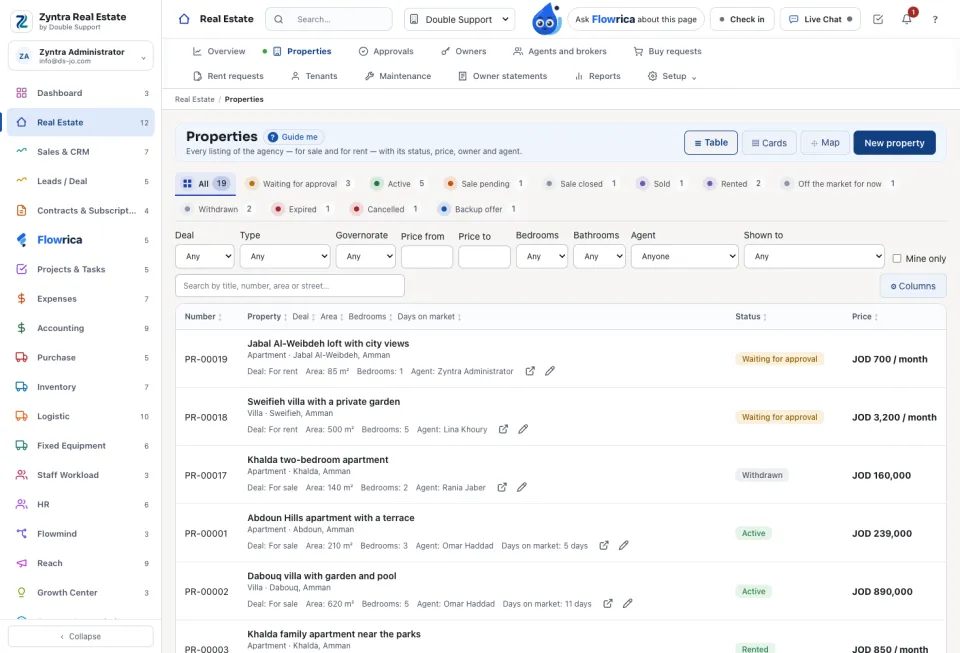
Find a property
Search by title, number, area or street. Narrow with Price from, Price to and Mine only, and press Clear filters to start again. Switch between Cards, Table and the map; on the map, Draw an area keeps only the listings inside it.
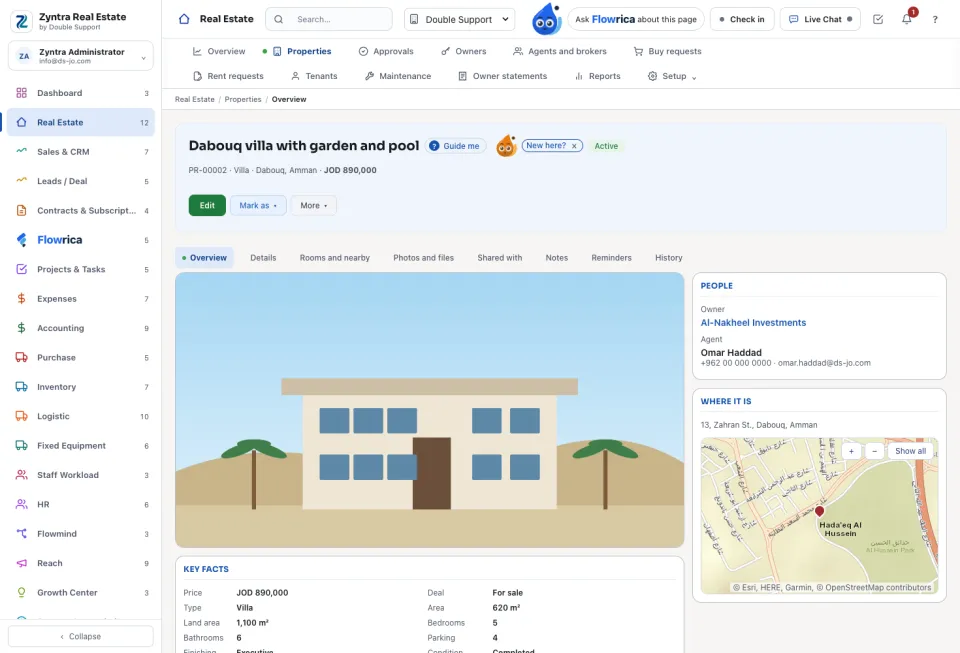
The property's page
Its tabs are Overview, Details, Rooms and nearby, Photos and files, Shared with, Notes, Reminders and History. Mark as changes its status with a note for the history: a listing is New, Active, Sale pending, Sold, Rented, Off the market for now, Withdrawn, Expired or Cancelled. Archive takes it off every list and off the website; nothing is deleted.
On Shared with, Share offers the listing to a Colleague, another Company or an Outside broker. They Accept or Decline. Only an accepted share earns a commission.
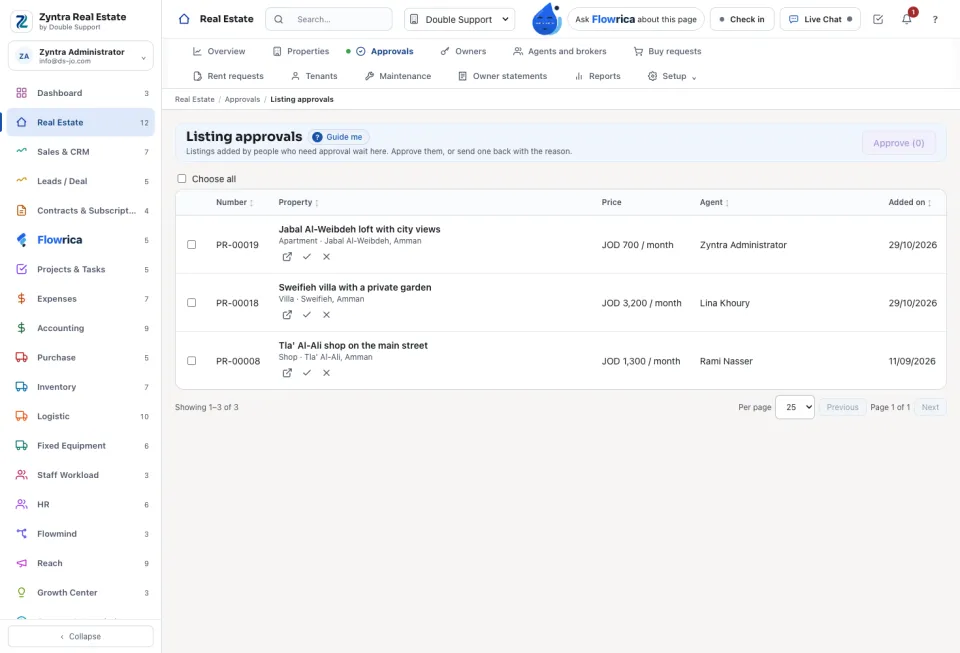
Approve new listings
When the setting New listings wait for approval is on and the agent's card says Needs approval, a new listing starts as Waiting for approval and is not shown outside the company.
A listing is shared only with a colleague of your companies or a broker you may see; anyone else is refused with «Choose who it is shared with from the list.».
Questions
Where is “Properties and approvals” in Zyntra OS?
Real Estate › Properties · Real Estate › Approvals
Who can use “Properties and approvals”?
Real Estate Properties: view to see, create to add, edit to change; Approve for the Approvals screen.