

 Zyntra OS
 Zyntra Legal
 Zyntra Real Estate
 Zyntra Hotel
 Zyntra E-commerce
 Zyntra Appointments
 Zyntra Repair
 Zyntra Garage
 Zyntra Concierge
 Zyntra Contracting
 Zyntra Clinic
 Zyntra Call Center
 Zyntra OTA
Where
Real Estate › Buy requests · Real Estate › Rent requestsWho
Real Estate Requests: view, create and edit (own, team or all).Make a request
1
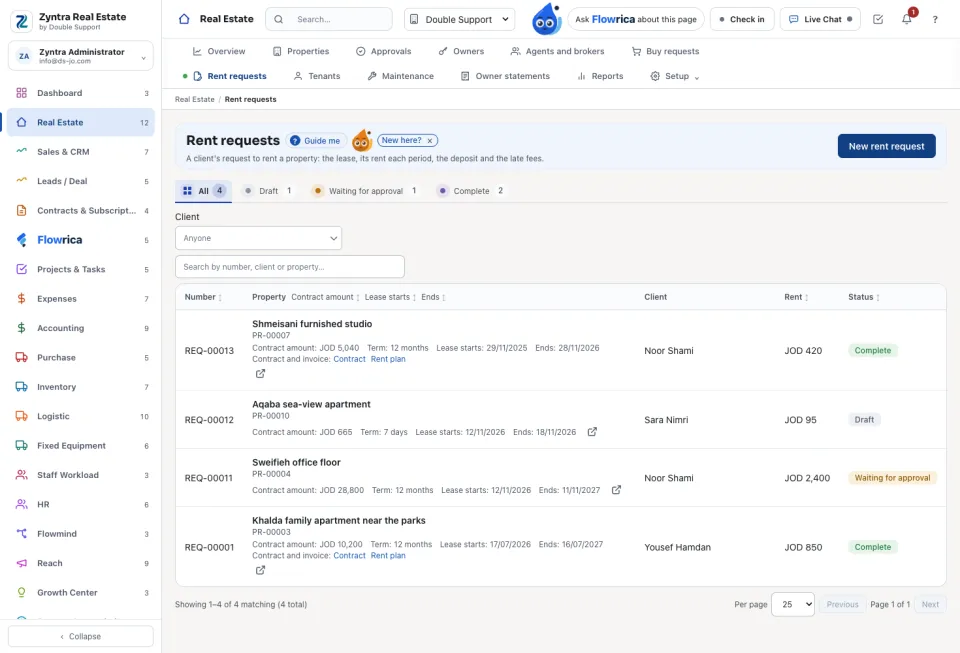
On Buy requests press New buy request, or on Rent requests press New rent request. Only properties of that kind that are on the market are offered.
2
Choose the property and the client. For a rent, give the start and the term: the end and the Contract amount are worked out. Set the Security deposit and the Late fee (As in the settings, None, A fixed amount or A percent of the rent).
3
Press Save. The request is a Draft until it moves on.
From request to paid
1
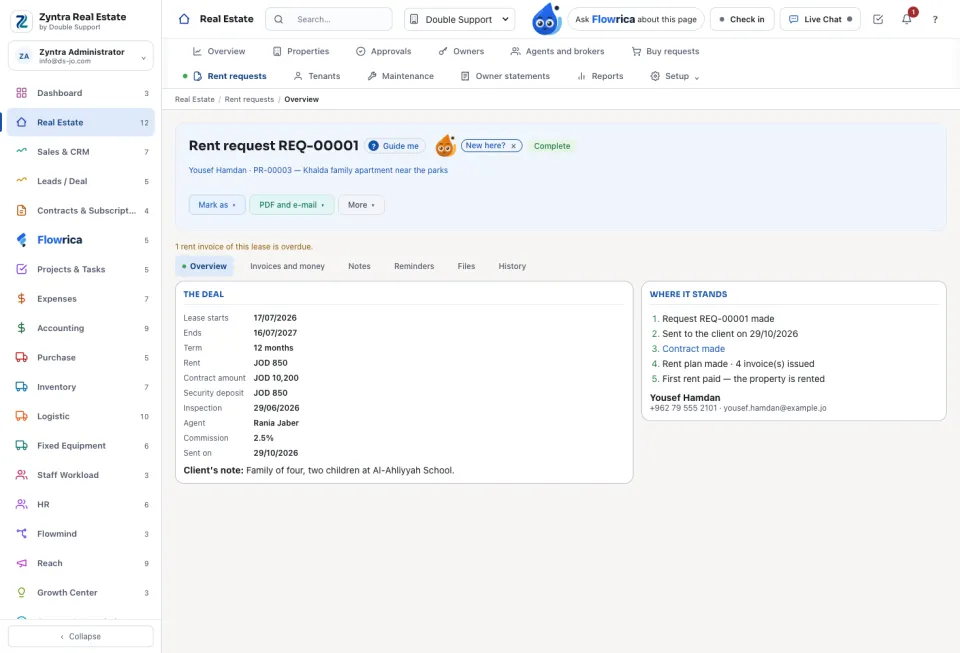
On the request press Make the contract. A Zyntra contract is made and the listing becomes Sale pending.
2
For a sale press Make the invoice. For a rent press Make the rent invoices: one invoice is issued each period by itself.
3
When the sale is paid the property becomes Sold; when the first rent is paid it becomes Rented. Where it stands shows each step reached.
The commission is Worked out by itself when the deal is paid. It goes to the listing agent, a colleague or an outside broker, and each commission is booked as an expense. After the grace days a late fee is added by itself, and the agent is told before a lease ends.
The request's tabs: Overview, Invoices and money, Notes, Reminders, Files and History. PDF and e-mail opens or sends the request; Return the deposit records the deposit given back at the end of a lease.
Questions
Where is “Buy and rent requests” in Zyntra OS?
Real Estate › Buy requests · Real Estate › Rent requests
Who can use “Buy and rent requests”?
Real Estate Requests: view, create and edit (own, team or all).