

 Zyntra OS
 Zyntra Legal
 Zyntra Real Estate
 Zyntra Hotel
 Zyntra E-commerce
 Zyntra Appointments
 Zyntra Repair
 Zyntra Garage
 Zyntra Concierge
 Zyntra Contracting
 Zyntra Clinic
 Zyntra Call Center
 Zyntra OTA
Where
Real Estate › Tenants · Maintenance · Owner statementsWho
Real Estate Tenants for tenants; Real Estate Maintenance (Manage) for maintenance; Real Estate Owner Statements for the statements.Tenants
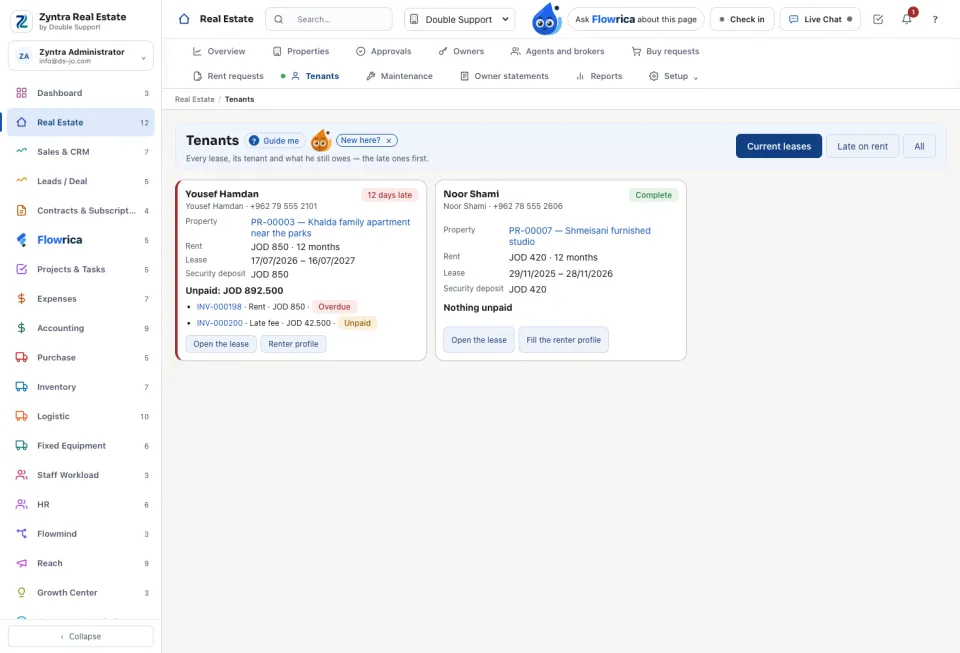
Every lease is a card, the late tenants first. Choose Current leases, Late on rent or All. A card shows what is unpaid and how many days late. Open the lease opens the rent request; Renter profile opens the tenant's file: Personal details, Work and income, Address history, Emergency contact, Household and pets, Papers and Leases. The profile says what share of the stated income the rent is.
Maintenance
The Cost becomes an expense. When the owner pays it, it is taken from what he is due on his statement.
Owner statements
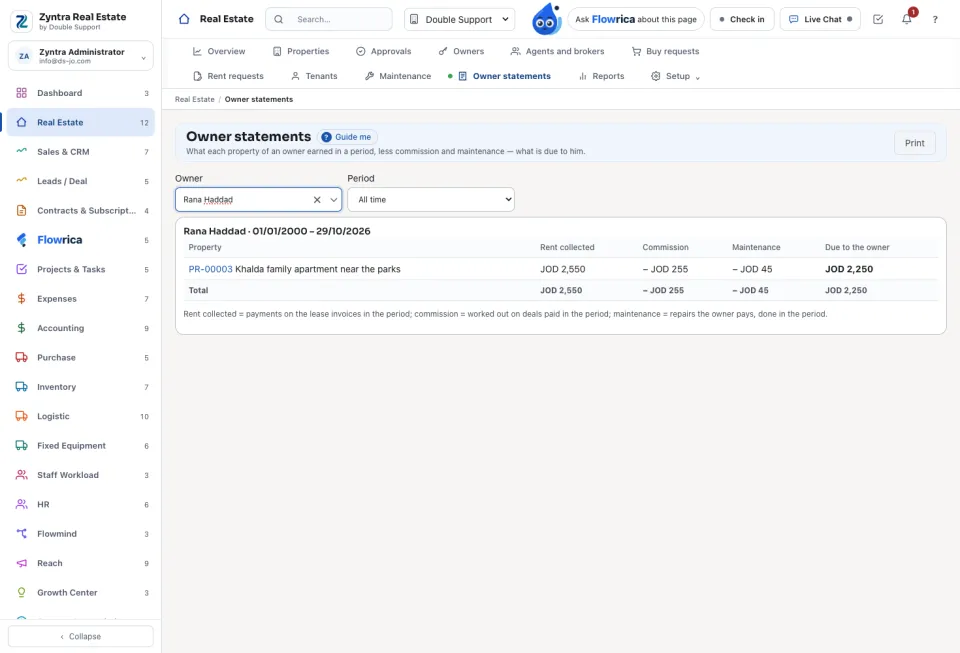
Choose the owner and the Period. For each of his properties the statement shows the Rent collected, less the Commission and the Maintenance he pays, and what is Due to the owner. Press Print to hand it to him.
Questions
Where is “Tenants, maintenance and owner statements” in Zyntra OS?
Real Estate › Tenants · Maintenance · Owner statements
Who can use “Tenants, maintenance and owner statements”?
Real Estate Tenants for tenants; Real Estate Maintenance (Manage) for maintenance; Real Estate Owner Statements for the statements.