

 Zyntra OS
 Zyntra Legal
 Zyntra Real Estate
 Zyntra Hotel
 Zyntra E-commerce
 Zyntra Appointments
 Zyntra Repair
 Zyntra Garage
 Zyntra Concierge
 Zyntra Contracting
 Zyntra Clinic
 Zyntra Call Center
 Zyntra OTA
Where
Real Estate › Reports · Setup › Settings · Setup › Plans and agenciesWho
Real Estate Reports for the reports; Real Estate Settings (Manage) for settings, plans and agencies.Reports
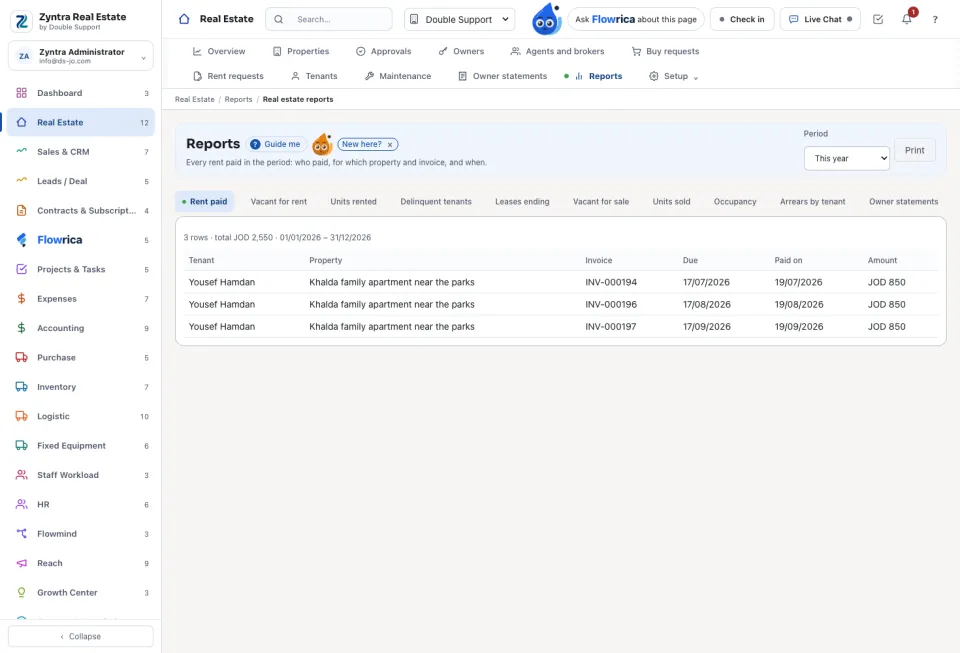
Choose the Period and a report: Rent paid, Vacant for rent, Units rented, Delinquent tenants, Leases ending (the next 90 days), Vacant for sale, Units sold, Occupancy and Arrears by tenant. Each row opens the record it counts. Print prints the report.
Settings
Each company keeps its own settings. Set the Area measured in, the Default commission (%), whether New listings wait for approval, the next numbers, the Security deposit (months of rent), Tell the agent before a lease ends (days), the Late fee and the Days of grace before the late fee. Under Outside brokers you decide whether brokers have their own portal. Under Public listings, Show the public listings puts the active listings on a public page; Open the public page shows it. Press Save.
Plans and agencies
For a business that hosts several agencies: New plan gives a plan a Name, Listings a month (empty means no limit), a Price and the role its people get. A read-only plan lets its agencies look but list and change nothing. The agencies table shows each company's plan and how many it has listed this month.
Questions
Where is “Real Estate reports and setup” in Zyntra OS?
Real Estate › Reports · Setup › Settings · Setup › Plans and agencies
Who can use “Real Estate reports and setup”?
Real Estate Reports for the reports; Real Estate Settings (Manage) for settings, plans and agencies.