

 Zyntra OS
 Zyntra Legal
 Zyntra Real Estate
 Zyntra Hotel
 Zyntra E-commerce
 Zyntra Appointments
 Zyntra Repair
 Zyntra Garage
 Zyntra Concierge
 Zyntra Contracting
 Zyntra Clinic
 Zyntra Call Center
 Zyntra OTA
Where
Real Estate › Owners · Real Estate › Agents and brokersWho
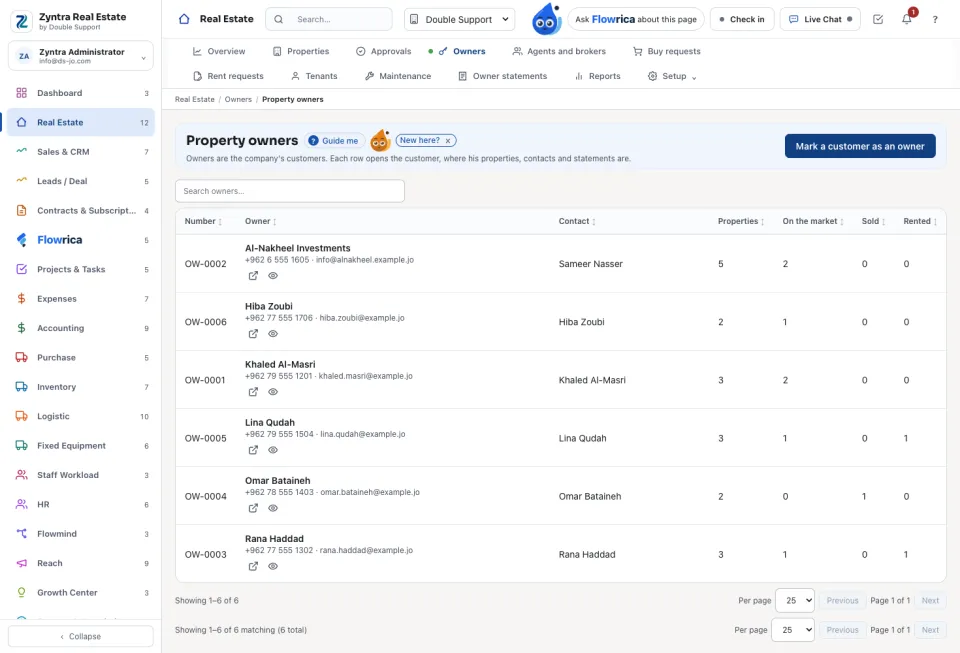
Real Estate Properties to see the owners; Real Estate Agents for agents and brokers.Owners
Agents and brokers
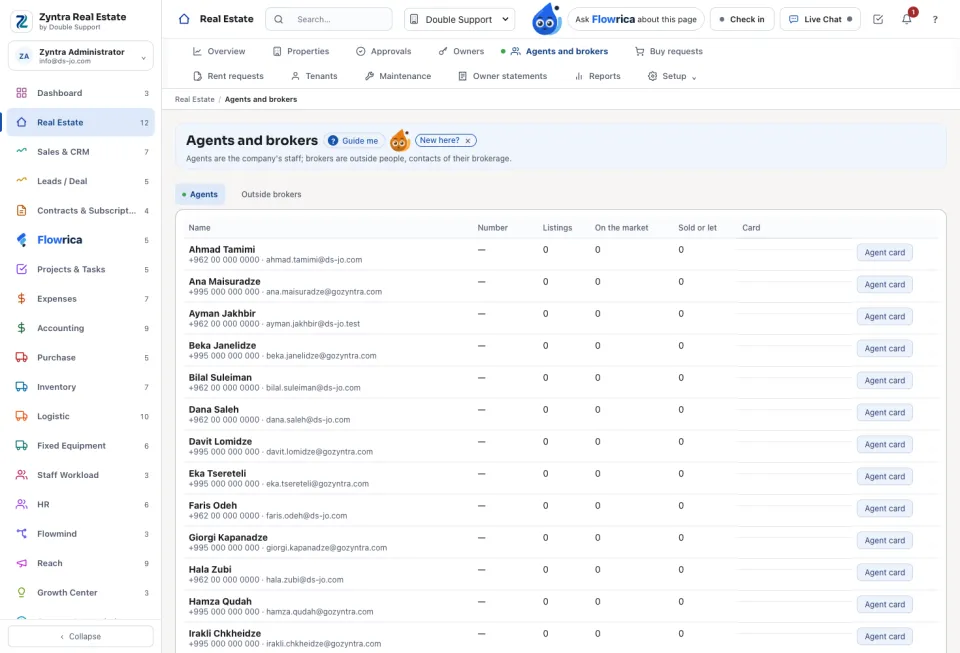
The Agents tab lists the staff who list properties, with their Listings and how many were Sold or let. Agent card sets whether the agent is an Approval manager, whether his listings Needs approval, and whether he is Shown on the website with his listings.
The Outside brokers tab holds brokers from other offices. Press New broker, give the Brokerage and the Licence number, and tick Signs in to his side of the portal if he may add listings himself. Listings a broker adds through the portal wait for approval the same way.
An agent saving his own card keeps «needs approval» and «approval manager» as they are; only someone who sees every agent changes them, for another person. The broker portal offers only the agency company's own payment modes and the shared ones.
Questions
Where is “Owners, agents and brokers” in Zyntra OS?
Real Estate › Owners · Real Estate › Agents and brokers
Who can use “Owners, agents and brokers”?
Real Estate Properties to see the owners; Real Estate Agents for agents and brokers.