

 Zyntra OS
 Zyntra Legal
 Zyntra Real Estate
 Zyntra Hotel
 Zyntra E-commerce
 Zyntra Appointments
 Zyntra Repair
 Zyntra Garage
 Zyntra Concierge
 Zyntra Contracting
 Zyntra Clinic
 Zyntra Call Center
 Zyntra OTA
Where
Appointments › Marketing · Reviews · ReportsWho
Appointment Coupons, Packages and Reviews; Appointment Reports — View.Coupons and packages
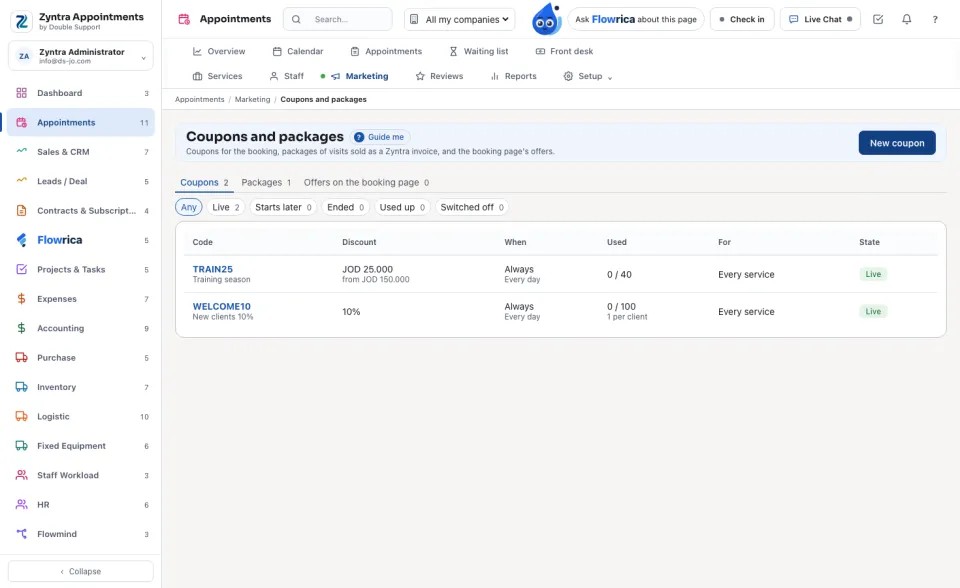
Three tabs: Coupons, Packages and Offers on the booking page. Each row says whether it is Live, Starts later, Ended, Used up or Switched off.
1
New coupon: the Code clients type, a name for you, the discount (a percent or an amount), the most it takes off, the smallest booking it works on, how many uses in all and per client, and the services it is for.
2
New package: its name and price, What it holds (services and how many of each), how many days it is valid, and whether it is shown on the booking page. Sell to a client sells it and issues the invoice.
3
New offer: a banner on the booking page, with its title and text in both languages and a link.
Reviews
Clients review their visit from their own visit page. Each review waits for you: Publish it or Hide it. Narrow them by stars, staff and service.
Reports
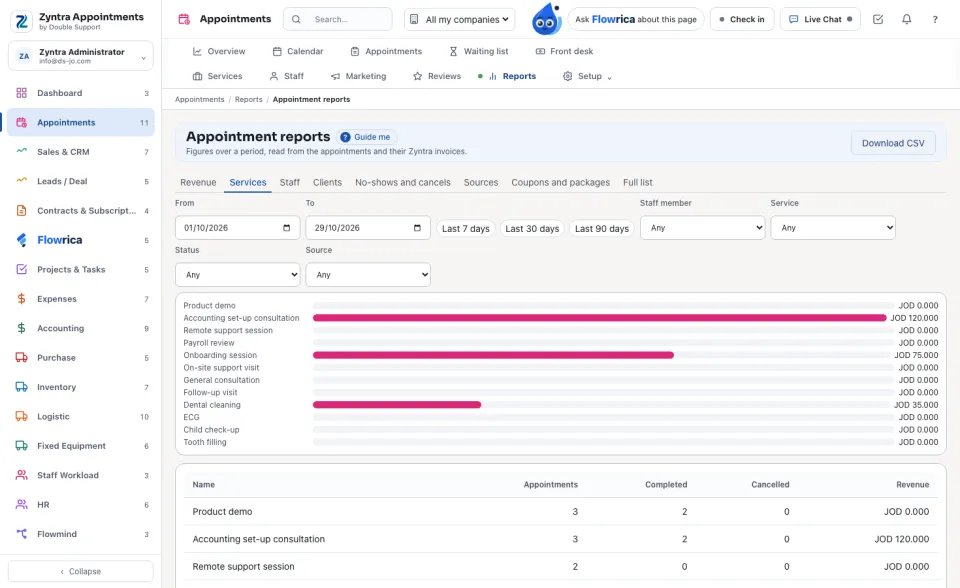
Choose the report: Revenue, Services, Staff (with how busy each one was), Clients, No-shows and cancels, Sources, Coupons and packages or Full list, by day or month. Download CSV gives it as a file.
Before: Services, staff and locations · Next: Appointment settings
Questions
Where is “Coupons, reviews and reports” in Zyntra OS?
Appointments › Marketing · Reviews · Reports
Who can use “Coupons, reviews and reports”?
Appointment Coupons, Packages and Reviews; Appointment Reports — View.