

 Zyntra OS
 Zyntra Legal
 Zyntra Real Estate
 Zyntra Hotel
 Zyntra E-commerce
 Zyntra Repair
 Zyntra Garage
 Zyntra Concierge
 Zyntra Contracting
 Zyntra Clinic
 Zyntra Call Center
 Zyntra OTA
Where
Appointments › Appointments · Front desk · Waiting listWho
Appointments — View; acting on an appointment needs Edit; the desk and waiting list need Create.The list
The chips: All, Today, To come and Past, with tabs for each status and its count. Narrow by source, payment, staff, service, location, in person or online, and dates; the filters stay in the address. The columns: Number, When, Client, Service, Staff, Status, Payment and Total. Change several confirms, checks in, completes, cancels or marks a no-show on many at once.
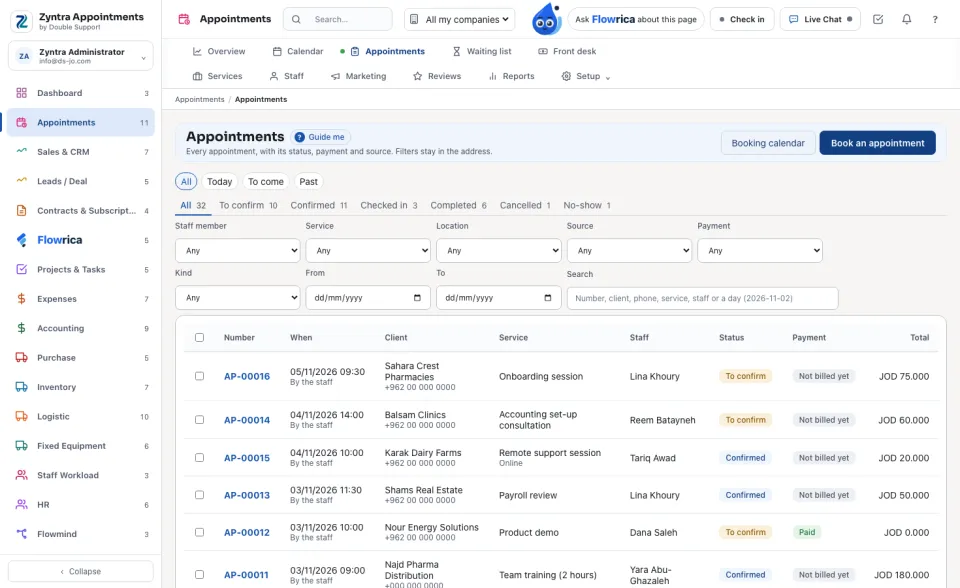
The statuses: To confirm, Confirmed, Checked in, Completed, Cancelled and No-show. The payment: Paid, Deposit paid, Partly paid, Unpaid or Not billed yet.
One appointment
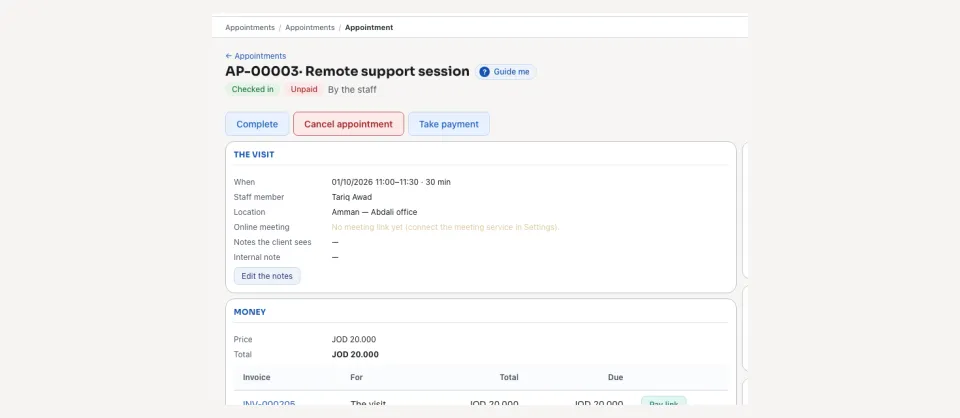
The page shows What to do next, The visit, When, the online meeting, Money (price, invoice, what is due and the pay link), the series it belongs to, the client's review, the messages sent to the client, and the History.
| Button | What it does |
|---|---|
| Confirm, Check in, Complete | Move it on as the visit happens. |
| Cancel appointment, No-show | Cancel it with a reason, or mark that the client did not come. Book again brings it back. |
| Move | Another day, time or staff member — only free times are offered. |
| Send a reminder | Reminds the client. |
| Issue the invoice, Take payment | Bill the visit; take a payment (empty amount = what is due), how it was paid and a reference. |
The front desk
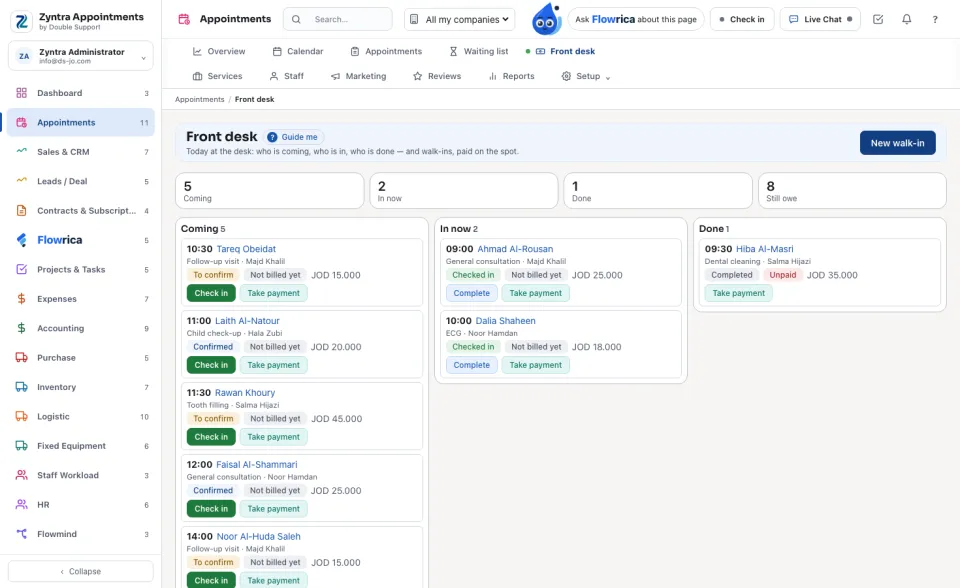
Today at the desk: who is coming, who is in, who is done — and walk-ins, paid on the spot. The columns are Coming, In now, Done and Still owe.
The waiting list
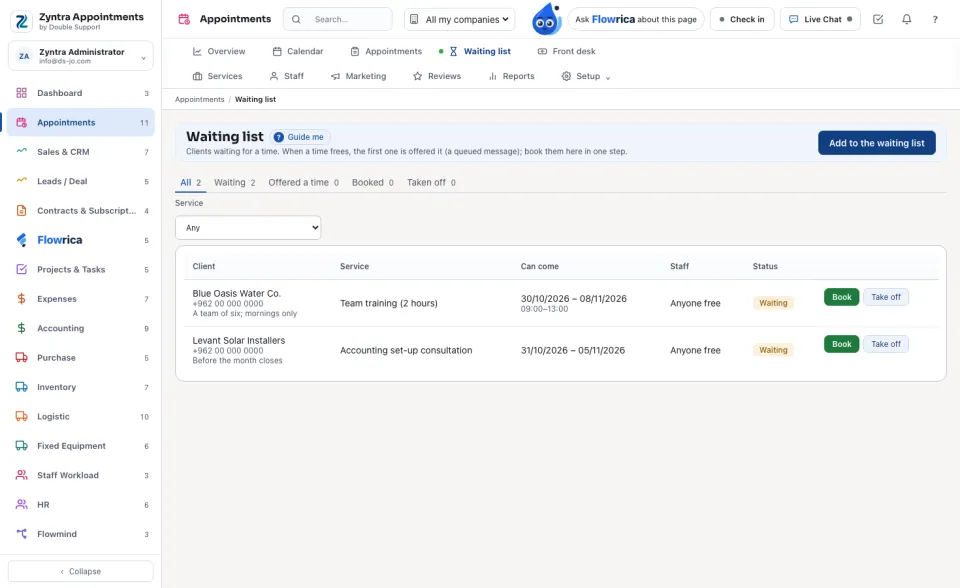
Clients waiting for a time. When a time frees, the first one is offered it by a message; book them here in one step.
A visit the clinic raised is billed and paid from its clinic visit. On the desk, billing it or taking its payment says «This visit is billed from its clinic visit.», and cancelling the appointment never cancels the clinic's invoice.
 Zyntra Appointments · Next: Services, staff and locations
Questions
Where is “Appointments, the front desk and the waiting list” in Zyntra OS?
Appointments › Appointments · Front desk · Waiting list
Who can use “Appointments, the front desk and the waiting list”?
Appointments — View; acting on an appointment needs Edit; the desk and waiting list need Create.