

 Zyntra OS
 Zyntra Legal
 Zyntra Real Estate
 Zyntra Hotel
 Zyntra E-commerce
 Zyntra Appointments
 Zyntra Repair
 Zyntra Garage
 Zyntra Concierge
 Zyntra Contracting
 Zyntra Clinic
 Zyntra Call Center
 Zyntra OTA
Where
System › Setup › Channels › Google Business ProfileWho
Reading the reviews: people with Google Business Profile — View. Connecting, replying and sending the hours: Google Business Profile — Manage.1
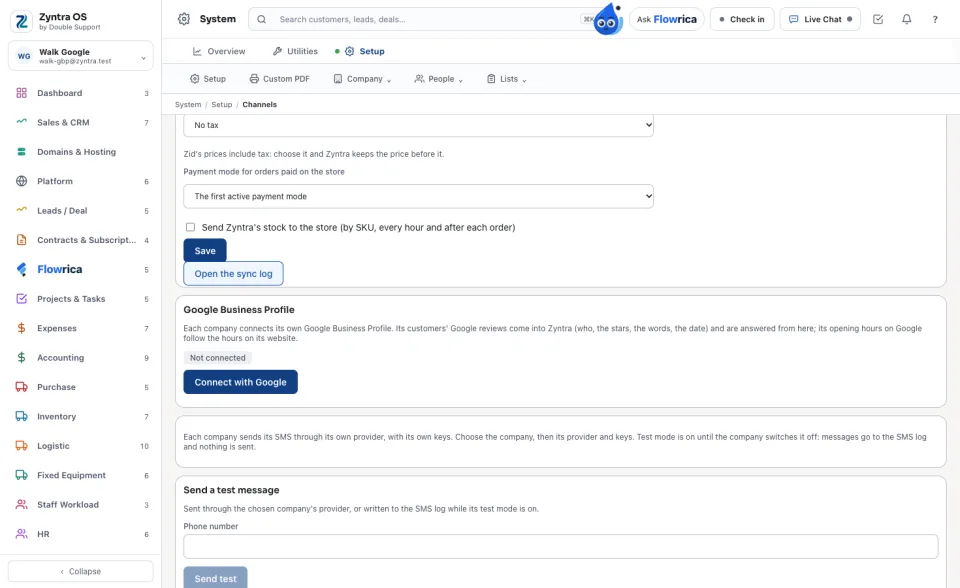
The Google app is set up once, in Setup › Settings › Mail (its client ID and secret). Then open Setup › Channels, find Google Business Profile and choose the company.
2
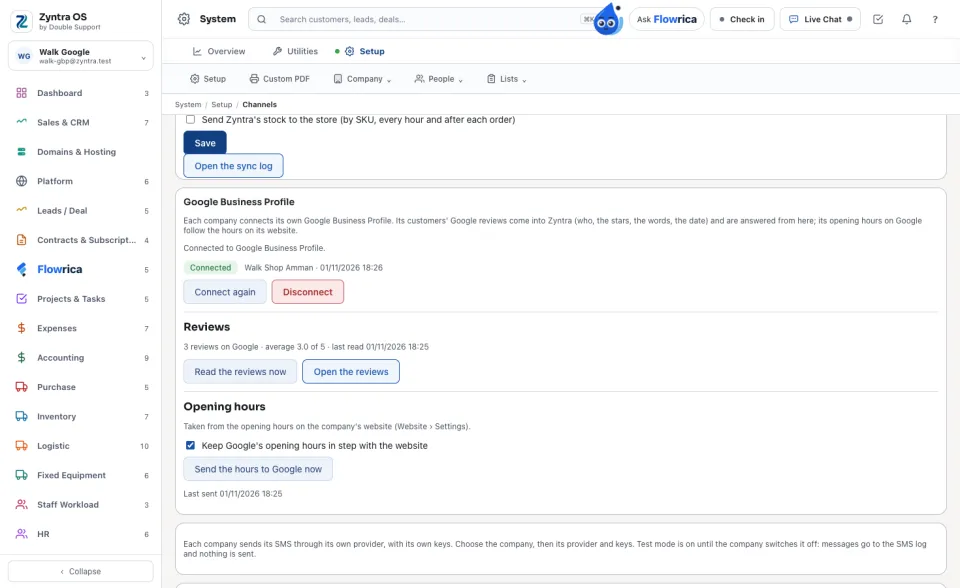
Press Connect with Google and sign in with the Google account that manages the business. Back in Zyntra the card says Connected and names the business.
3
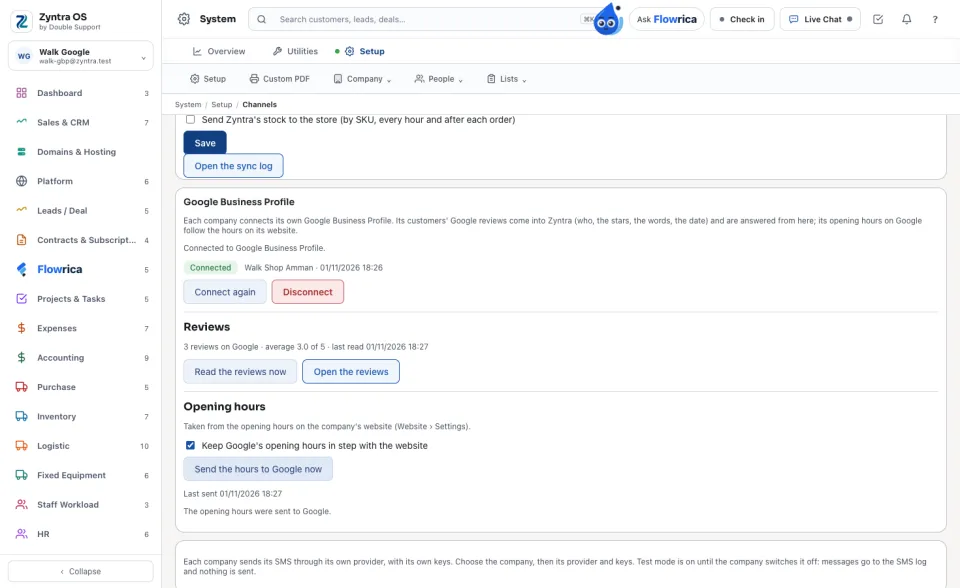
Under Opening hours, the hours come from the company's website (Website › Settings). With Keep Google's opening hours in step with the website ticked, every save of the website's hours goes to Google. Send the hours to Google now sends them at once.
4
Under Reviews, press Read the reviews now (Zyntra also reads them every hour), then Open the reviews. Each review shows who wrote it, its stars, its words and its date.
5
Press Reply, write the answer and press Post the reply on Google. It appears on Google under the company's name; Waiting for Google shows until Google publishes it.
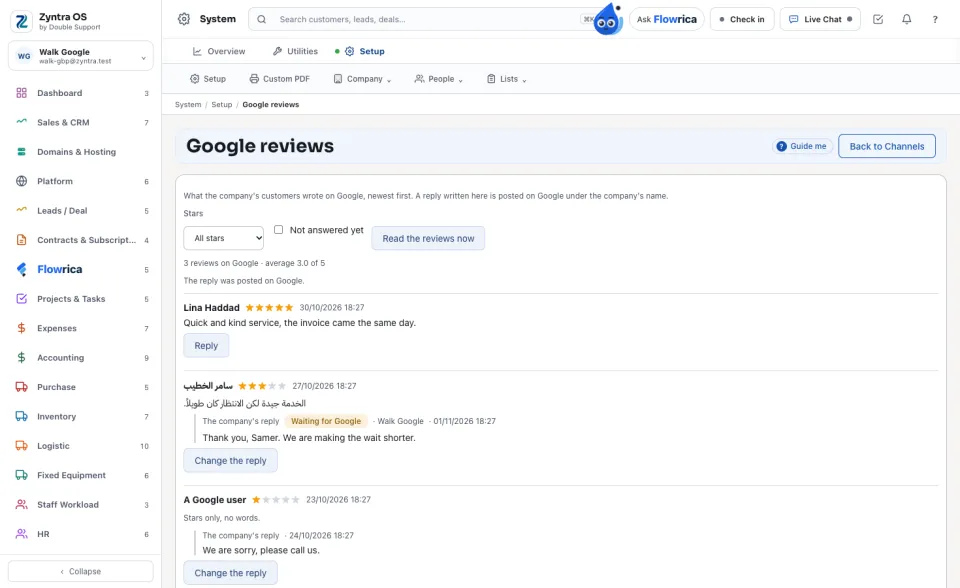
Google answers only once it has approved the company's Google project for the Business Profile API.
Questions
Where is “Google reviews and opening hours” in Zyntra OS?
System › Setup › Channels › Google Business Profile
Who can use “Google reviews and opening hours”?
Reading the reviews: people with Google Business Profile — View. Connecting, replying and sending the hours: Google Business Profile — Manage.