

 Zyntra OS
 Zyntra Legal
 Zyntra Real Estate
 Zyntra Hotel
 Zyntra E-commerce
 Zyntra Appointments
 Zyntra Repair
 Zyntra Garage
 Zyntra Concierge
 Zyntra Contracting
 Zyntra Clinic
 Zyntra Call Center
 Zyntra OTA
Where
Accounting › Reports › Accounting reportsWho
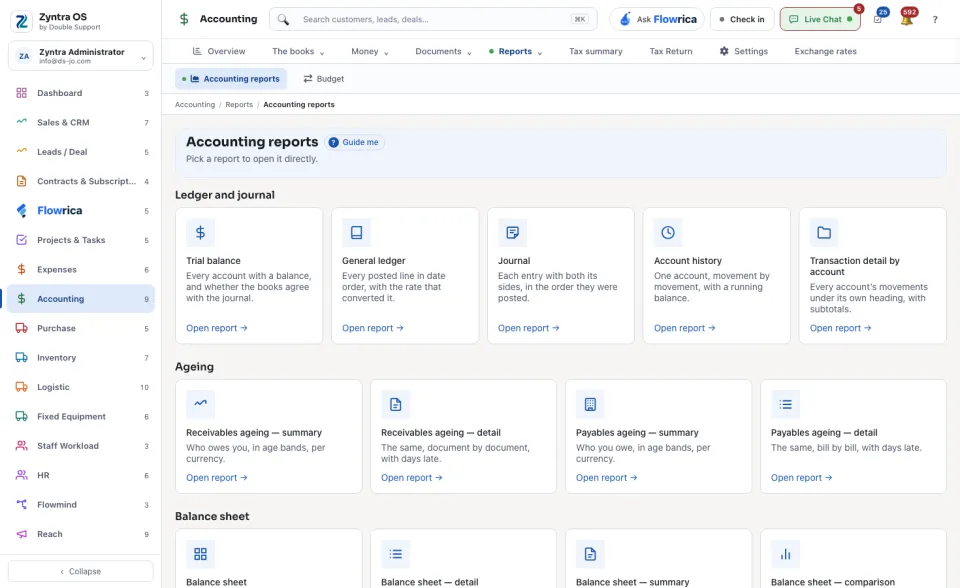
People whose role may see the accounting reports.The screen lists every report with one line saying what it is, in groups: Ledger and journal, Ageing, Balance sheet, Profit and loss, Tax, Banking, Custom and Other.
1
Press Open report on the report you want.
2
Choose the Period and the Basis: Accrual or Cash. The company is the one chosen in the top bar; the report says which.
3
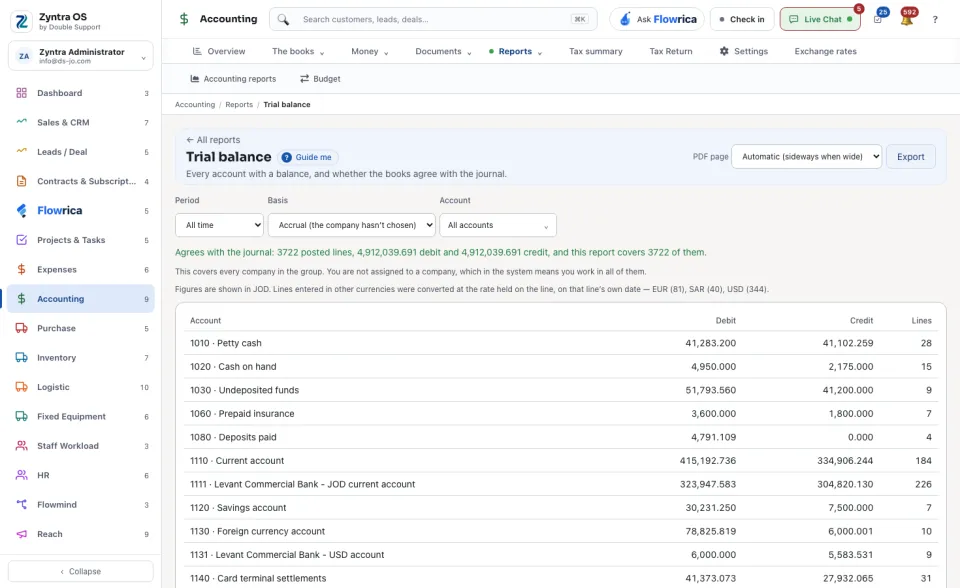
Read the report. Above the table it says how many posted lines it covers and in which currency the figures are shown. Lines entered in another currency were converted at the rate held on the line.
4
Export downloads it; PDF page sets the page upright or sideways. All reports takes you back to the list.
The ones used most
- Trial balance: every account with a balance, and whether the books agree with the journal.
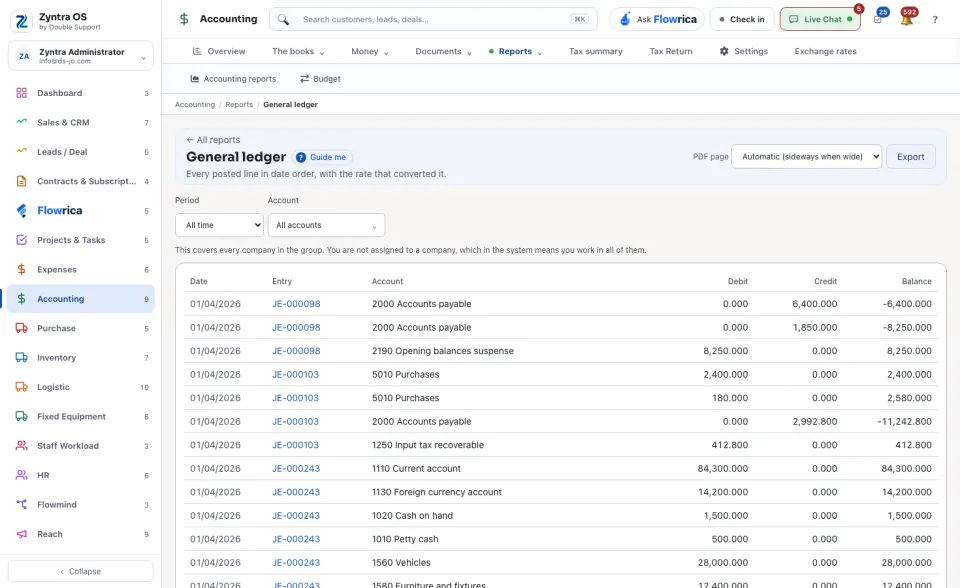
- General ledger: every posted line in date order, with the rate that converted it.
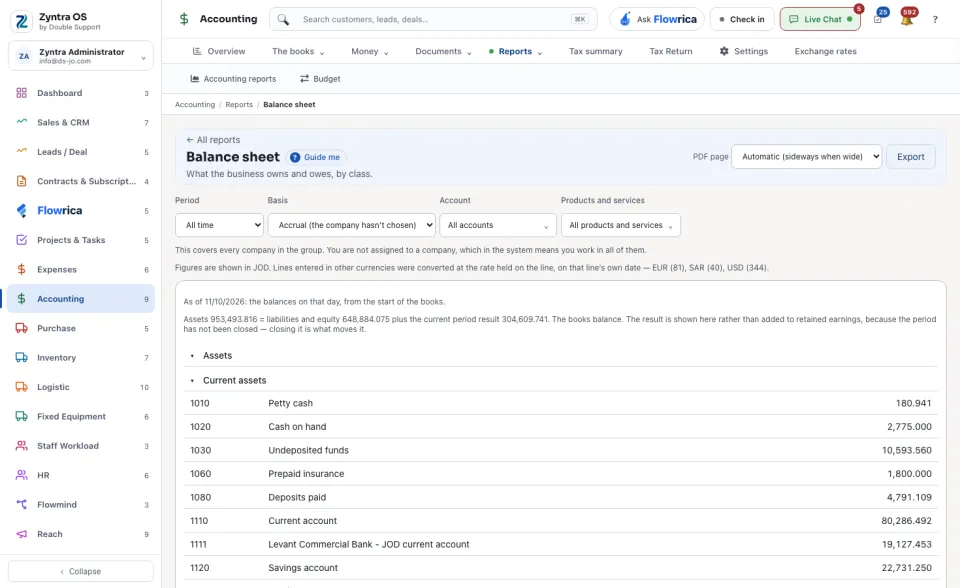
- Balance sheet: what the business owns and owes, by class. It also comes as detail, summary and comparison.
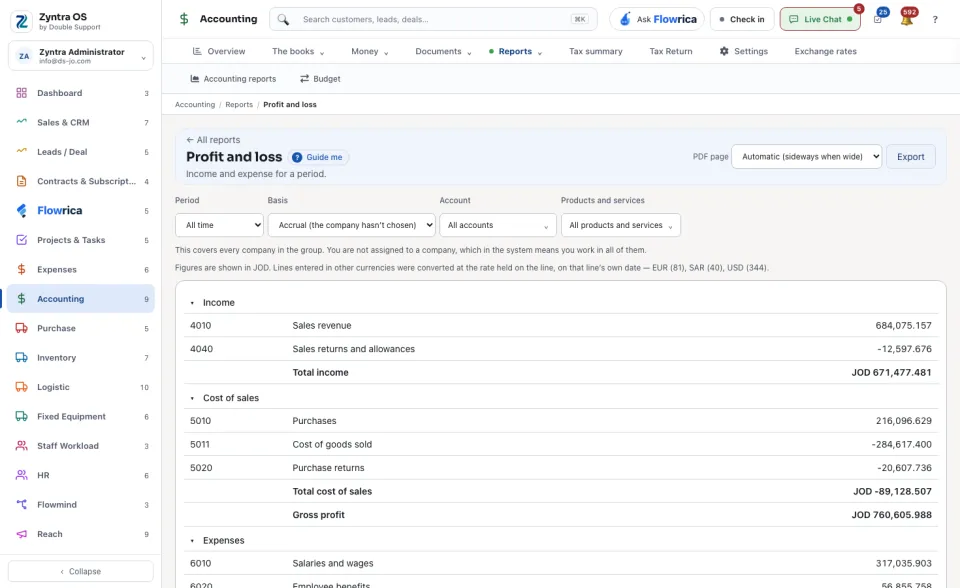
- Profit and loss: income and expense for a period. It also comes as detail, comparison, 12 months and as a share of total income.
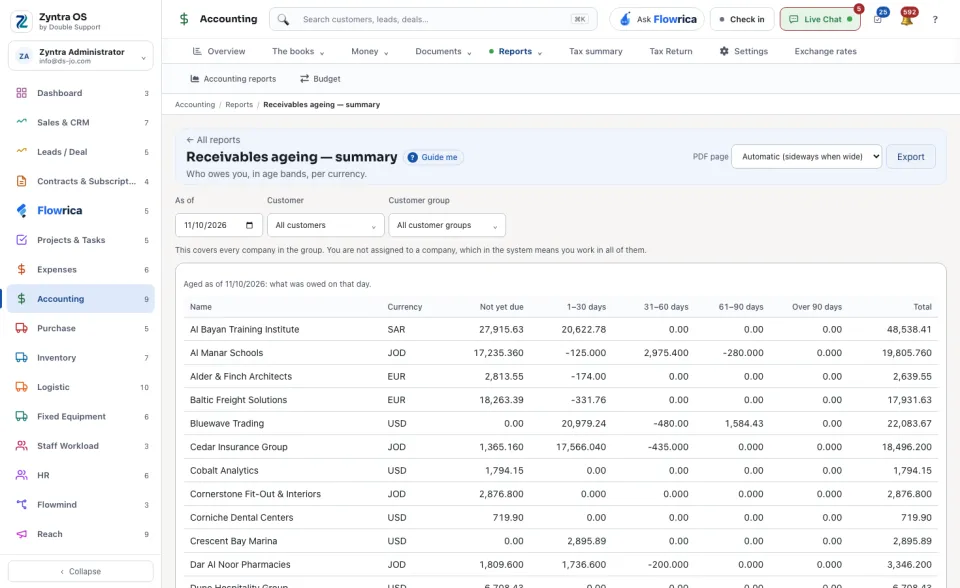
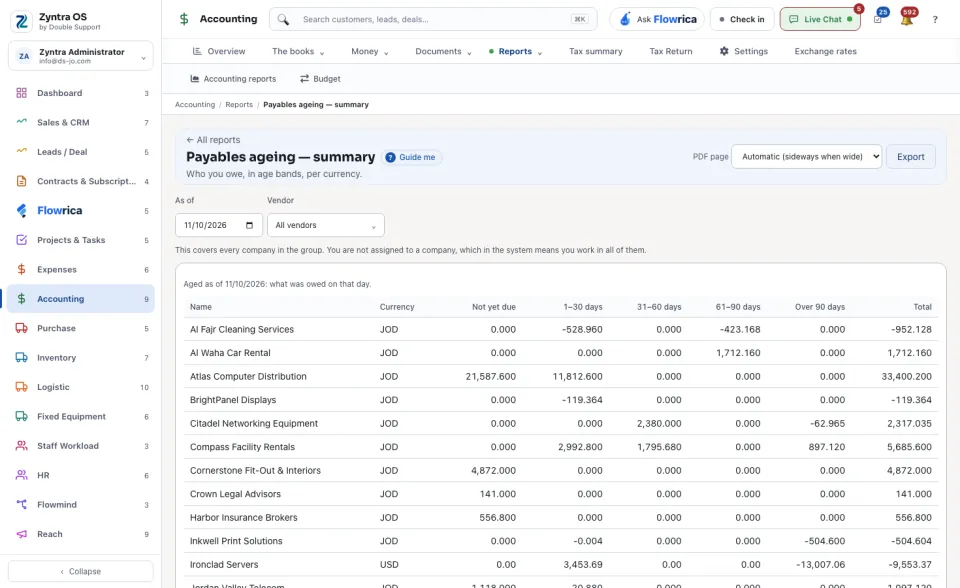
- Receivables ageing — summary and Payables ageing — summary: who owes you and who you owe, in age bands, per currency.
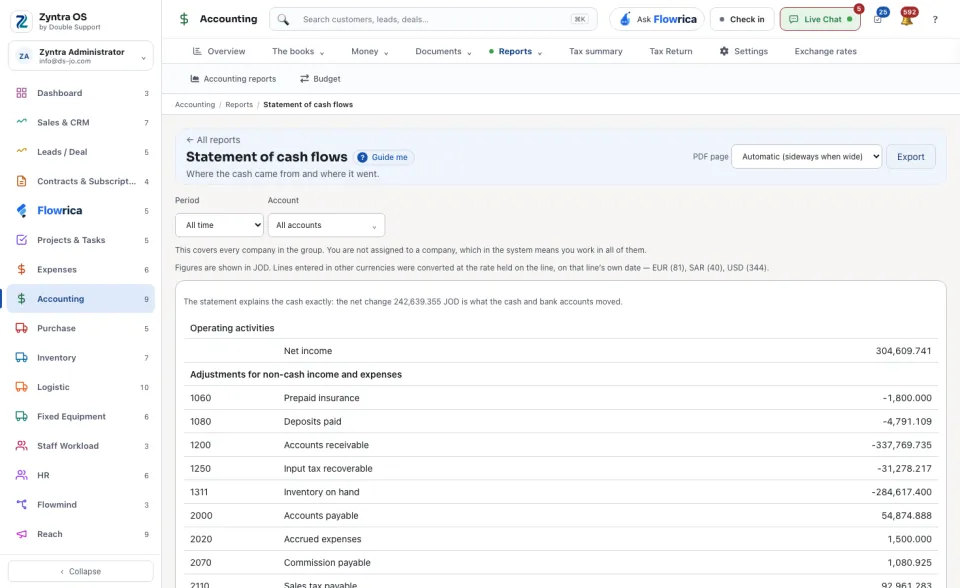
- Statement of cash flows: where the cash came from and where it went.
Before: Bank accounts and reconciling · Next: The tax return