

 Zyntra OS
 Zyntra Legal
 Zyntra Real Estate
 Zyntra Hotel
 Zyntra E-commerce
 Zyntra Appointments
 Zyntra Repair
 Zyntra Garage
 Zyntra Concierge
 Zyntra Contracting
 Zyntra Clinic
 Zyntra Call Center
 Zyntra OTA
Where
E-commerce › Products · Categories · Product extras · Reviews · QuestionsWho
E-commerce Products: view, create, edit, delete.Add a product
Stock arrives through Inventory, as a receipt into a warehouse. Take orders while out of stock (pre-order) keeps selling when it runs out. Duplicate starts a similar product; Archive takes it off the shop.
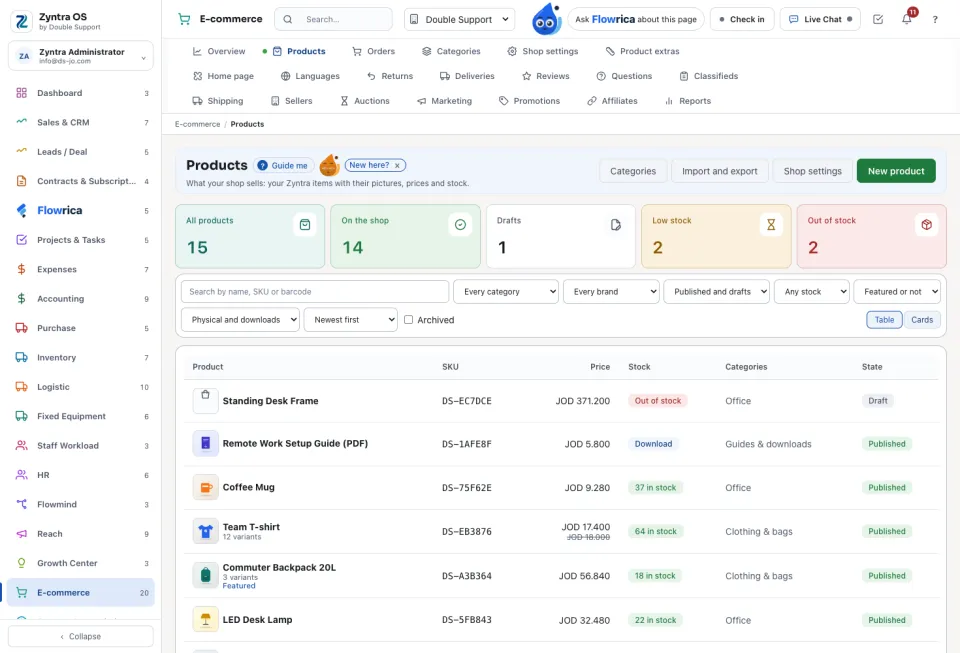
Find and change many at once
The tabs count All products, On the shop, Drafts, Low stock and Out of stock. Search by name, SKU or barcode, and switch between Table and Cards. Import and export downloads the products as CSV or Excel, and brings a file back after Check the file.
Categories, extras, reviews and questions
Categories holds the category tree (New category, Add inside) and the attributes such as size and colour. Product extras holds what is written once and put on many products: notes, size charts, labels, brands and search wording. Shoppers' Reviews come only after delivery: Show it or Hide, and write an answer. Questions from the product pages wait for Answer on the page.
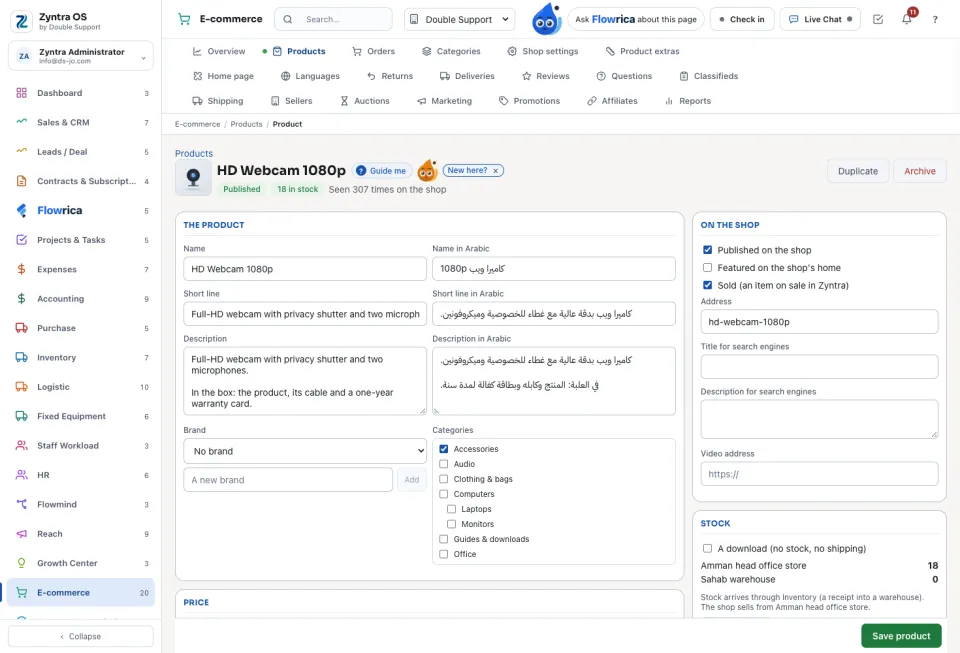
Questions
Where is “Shop products” in Zyntra OS?
E-commerce › Products · Categories · Product extras · Reviews · Questions
Who can use “Shop products”?
E-commerce Products: view, create, edit, delete.