

 Zyntra OS
 Zyntra Legal
 Zyntra Real Estate
 Zyntra Hotel
 Zyntra E-commerce
 Zyntra Appointments
 Zyntra Repair
 Zyntra Garage
 Zyntra Concierge
 Zyntra Contracting
 Zyntra Clinic
 Zyntra Call Center
 Zyntra OTA
Where
E-commerce › Shipping · Home page · Languages · Shop settings · ReportsWho
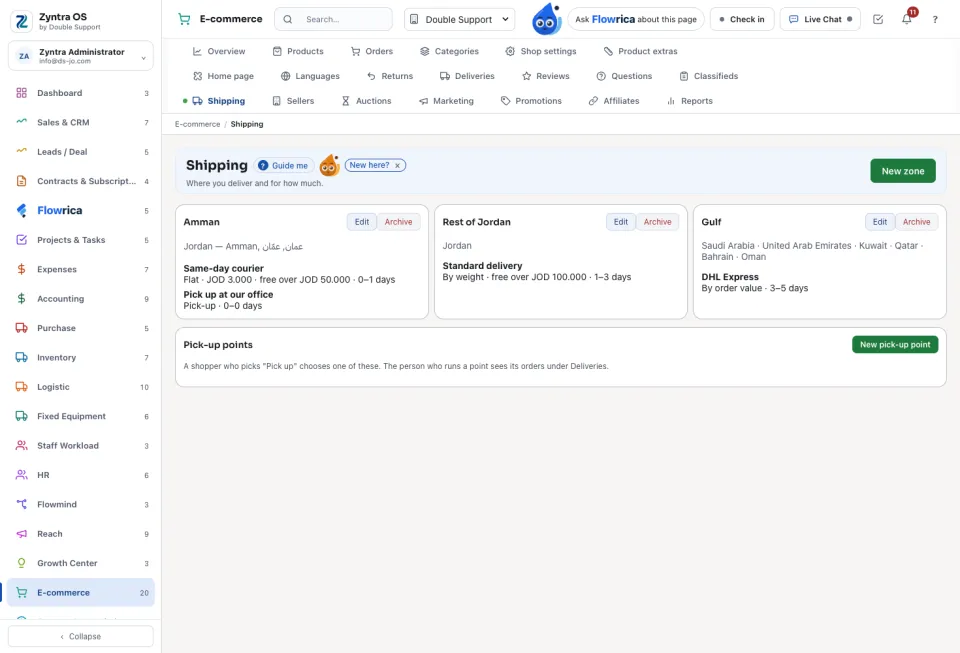
E-commerce Settings — Manage; E-commerce Reports — View for the reports.Shipping
Without a zone, products that are shipped cannot be ordered. Pick-up points are the places a shopper may collect from.
Home page and languages
Home page builds the shop's front page from sections: Hero, Slider, Banner, Categories, Deals, Featured products, New products, Best sellers, Brands, Text and more. Add the section, order them, and Open the shop to see the result. English and Arabic are always there; Languages adds more, each with its own address, and lets you write The shop's words in each.
Shop settings
Your shop on the web, How it looks (Shop colour), Money (Currency, Prices on the shop include tax, Sells from the warehouse), Orders (Order number starts with, Shoppers can order without an account, A review shows only after someone approves it), Points, Sellers, How shoppers sign in and Product feeds for search and social shops. Press Save settings.
Reports
Shop reports: Sales by day, Products sold, Categories, Best customers, Stock, Saved products, Searches, Coupons, Carts left behind, Returns, the sellers' earnings and commission, and the couriers' fees. Export CSV downloads any of them.
Questions
Where is “Shop setup and reports” in Zyntra OS?
E-commerce › Shipping · Home page · Languages · Shop settings · Reports
Who can use “Shop setup and reports”?
E-commerce Settings — Manage; E-commerce Reports — View for the reports.