

 Zyntra OS
 Zyntra Legal
 Zyntra Real Estate
 Zyntra Hotel
 Zyntra E-commerce
 Zyntra Appointments
 Zyntra Repair
 Zyntra Garage
 Zyntra Concierge
 Zyntra Contracting
 Zyntra Clinic
 Zyntra Call Center
 Zyntra OTA
Where
E-commerce › Orders · Returns · DeliveriesWho
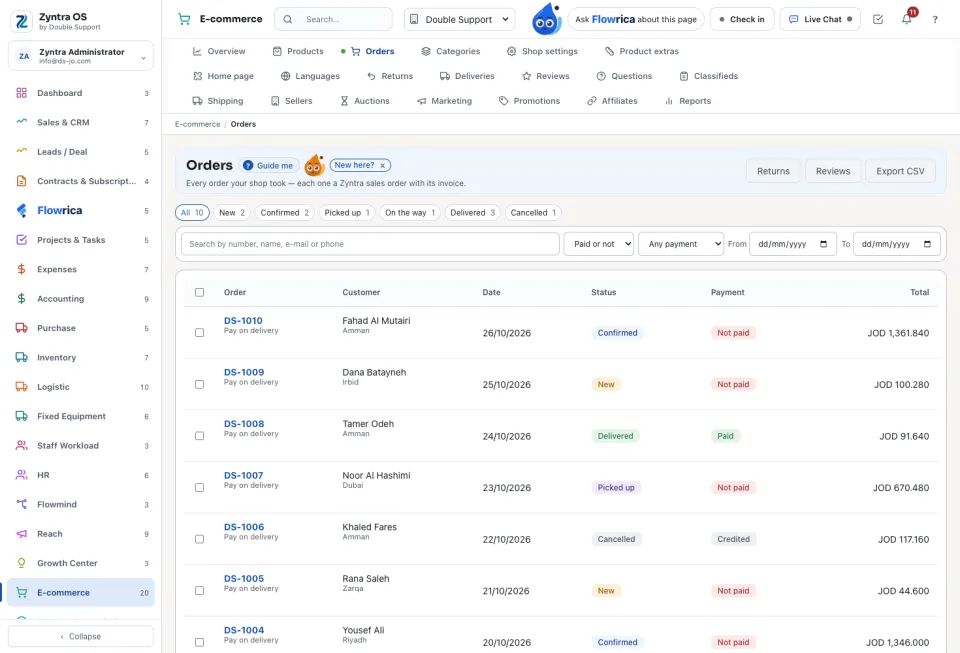
E-commerce Orders (view, edit, refund); E-commerce Deliveries for the couriers.Work an order
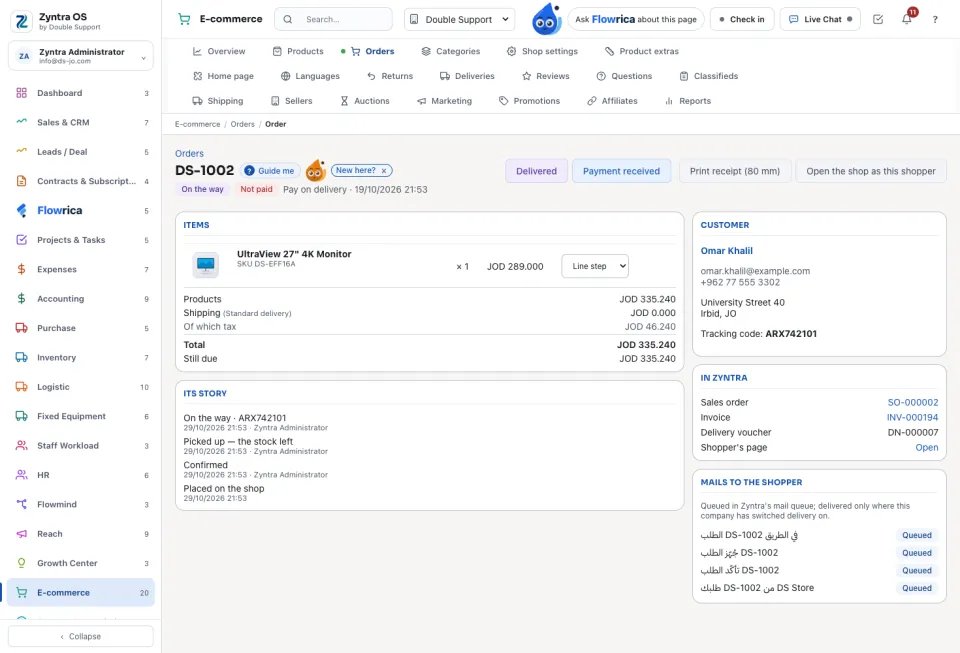
The order links to its Sales order, Invoice and Delivery voucher. Mails to the shopper shows what the shopper was sent, and Print receipt (80 mm) prints a till receipt. Cancel order credits the invoice in full and closes the order.
Returns
A shopper asks for a return from his account; it waits on Returns with its reason. Approve — credit note makes the credit note and brings the goods back into the warehouse. Reject needs a note.
Deliveries
For a shop with its own couriers: To deliver, Nobody at the door and Delivered (7 days). A courier works through Given to me, one card per order, with Open the map and Confirm. A manager uses Give it to hand an order to a courier.
Questions
Where is “Shop orders, returns and deliveries” in Zyntra OS?
E-commerce › Orders · Returns · Deliveries
Who can use “Shop orders, returns and deliveries”?
E-commerce Orders (view, edit, refund); E-commerce Deliveries for the couriers.