

 Zyntra OS
 Zyntra Legal
 Zyntra Real Estate
 Zyntra Hotel
 Zyntra E-commerce
 Zyntra Appointments
 Zyntra Repair
 Zyntra Garage
 Zyntra Concierge
 Zyntra Contracting
 Zyntra Clinic
 Zyntra Dental
 Zyntra School
 Zyntra University
 Zyntra Call Center
 Zyntra OTA
Where
Manufacturing › Shop floor · the tablet itself: /floor-tabletWho
«Set up tablets and operators» makes tablets and sets PINs and badges. «Read the shop floor» reads the operators, downtime and counts. The operator at the tablet needs no right: only the work centre's own people sign in there.Sign in at the tablet
1
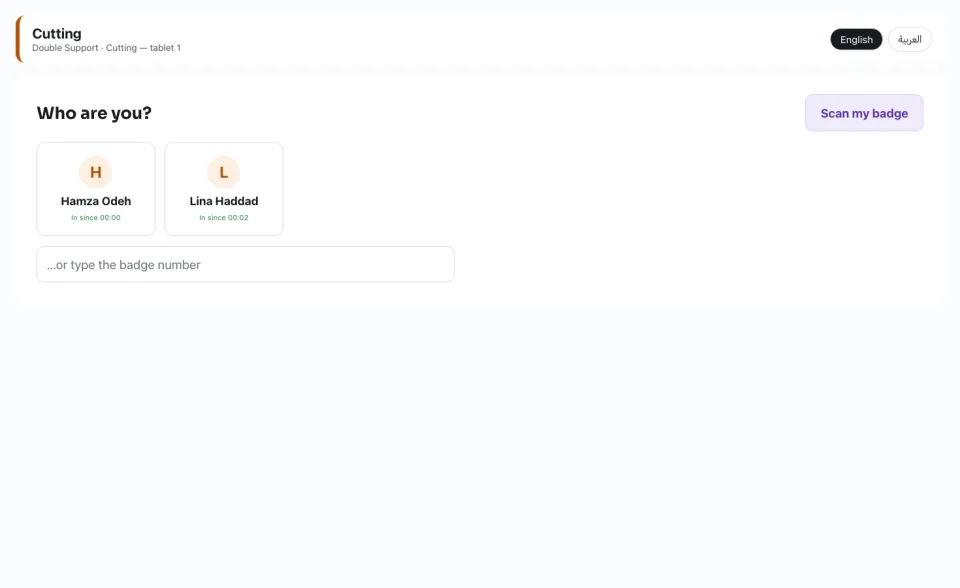
The tablet shows its work centre and the centre's people, with who is in today by the attendance device. Tap your name — or press Scan my badge and hold your badge to the camera.
2
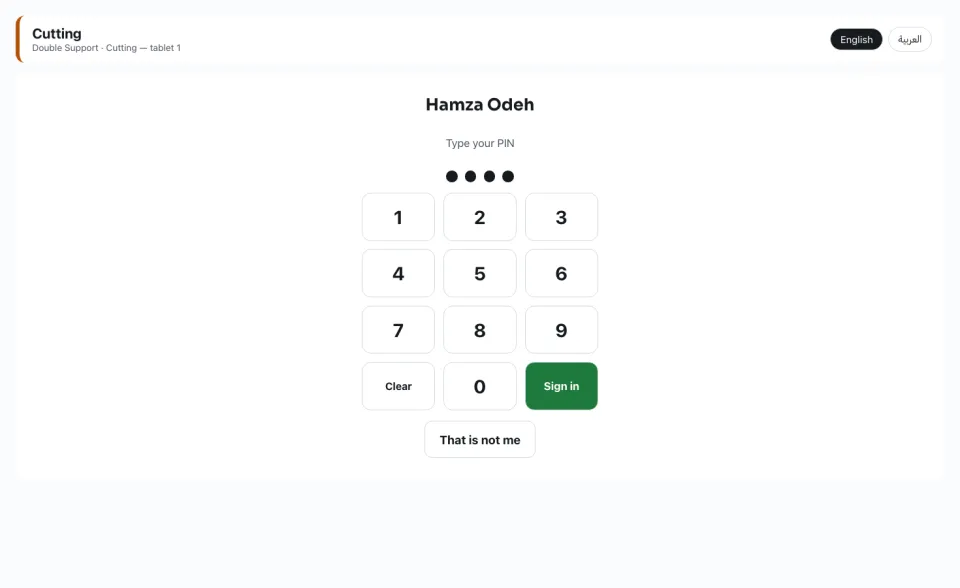
Type your PIN and press Sign in. After the set number of wrong PINs the person is locked out for 15 minutes; the foreman can Unlock.
Work an operation
1
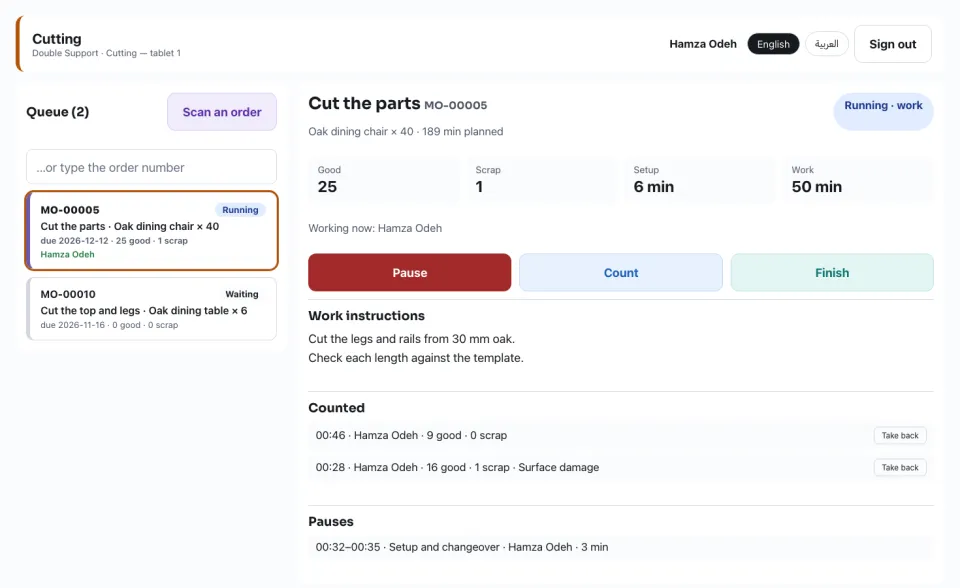
Choose an operation from the Queue (the running ones first, then by the order's due day), or press Scan an order and hold its label to the camera. The Work instructions are the routing operation's own text and files.
2
Start setup, then Setup done — start work; or Start straight away. A second operator who starts it Joins it; the minutes are counted once.
3
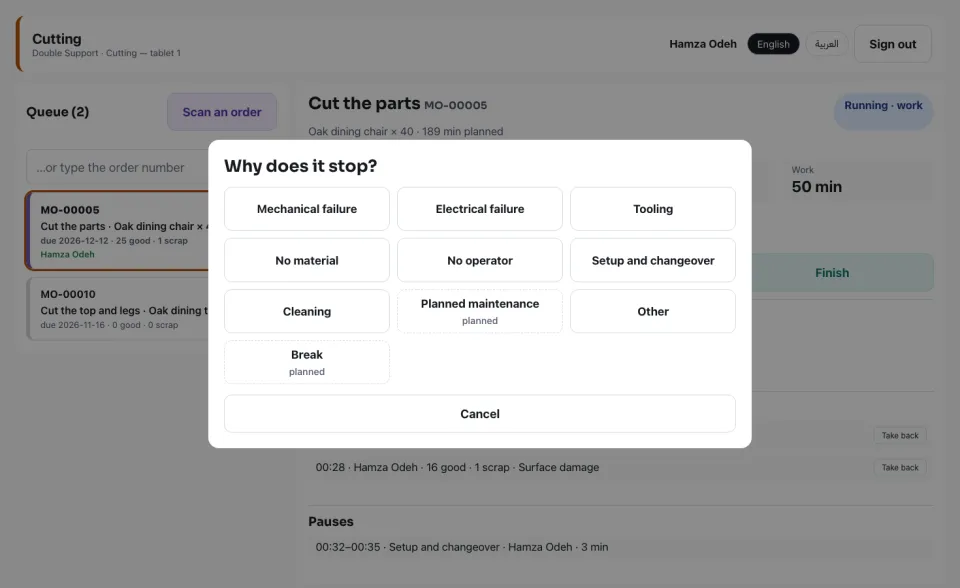
Pause asks why it stops. A breakdown stops the machine (its availability reads it); a planned reason, such as Break, is a planned stop. Start again puts the machine back in service.
4
Count the Good and the Scrap — scrap names its reason. A count typed wrong is taken back with Take back on its own day. Finish takes a last count and ends the operation.
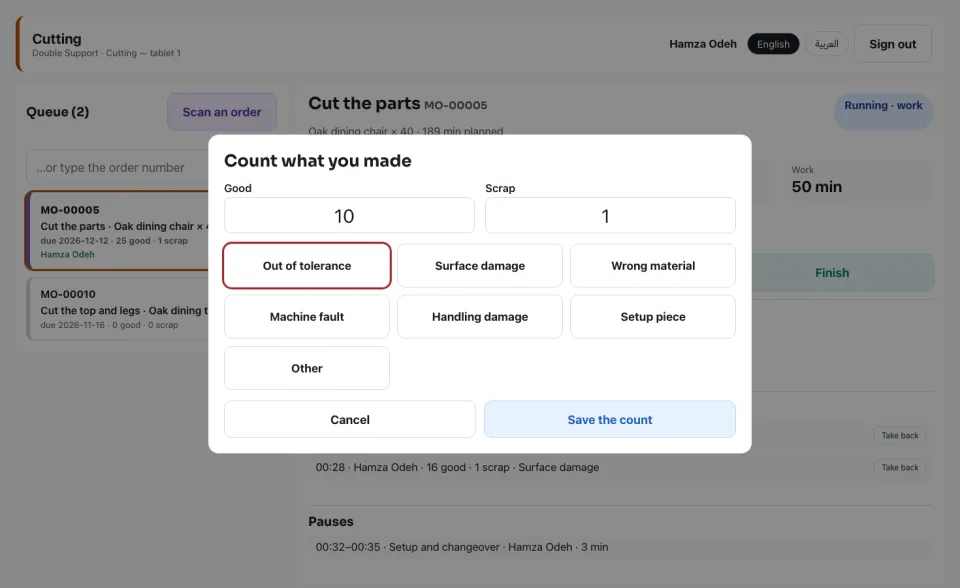
Each operator's time is recorded where everybody's time is (Timesheets), at their hourly rate — one stretch of time is logged once.
Set up and read the floor
1
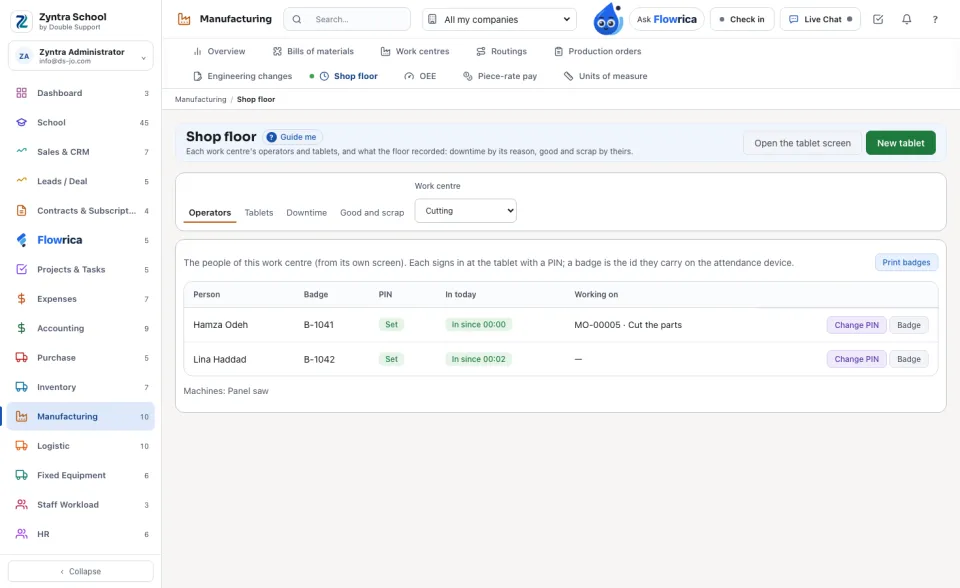
Operators: the people of a work centre (added on the work centre), their Badge (the id they carry on the attendance device), their PIN, who is in today and what they work on now. Print badges prints a QR code for each.
2
New tablet makes a tablet for one work centre; its key is shown once. Open it on this device, or open the link on the tablet. New key stops the old one at once.
3
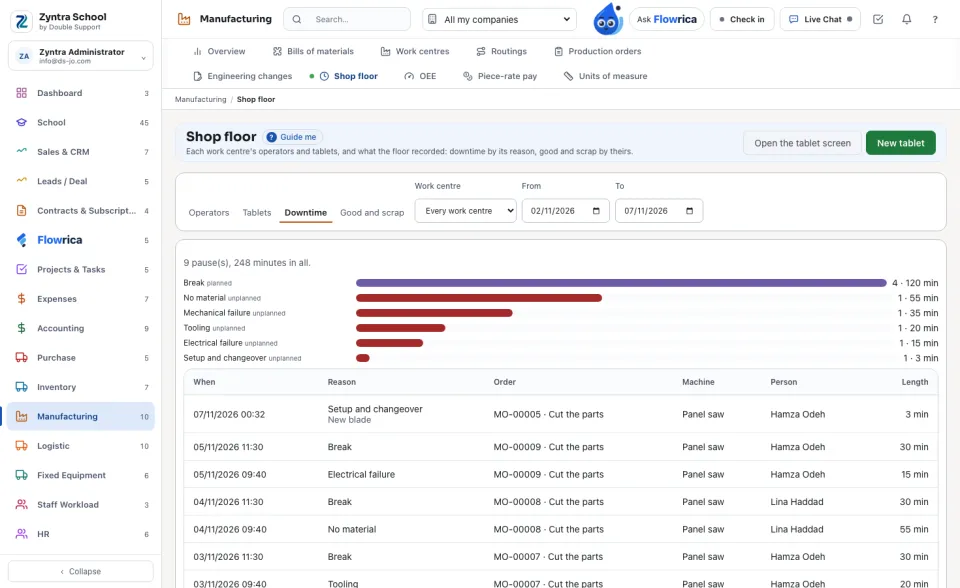
Downtime counts the pauses by their reason over a period; Good and scrap counts the units by scrap reason and by operator.
Piece-rate pay
1
In Manufacturing › Piece-rate pay, New rate sets what one good unit pays at one operation of a routing, or at any operation of a work centre.
2
Every good count at the tablet earns a line at the rate of that moment, Waiting for approval. A holder of «Approve piece-rate pay» chooses lines and presses Approve or Refuse (with a reason). Nobody approves their own.
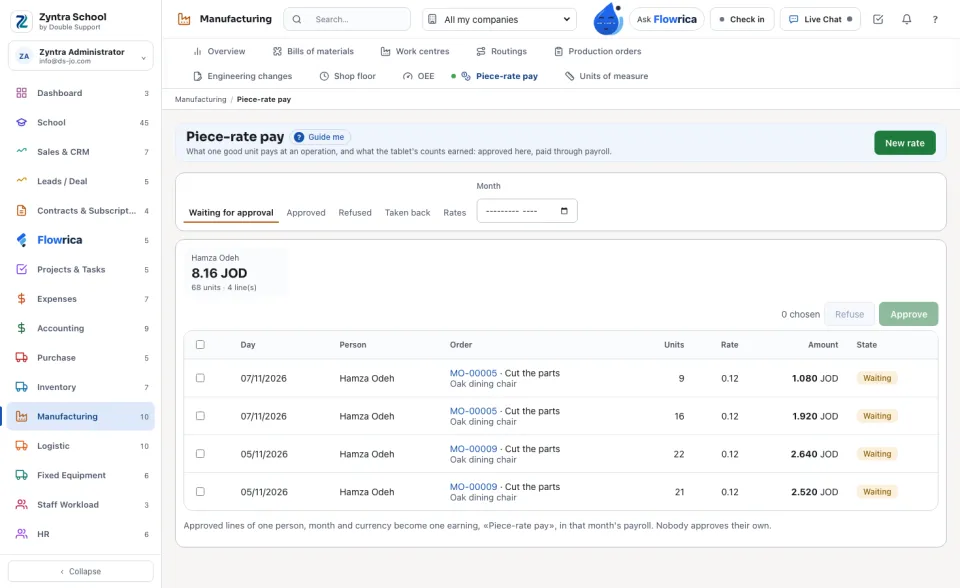
Approved lines of one person and month become one earning, «Piece-rate pay», in that month's payroll.
A month whose payroll is closed takes nothing; a count whose pay is approved is not taken back.
Questions
Where is “Shop floor tablet” in Zyntra OS?
Manufacturing › Shop floor · the tablet itself: /floor-tablet
Who can use “Shop floor tablet”?
«Set up tablets and operators» makes tablets and sets PINs and badges. «Read the shop floor» reads the operators, downtime and counts. The operator at the tablet needs no right: only the work centre's own people sign in there.