

 Zyntra OS
 Zyntra Legal
 Zyntra Real Estate
 Zyntra Hotel
 Zyntra E-commerce
 Zyntra Appointments
 Zyntra Repair
 Zyntra Garage
 Zyntra Concierge
 Zyntra Contracting
 Zyntra Clinic
 Zyntra Dental
 Zyntra School
 Zyntra University
 Zyntra Practice
 Zyntra Distribution
 Zyntra Social
 Zyntra Call Center
 Zyntra OTA
Where
Distribution › My shops › the shop › Take an orderWho
The rep, for the shops on their own routes. The sales manager sets the area prices.Take an order
1
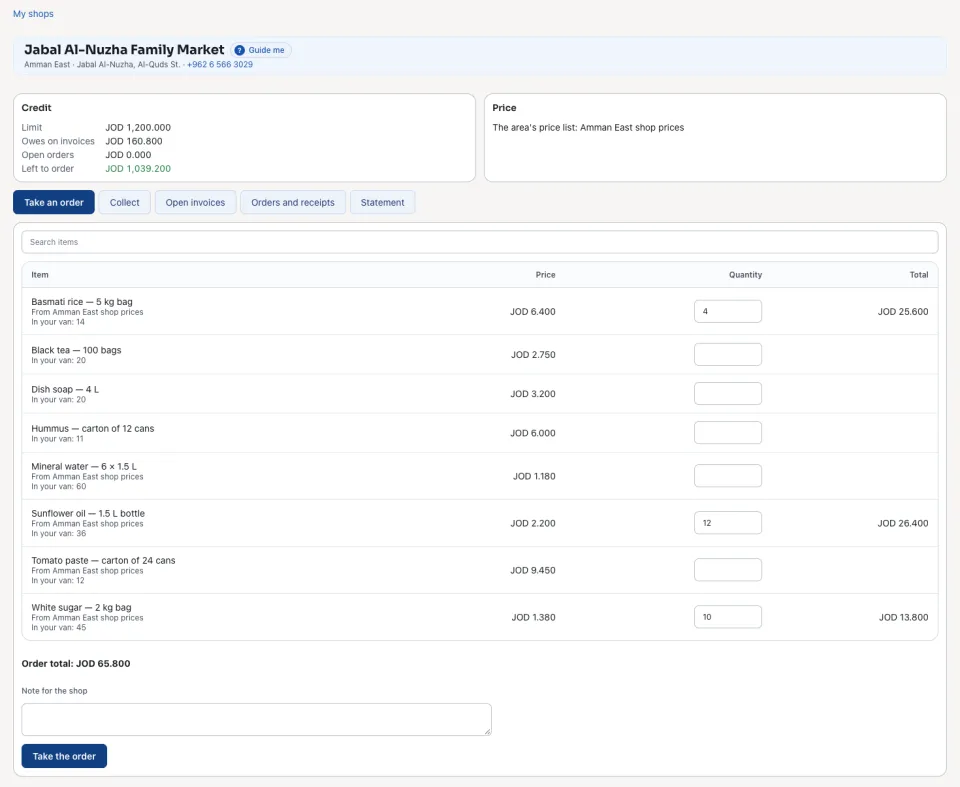
Open Distribution › My shops (or the shop from My day) and open the shop. Its Credit shows the Limit, what it Owes on invoices, its Open orders and what is Left to order.
2
On Take an order, search the items and type a Quantity on each one the shop orders. Each Price comes from the shop's own price lists, then its area's, then the catalogue; the rep never types a price. Under each item the screen says what is in your van.
3
Press Take the order. The order is taken, its number and total are said, and the shop's visit is marked made on My day. Open the order opens it in Sales; Take another order starts the next one.
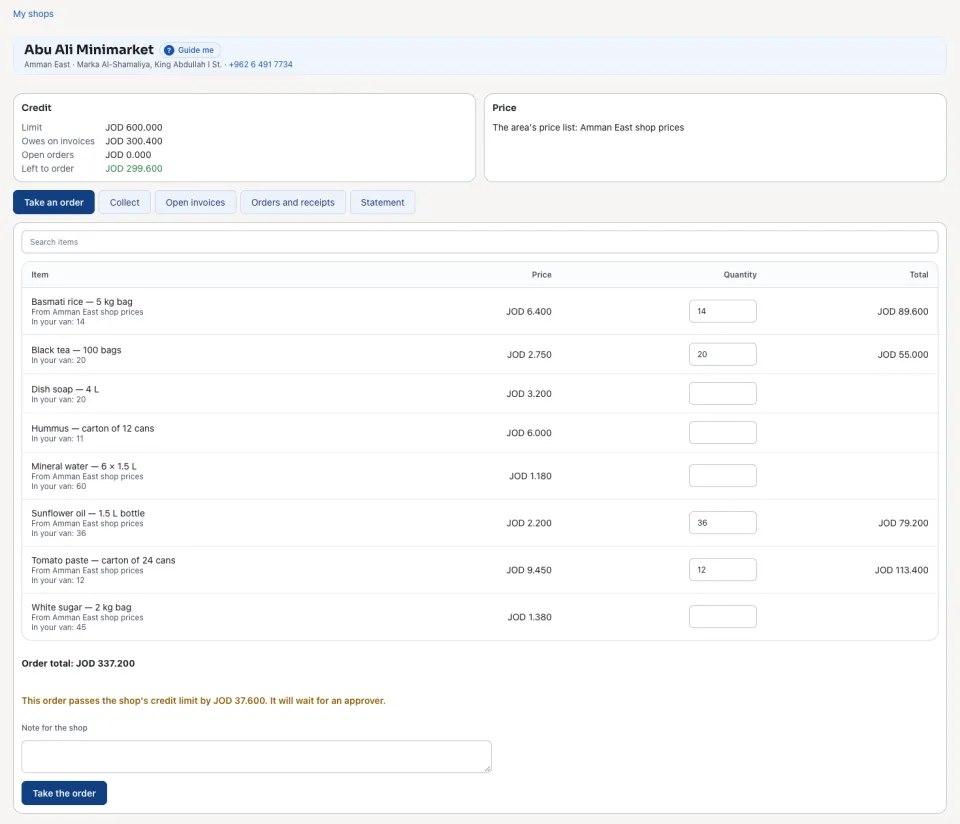
The credit limit
1
While the quantities are typed, an order that would pass the shop's credit limit says by how much before it is taken.
2
Taken anyway, it is said as waiting for approval, and it waits in Sales until an approver confirms it.
Area prices
1
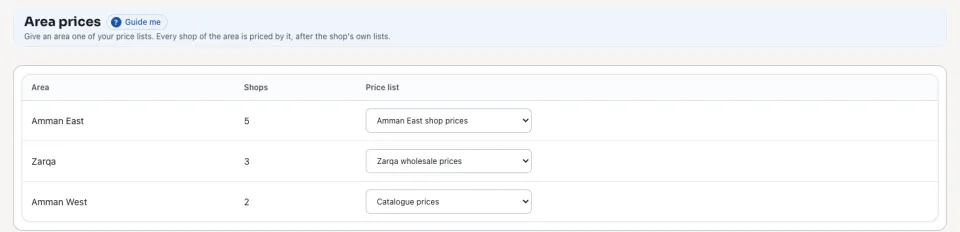
Open Distribution › Area prices. Each Area (the sales territory kept on each customer) shows its Shops; choose its Price list, or Catalogue prices.
2
Every shop of the area is priced by that list, after the shop's own price lists.
The order is a sales order: the office delivers it and invoices it in Sales as any other order. No mail goes to the shop.
Questions
Where is “Orders at the shop” in Zyntra OS?
Distribution › My shops › the shop › Take an order
Who can use “Orders at the shop”?
The rep, for the shops on their own routes. The sales manager sets the area prices.