

 Zyntra OS
 Zyntra Legal
 Zyntra Real Estate
 Zyntra Hotel
 Zyntra E-commerce
 Zyntra Appointments
 Zyntra Repair
 Zyntra Garage
 Zyntra Concierge
 Zyntra Contracting
 Zyntra Clinic
 Zyntra Call Center
 Zyntra OTA
Where
Inventory › Insights › ReportsWho
Anyone allowed to see this screen.Press a tab to open its report. The line under the title says what the report shows.
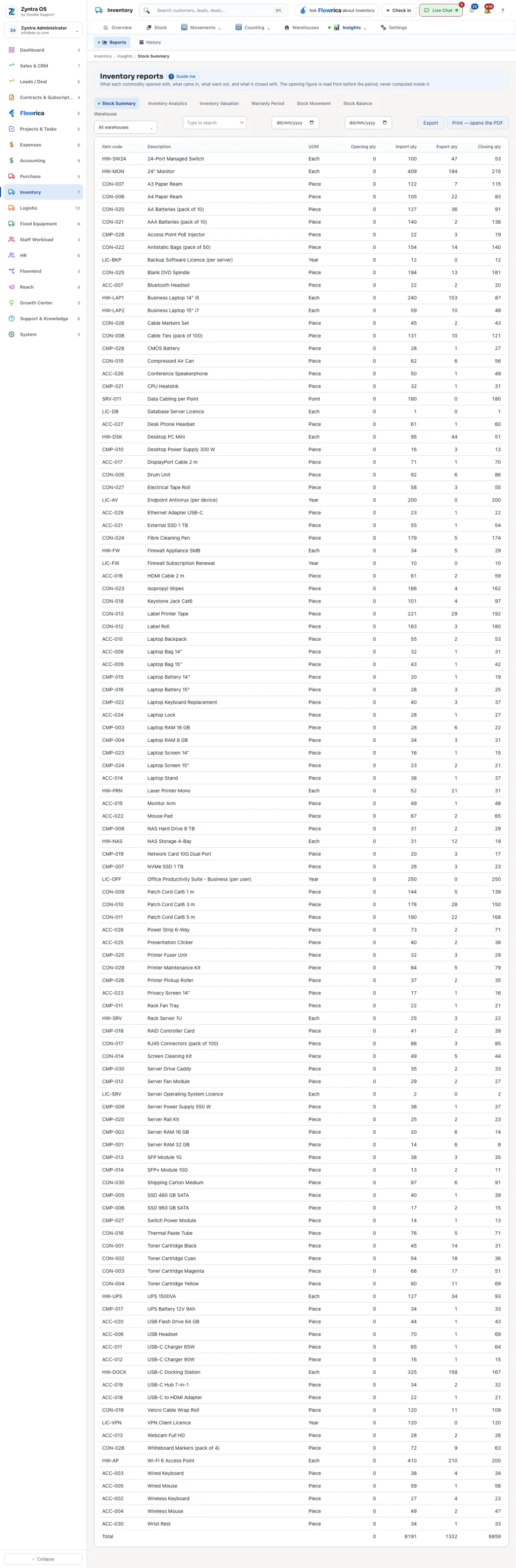
| Report | What it shows |
|---|---|
| Stock Summary | What each item opened with, what came in, what went out, and what it closed with. |
| Inventory Analytics | The profit rate each item really earns against the rate planned for it. Difference greater than % keeps only the items that are far from their plan. |
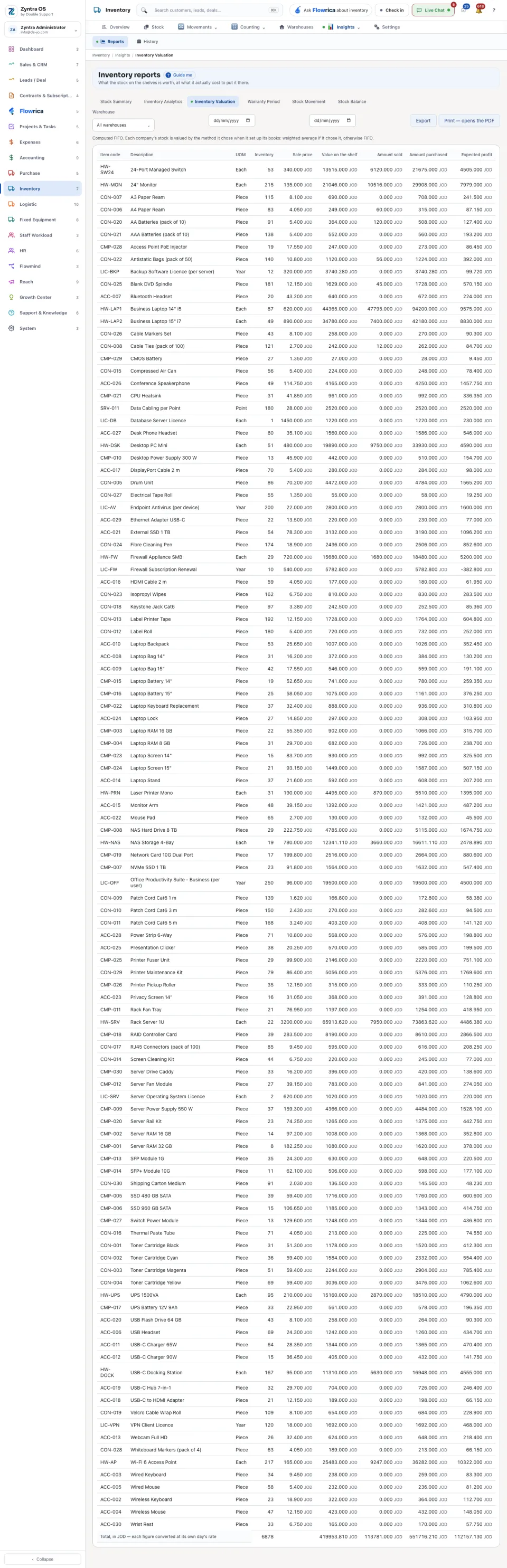
| Inventory Valuation | What the stock on the shelves is worth at what it cost, with what was sold, what was bought and the expected profit. |
| Warranty Period | What went out, to which customer, and when its guarantee ends. |
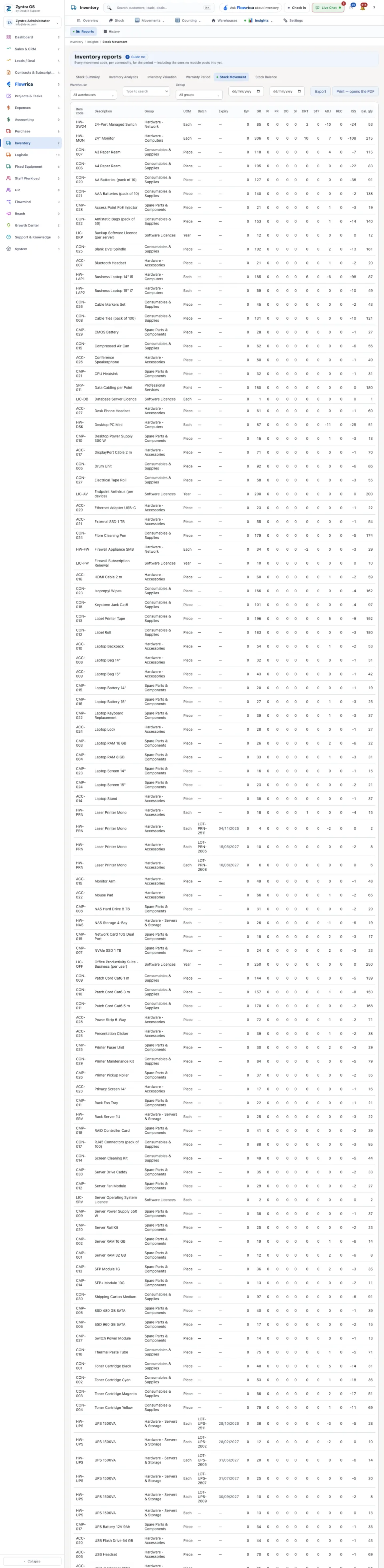
| Stock Movement | Every kind of movement for each item in the period, each in its own column. The line under the table says what each short code means. |
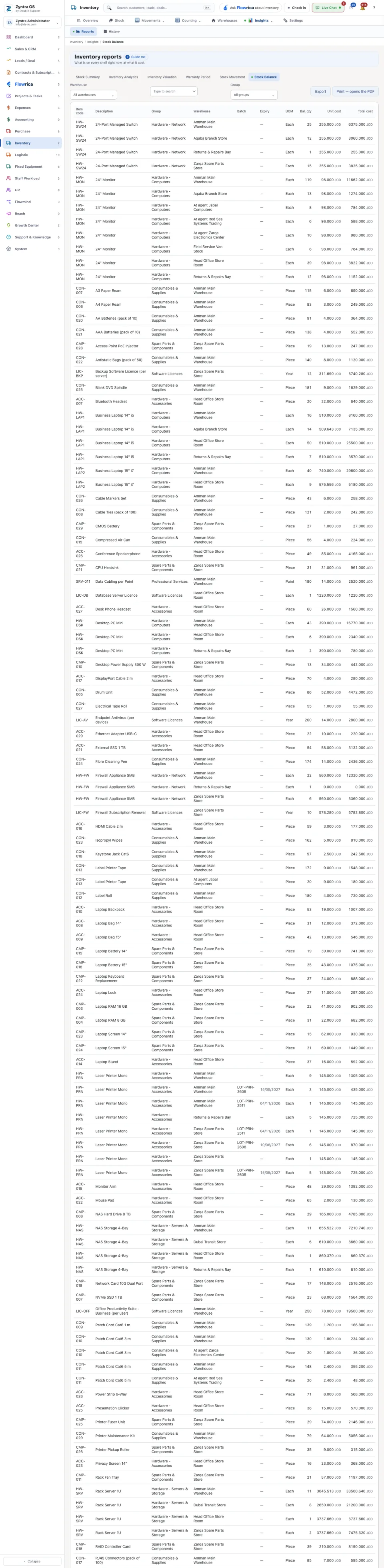
| Stock Balance | What is in every warehouse now: the quantity left, its unit cost and its total cost. |
Narrow a report with the warehouse choice, the search box and, where it is offered, the group choice. Export saves the report as a file. Print — opens the PDF opens it ready to print.
Stock is valued by the method each company chose when it set up its books; the report says which one it used. Money in different currencies is never simply added together.