Zyntra OS
 Zyntra Legal
 Zyntra Real Estate
 Zyntra Hotel
 Zyntra E-commerce
 Zyntra Appointments
 Zyntra Repair
 Zyntra Garage
 Zyntra Concierge
 Zyntra Contracting
 Zyntra Clinic
 Zyntra Call Center
 Zyntra OTA
Where
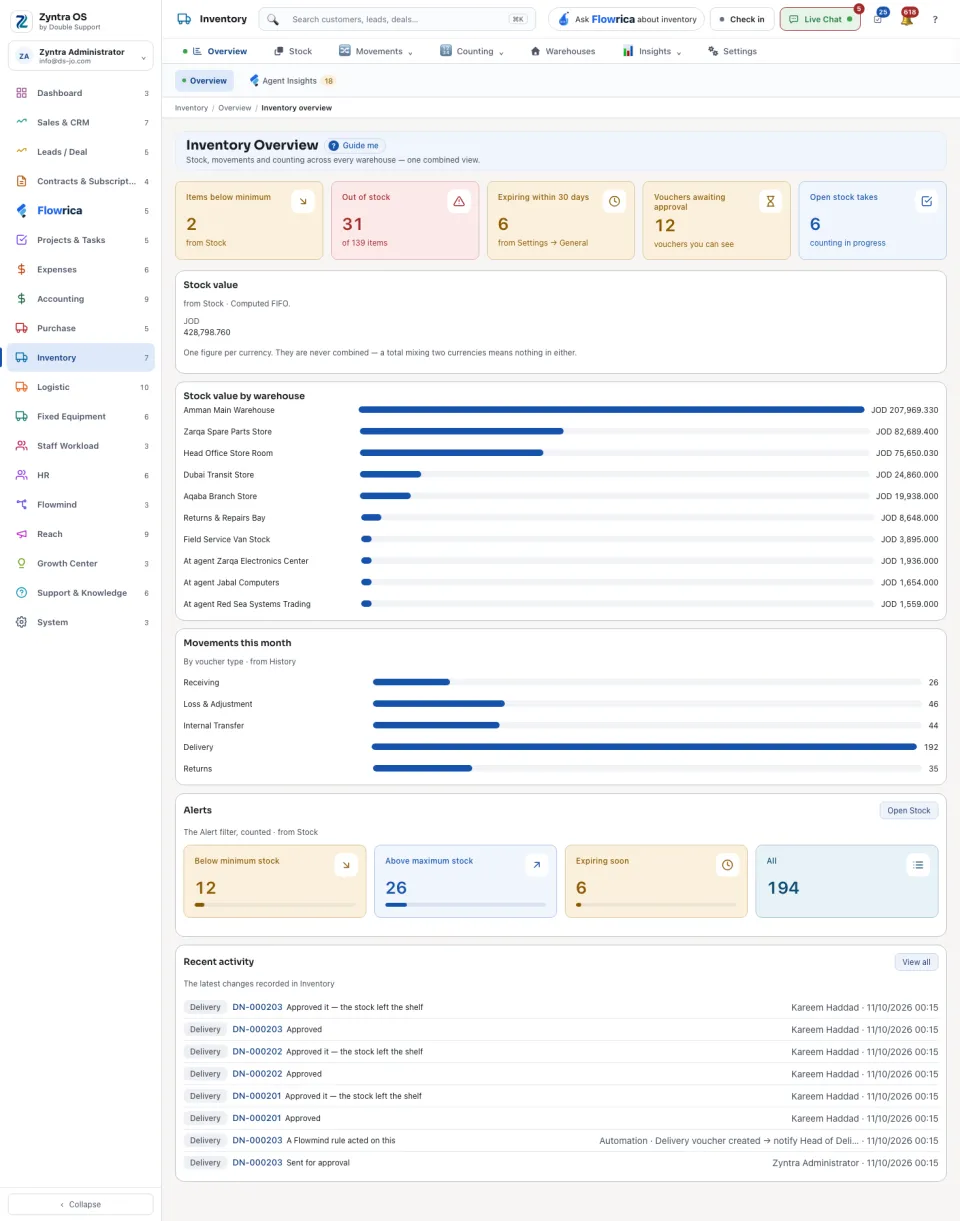
Inventory › OverviewWho
Anyone allowed to see inventory.| Figure | What it counts |
|---|---|
| Items below minimum | Items whose quantity is under their minimum. |
| Out of stock | Items with nothing left, out of all items. |
| Expiring within 30 days | Lots close to their expiry date. The number of days is a setting. |
| Vouchers awaiting approval | The vouchers you can see that still wait for a signature. |
| Open stock takes | Counts in progress. |
Below the figures: Stock value and Stock value by warehouse, Movements this month, Alerts and Recent activity. Open Stock takes you to the stock list; View all opens the whole list behind a part; a document’s number opens that document.