

 Zyntra OS
 Zyntra Legal
 Zyntra Real Estate
 Zyntra Hotel
 Zyntra E-commerce
 Zyntra Appointments
 Zyntra Repair
 Zyntra Garage
 Zyntra Concierge
 Zyntra Contracting
 Zyntra Clinic
 Zyntra Dental
 Zyntra School
 Zyntra University
 Zyntra Call Center
 Zyntra OTA
Where
Fixed Equipment › Operations › Maintenance plansWho
Anyone allowed to see maintenance reads the plans. Keeping plans takes Maintenance plans — Manage; making the job takes the right to create maintenance jobs.The list
Each plan shows its asset, what is done and who does it, how often, when it was last done, when it is next due and its State: Overdue, Due this week, Job open, Later, or No meter reading yet. The boxes at the top count the overdue plans, those due this week and those with a job open; press one to see only those.
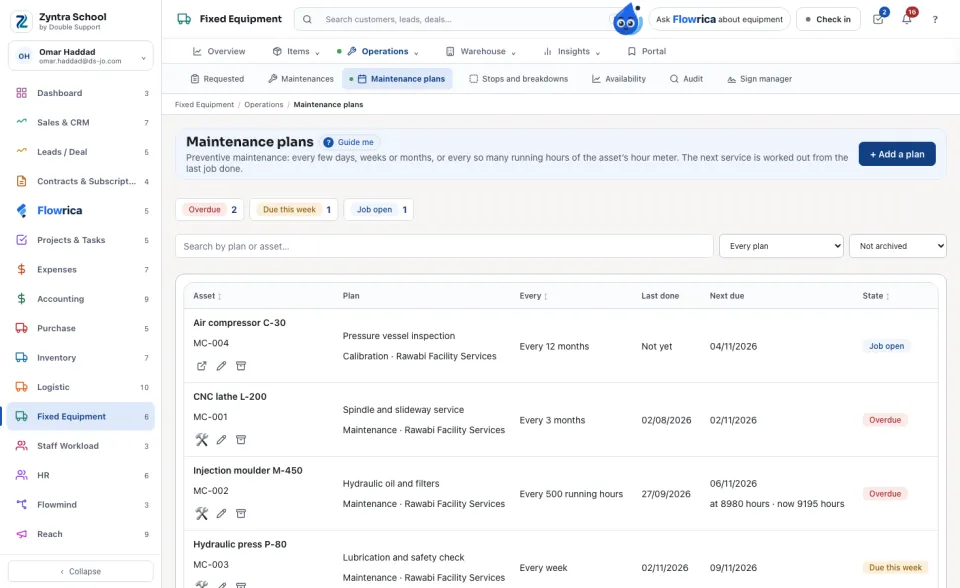
Add a plan
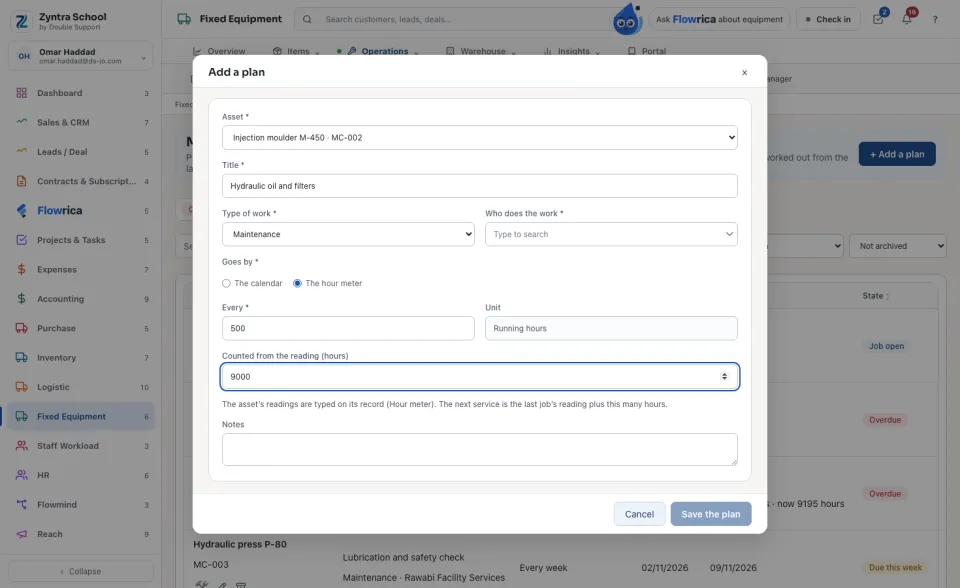
When it is next due
By the calendar, the next service is the day the plan’s last job was completed plus the interval; a month from the 31st is the last day of the next month. Before any job, it is the first day you gave.
By the hour meter, the next service is the reading on the day the last job was completed plus the hours. The readings are typed on the asset’s record (Hour meter). The day shown is worked out from how many hours a day the meter has run over the last 90 days.
Make the job
On a plan that is due, press Make the job. A maintenance job opens today with the plan’s title, type and supplier, and the plan says Job open until it is closed. A plan never makes a second job while one is open. When the job is closed on Maintenances, the plan counts its next service from that day.
Choose Overdue or due this week to see what needs doing now.
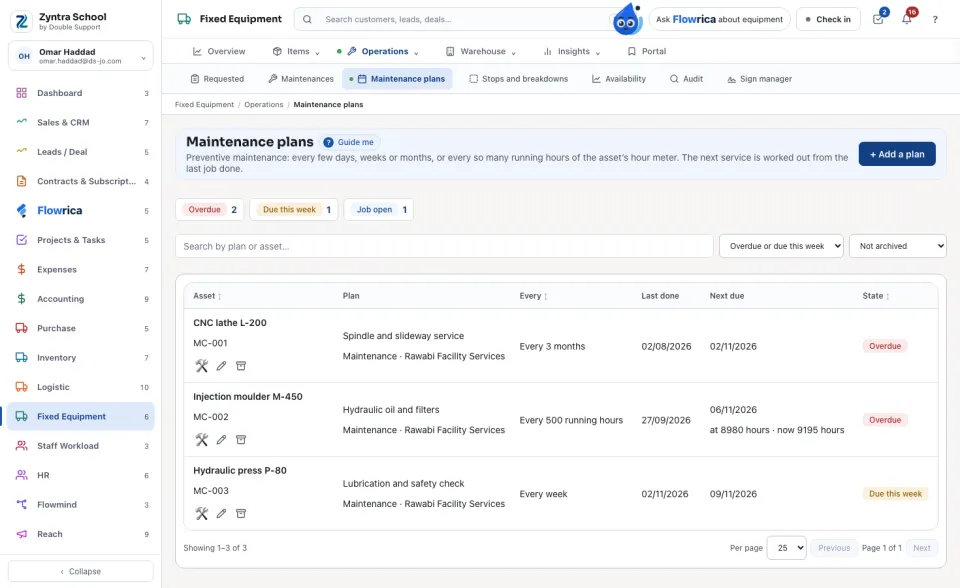
A plan is never deleted: Archive keeps it and stops it making jobs, and Restore brings it back.
Questions
Where is “Preventive maintenance plans” in Zyntra OS?
Fixed Equipment › Operations › Maintenance plans
Who can use “Preventive maintenance plans”?
Anyone allowed to see maintenance reads the plans. Keeping plans takes Maintenance plans — Manage; making the job takes the right to create maintenance jobs.