Zyntra OS
 Zyntra Legal
 Zyntra Real Estate
 Zyntra Hotel
 Zyntra E-commerce
 Zyntra Appointments
 Zyntra Repair
 Zyntra Garage
 Zyntra Concierge
 Zyntra Contracting
 Zyntra Clinic
 Zyntra Call Center
 Zyntra OTA
Where
Fixed Equipment › Warehouse › LocationsWho
Anyone allowed to see assets; adding and changing a place need the right to edit.A place here is where equipment is kept. A country is not a place, and neither is a stock warehouse.
Add a place
1
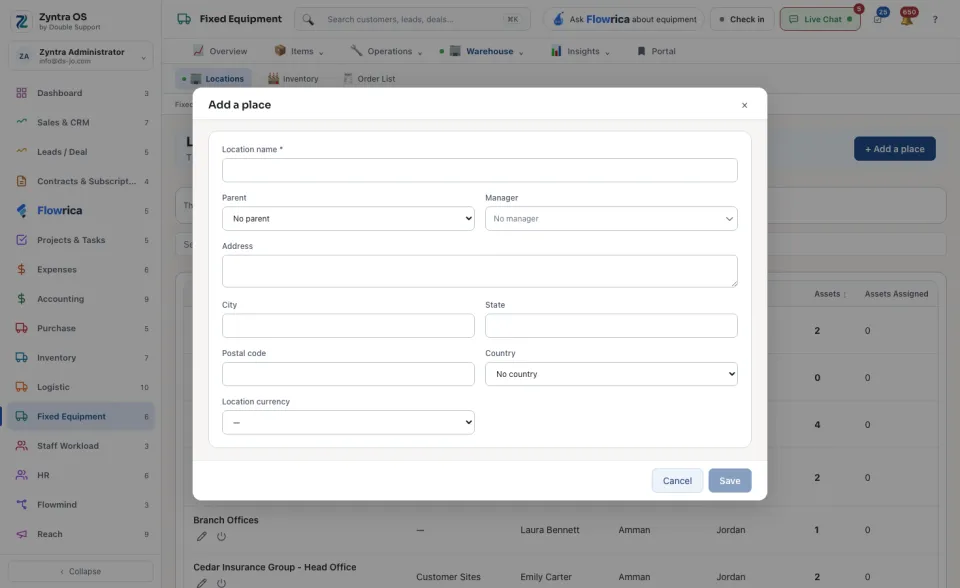
Press + Add a place and type the Location name.
2
If it is inside another place (a room inside an office), choose that place as its Parent. Add the Manager, the address, the City and the Location currency if you need them.
3
Press Save.
The list and a place’s page
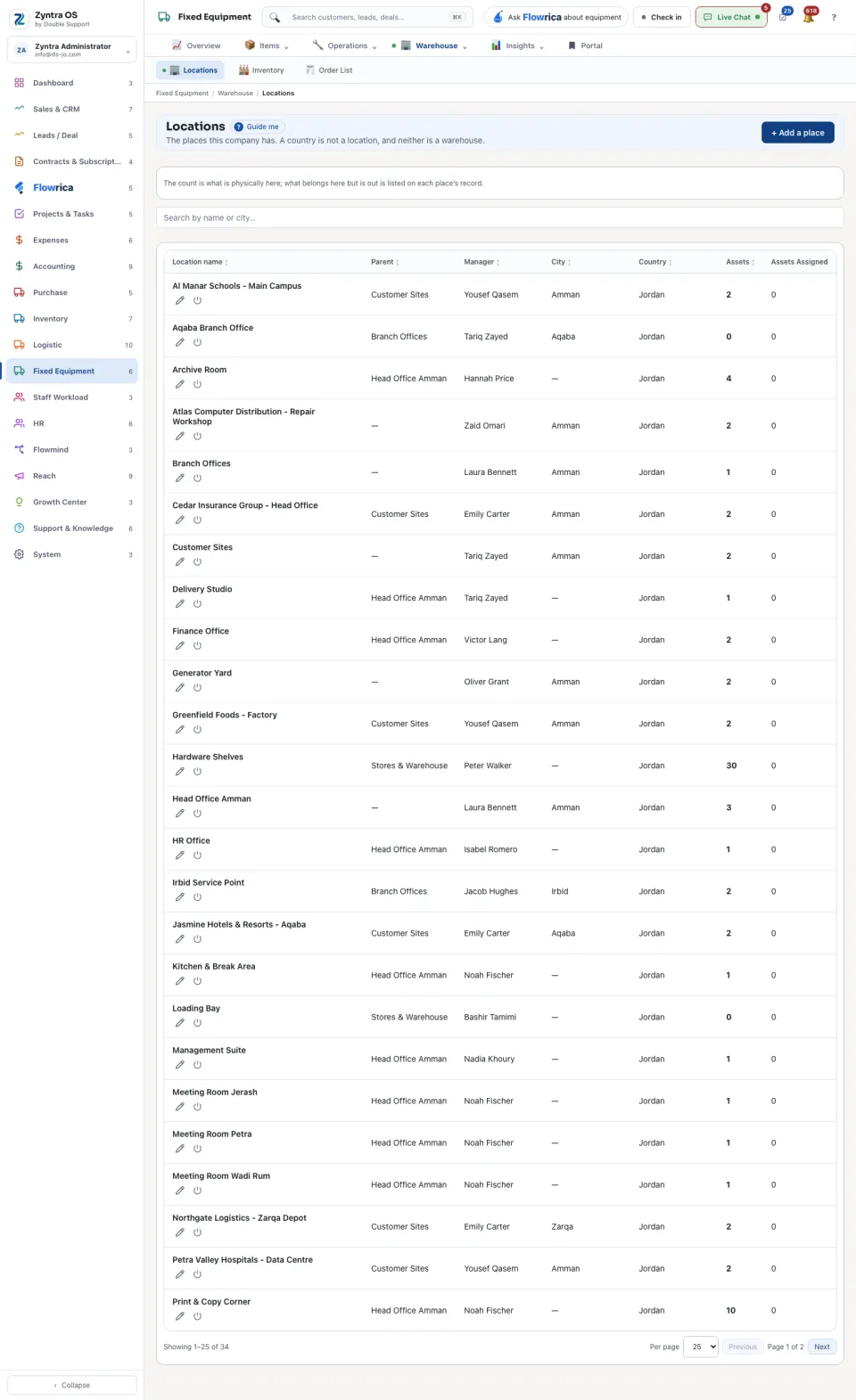
The list shows each place with its Parent, Manager and City, and two counts: Assets is what is physically there now; Assets Assigned is what belongs there but is out with somebody. On a row: Edit and Switch off.
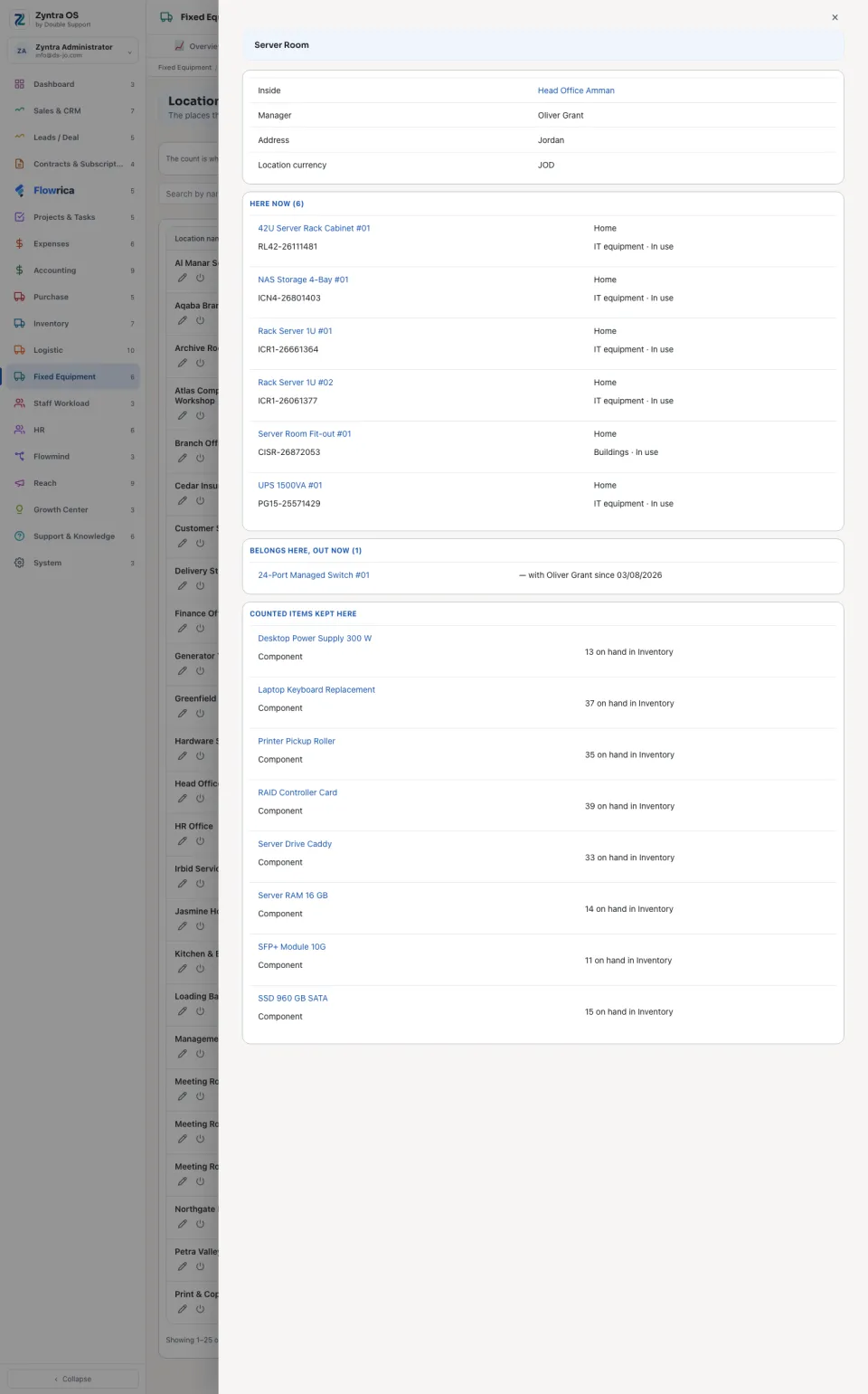
Press a place to open it. Its page lists what is Here now, what belongs here and is out now (with who has it and since when), and the Places inside it. Press any asset or place on the page to open it.