Zyntra OS
 Zyntra Legal
 Zyntra Real Estate
 Zyntra Hotel
 Zyntra E-commerce
 Zyntra Appointments
 Zyntra Repair
 Zyntra Garage
 Zyntra Concierge
 Zyntra Contracting
 Zyntra Clinic
 Zyntra Call Center
 Zyntra OTA
Where
HR › HR Payroll › Reports & Settings › ReportsWho
Anyone allowed to manage payroll.1
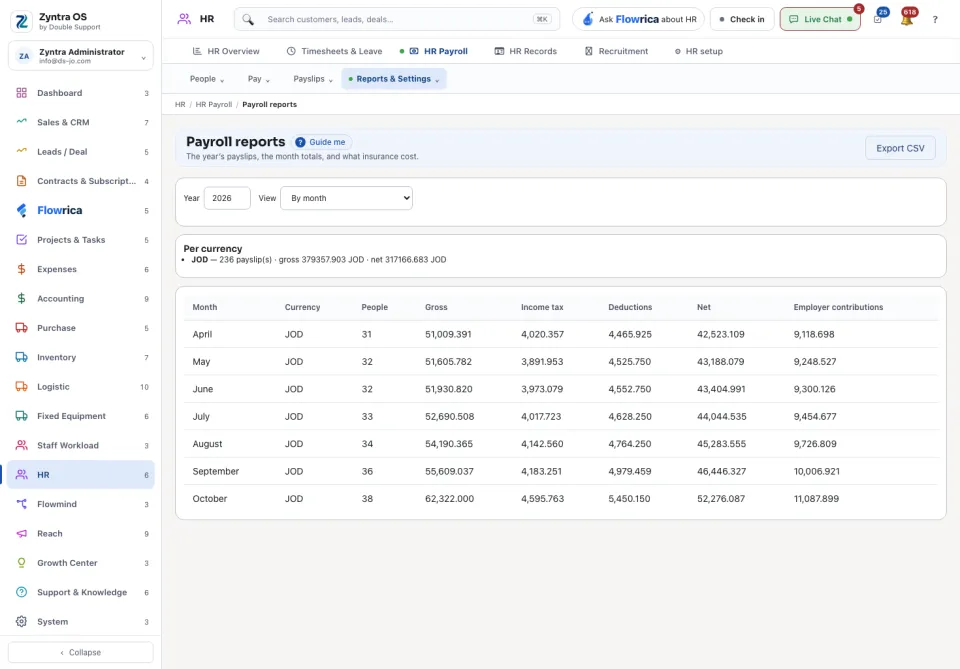
Choose the Year.
2
Under View choose one: By month, By department, Payslips, By person, month by month or Insurance cost.
The year's totals are given for each currency: the number of payslips, the gross and the net. The table then shows, for each row, the people, gross, income tax, deductions, net and employer contributions. Export CSV downloads the table as a file.