

 Zyntra OS
 Zyntra Legal
 Zyntra Real Estate
 Zyntra Hotel
 Zyntra E-commerce
 Zyntra Appointments
 Zyntra Repair
 Zyntra Garage
 Zyntra Concierge
 Zyntra Contracting
 Zyntra Clinic
 Zyntra Call Center
 Zyntra OTA
Where
Purchase › Procurement › Purchase RequestWho
Anyone may ask; approvers and buyers decide.1
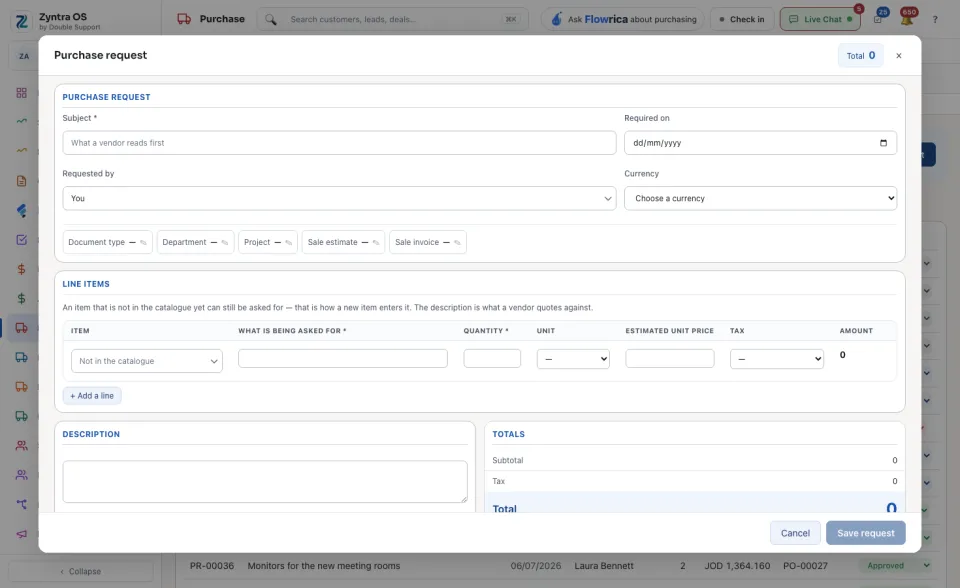
Press + Purchase request. Type the Subject (what a vendor reads first) and when it is Required on. Requested by is you unless you choose someone else.
2
Fill the lines: the Item from the catalogue, What is being asked for, the Quantity, the Unit and the Estimated unit price. An item that is not in the catalogue yet can still be asked for: describe it. + Add a line adds another. If it helps, set the Document type, Department and Project.
3
Press Save request.
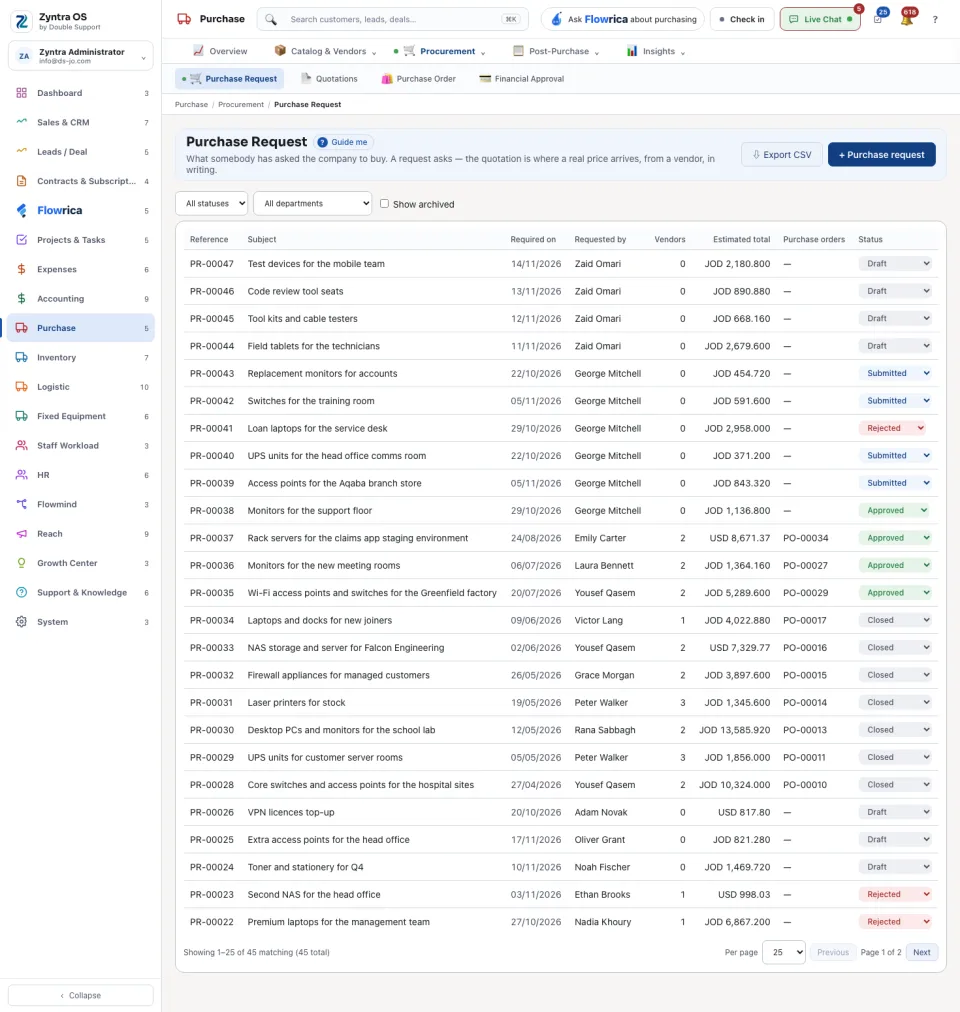
The list shows Reference, Subject, Required on, Requested by, Vendors, Estimated total, Purchase orders and Status. Narrow it by status or by department; tick Show archived to see archived requests.
The request’s page
Press a request: its page slides in over the list. It has no tabs; it reads top to bottom: Details, Lines, Files and Activity. On each line In stock is read from the warehouses every time the page opens, so you see what the company holds now.
| Button | What it does |
|---|---|
| Move to Submitted, Move to Approved, Move to Rejected, Move to Closed | Moves the request to that status. |
| Share with vendors | Tick the vendors who should quote. Sharing one request with several vendors is what makes their quotations comparable. |
| Correct this request | Opens the request to change it. |
| Copy to a new request, Archive | Starts a new request with the same lines; puts this one away. |
| View PDF, Download | The request as a file. |
Each price a vendor answers with is recorded under Quotations.
Flowrica on this screen
Flowrica can raise the request with you, one question at a time: open her from the top bar and choose Raise a purchase request. Nothing is saved until you press the form’s own button.
Before: Add a vendor · Next: Purchase orders