

 Zyntra OS
 Zyntra Legal
 Zyntra Real Estate
 Zyntra Hotel
 Zyntra E-commerce
 Zyntra Appointments
 Zyntra Repair
 Zyntra Garage
 Zyntra Concierge
 Zyntra Contracting
 Zyntra Clinic
 Zyntra Dental
 Zyntra School
 Zyntra University
 Zyntra Call Center
 Zyntra OTA
Where
University › Student requestsWho
The student's advisor, the head of their department and the dean of their faculty decide at their own step (each with University — Advise students). Each kind's own right decides at the office's step: University — Decide postponement requests, University — Decide withdrawal requests, University — Decide course equivalence requests, University — Decide change of major requests and University — Decide late add and drop requests (the registrar), University — Decide refund requests (finance).Waiting for me
The requests whose step is yours now. Press one to open it beside the list: what it asks, the reason, the student's documents, and the student at a glance.
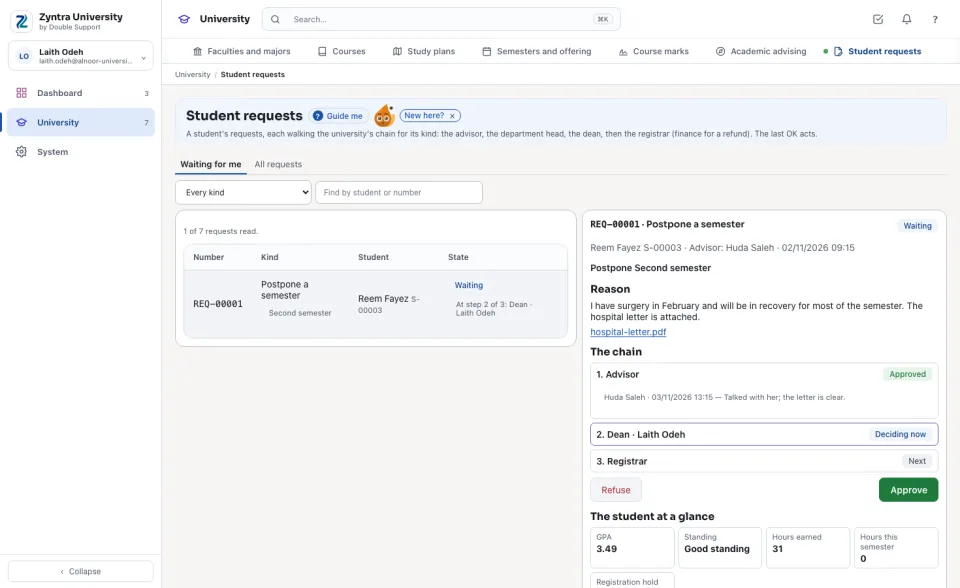
The chain
Each step in order: who approved, when and what they wrote; the step deciding now; the steps next. A step with nobody named (no advisor, no head, no dean) is decided by the office.
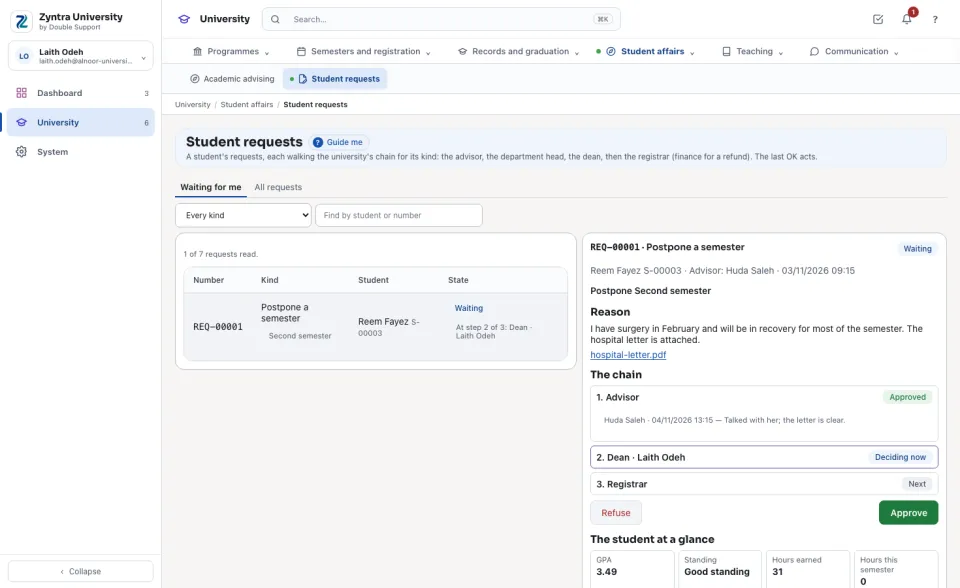
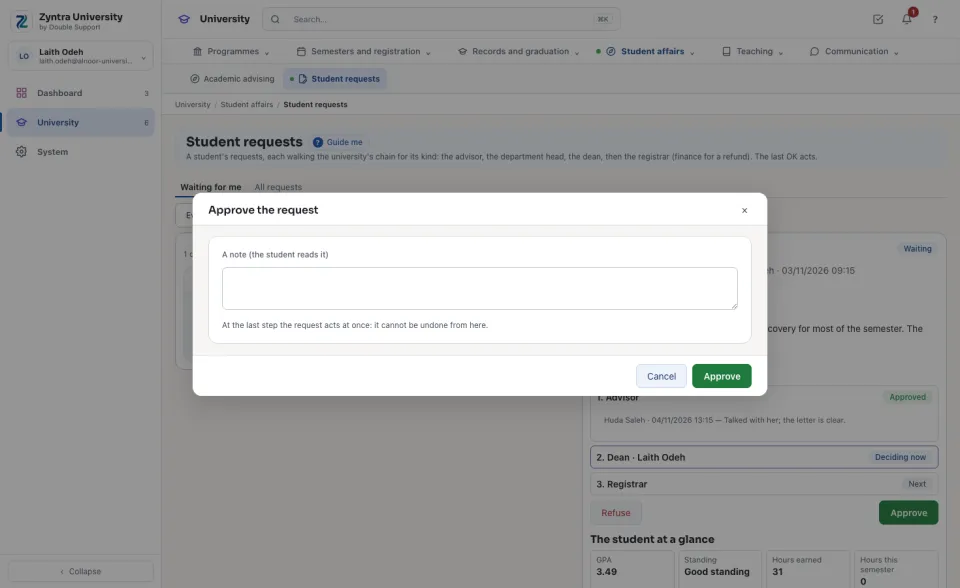
Approving or refusing
Press Approve, add a note if you like, and press Approve again: the request moves to the next step. At the last step it acts at once, each kind through the part that owns it: a postponement drops the semester's courses (or withdraws them, W, after add and drop) and keeps the semester closed to the student; a withdrawal ends every course and withdraws the student; an equivalence writes transfer credit (TR) on the record; a refund brings the semester's bill up to date and credits it by the refund schedule; a change of major moves the student to the new major (the old one is kept); a late add or drop registers or drops the course. If that act is refused, nothing is approved and the reason shows. Press Refuse and type why: the request ends and nothing changes.
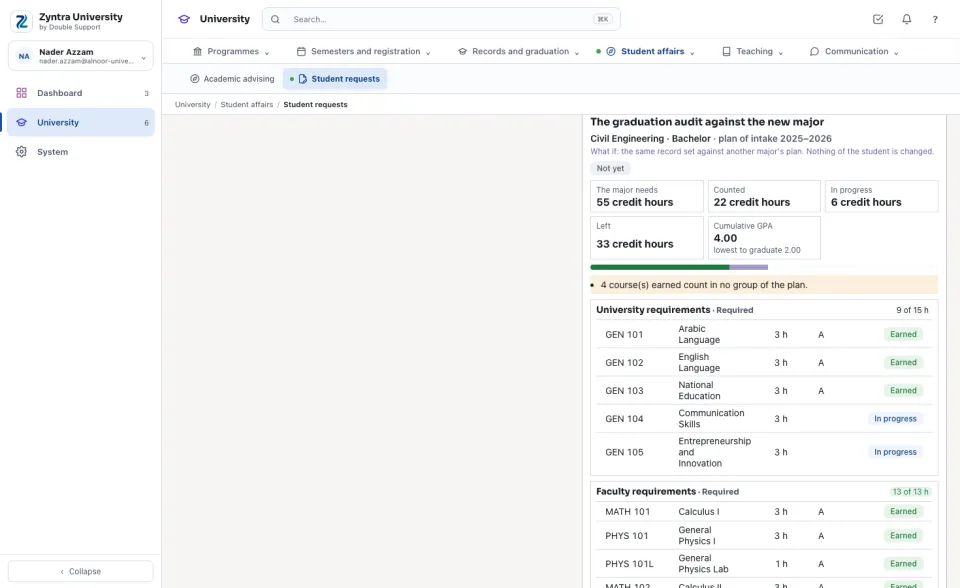
What the deciders read beside it
A change of major shows the student's graduation audit against the new major; an equivalence, the audit the course would count toward; a postponement or a withdrawal, the courses it ends; a refund, the semester's bill and what was given back.
The student's side
In the portal, My requests shows each request with its chain, each step's decision and the outcome. A request still waiting can be cancelled by the student.
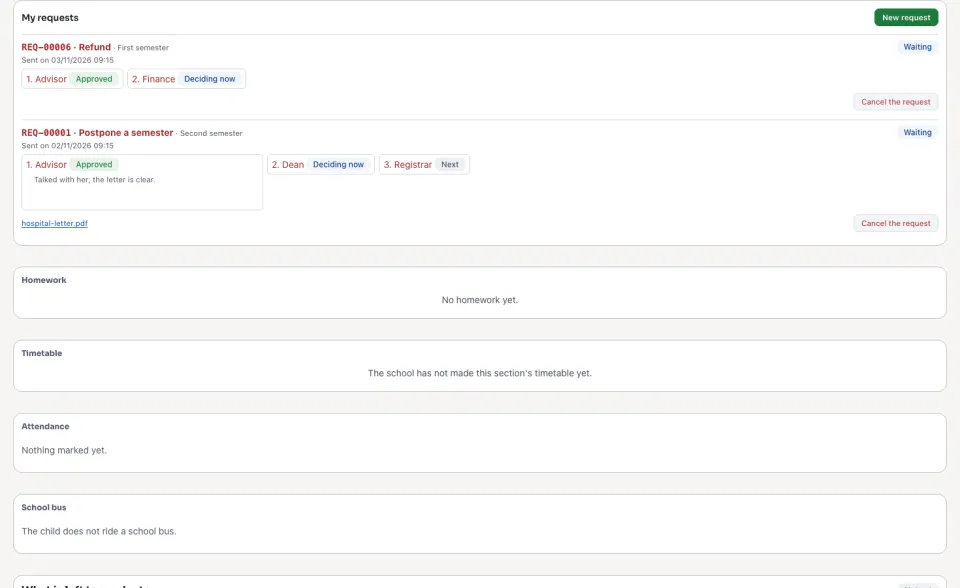
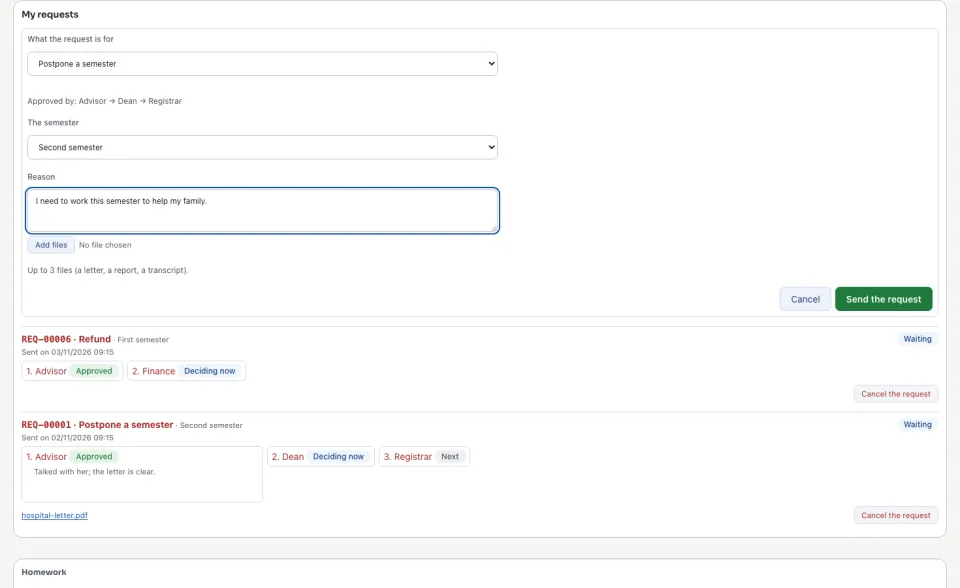
Press New request, choose what it is for, fill what it asks (the semester, the course, the new major, the section), type the reason, add up to 3 files and send the request. The steps it will walk show as soon as the kind is chosen.
Questions
Where is “Student requests” in Zyntra OS?
University › Student requests
Who can use “Student requests”?
The student's advisor, the head of their department and the dean of their faculty decide at their own step (each with University — Advise students). Each kind's own right decides at the office's step: University — Decide postponement requests, University — Decide withdrawal requests, University — Decide course equivalence requests, University — Decide change of major requests and University — Decide late add and drop requests (the registrar), University — Decide refund requests (finance).