Zyntra OS
 Zyntra Legal
 Zyntra Real Estate
 Zyntra Hotel
 Zyntra E-commerce
 Zyntra Appointments
 Zyntra Repair
 Zyntra Garage
 Zyntra Concierge
 Zyntra Contracting
 Zyntra Clinic
 Zyntra Call Center
 Zyntra OTA
Where
Reach › SegmentsWho
Anyone allowed to manage Reach segments.1
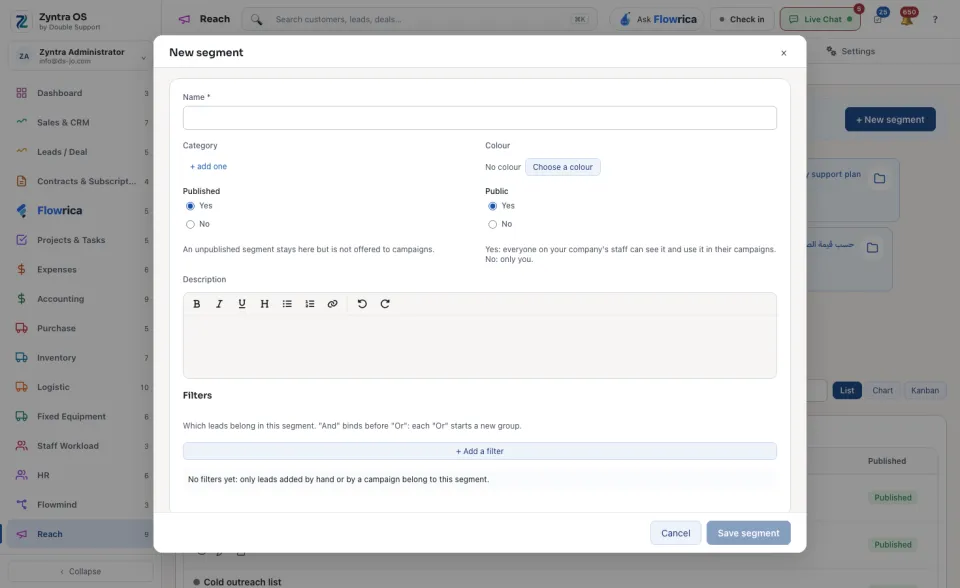
Press + New segment.
2
Type the Name. Choose a Category and a Colour if you use them.
3
Under Published, choose Yes to offer the segment to campaigns. An unpublished segment stays here but campaigns cannot use it.
4
Under Public, choose Yes to let everyone on your company's staff see and use it, or No to keep it for yourself.
5
Under Filters, press + Add a filter for each rule that says which leads belong. “And” binds before “Or”: each “Or” starts a new group. With no filter, only leads added by hand or by a campaign belong to the segment.
6
Press Save segment.
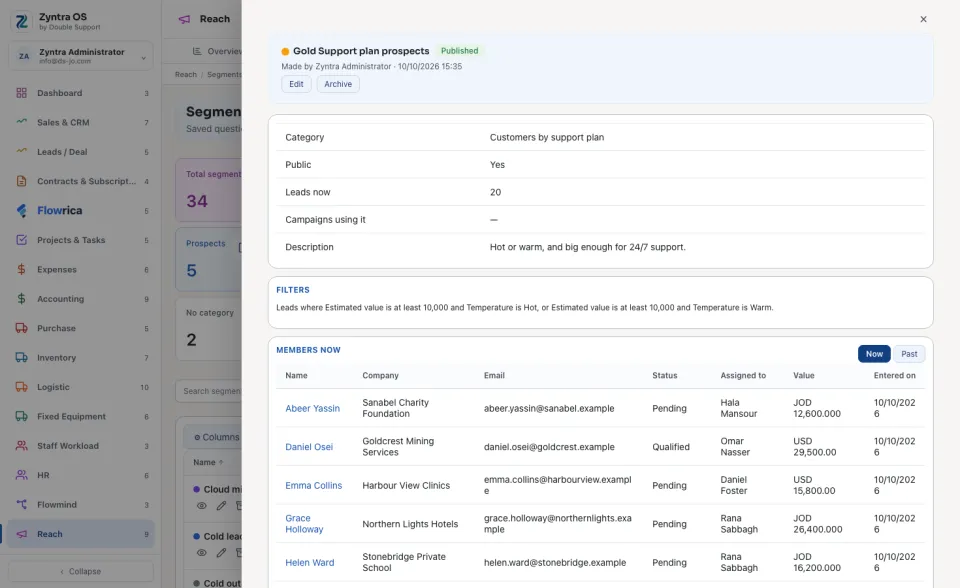
Press a segment's name to open it. It shows the Leads now, the Campaigns using it, its Filters in words, and under Members now the leads that are in it Now or were in it in the Past.
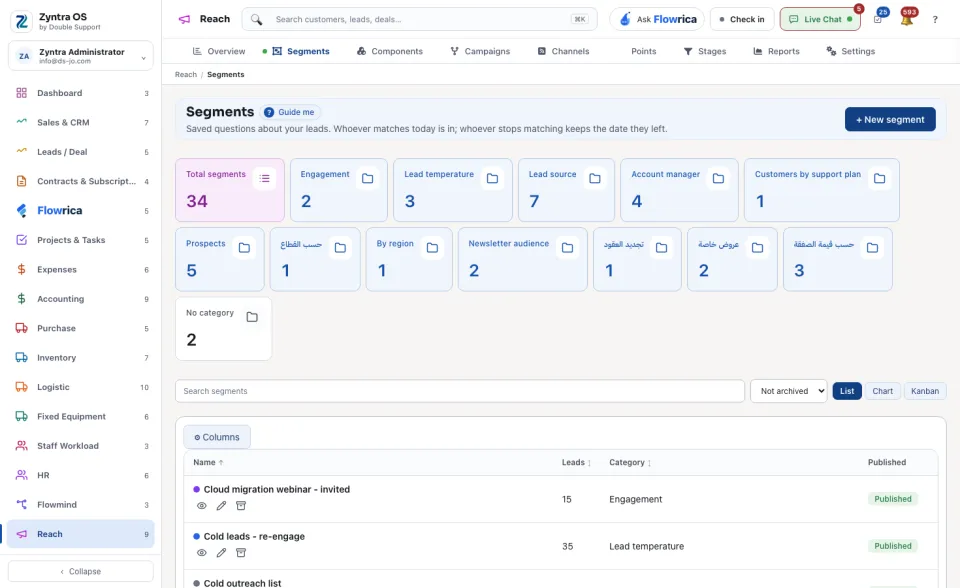
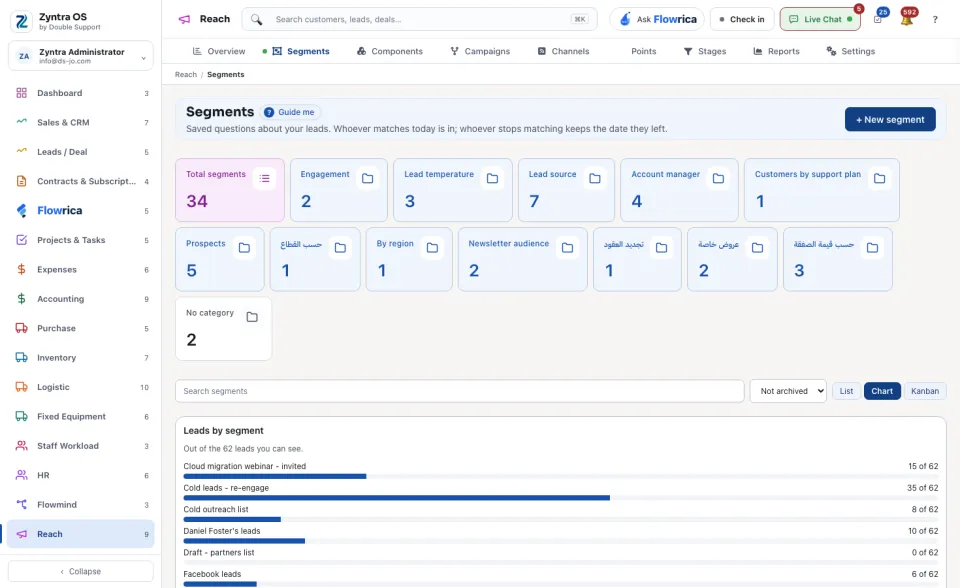
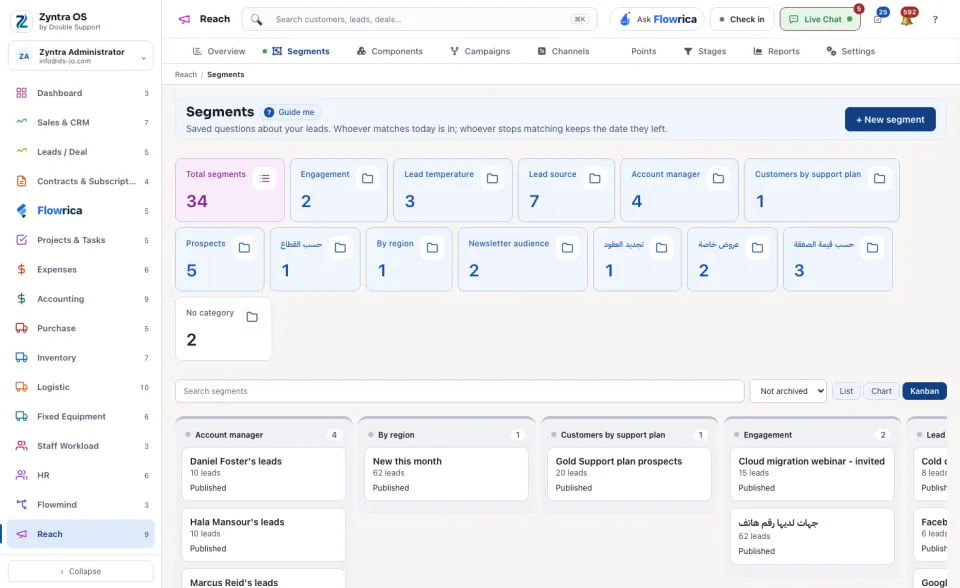
The list counts the Total segments and those in each category. Search segments finds one. See them as a List, a Chart or a Kanban.