Zyntra OS
 Zyntra Legal
 Zyntra Real Estate
 Zyntra Hotel
 Zyntra E-commerce
 Zyntra Appointments
 Zyntra Repair
 Zyntra Garage
 Zyntra Concierge
 Zyntra Contracting
 Zyntra Clinic
 Zyntra Call Center
 Zyntra OTA
Where
Fixed Equipment › Warehouse › Order ListWho
Anyone allowed to see asset orders.Sell or rent out an asset
1
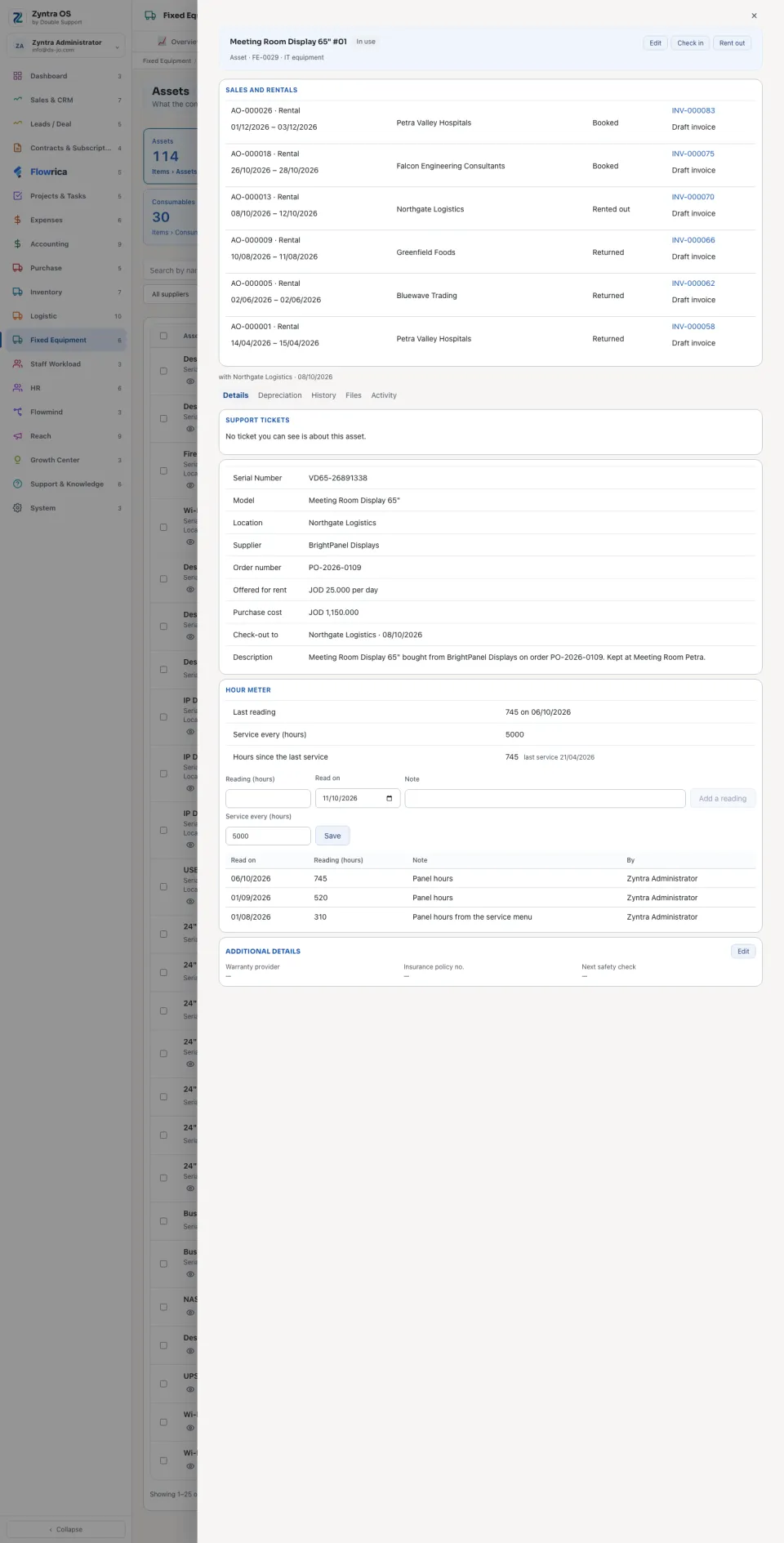
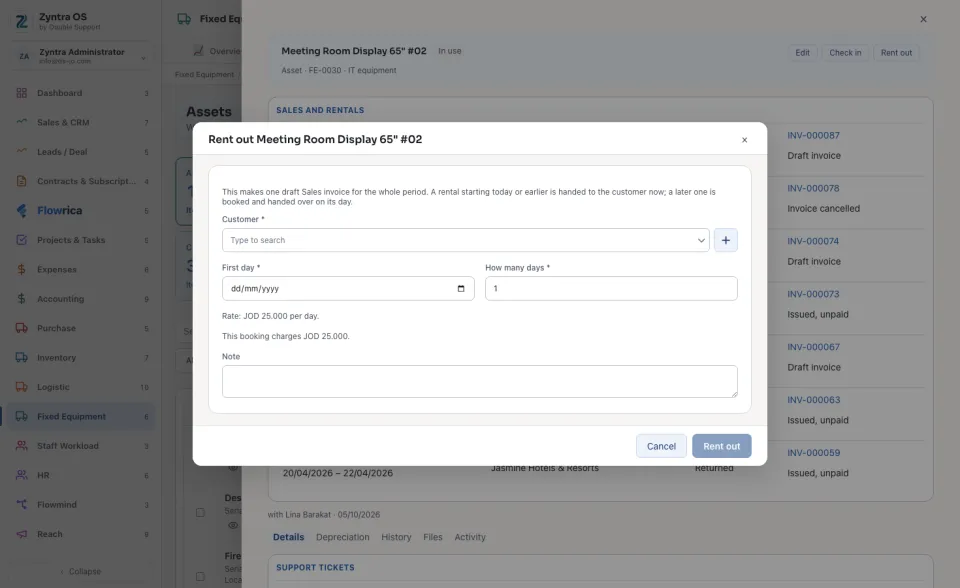
An order starts on the asset’s own page, not here. Open the asset: one that is marked Offered for sale shows Sell, one marked Offered for rent shows Rent out.
2
Choose the Customer. For a sale, check the Price. For a rental, set the First day and How many days: the form says the rate and what the booking charges.
3
Press Sell or Rent out. This makes a draft Sales invoice. A rental that starts today or earlier is handed to the customer now; a later one is booked and handed over on its day.
The list
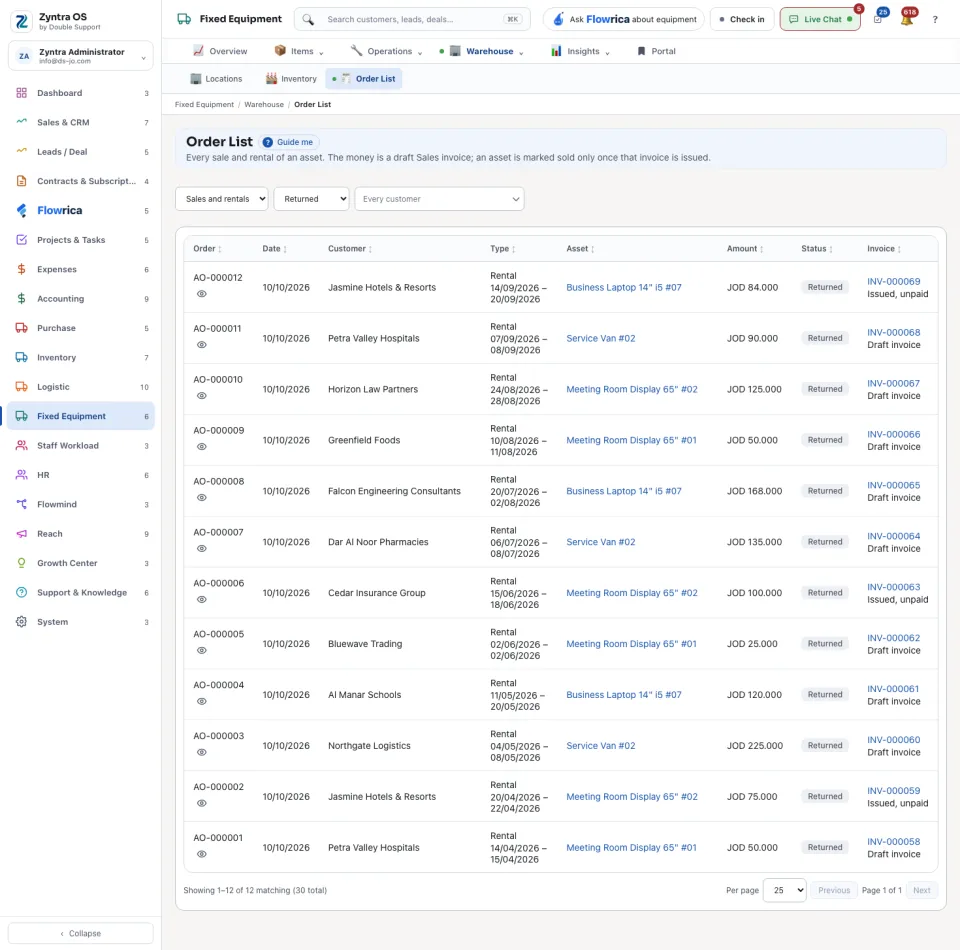
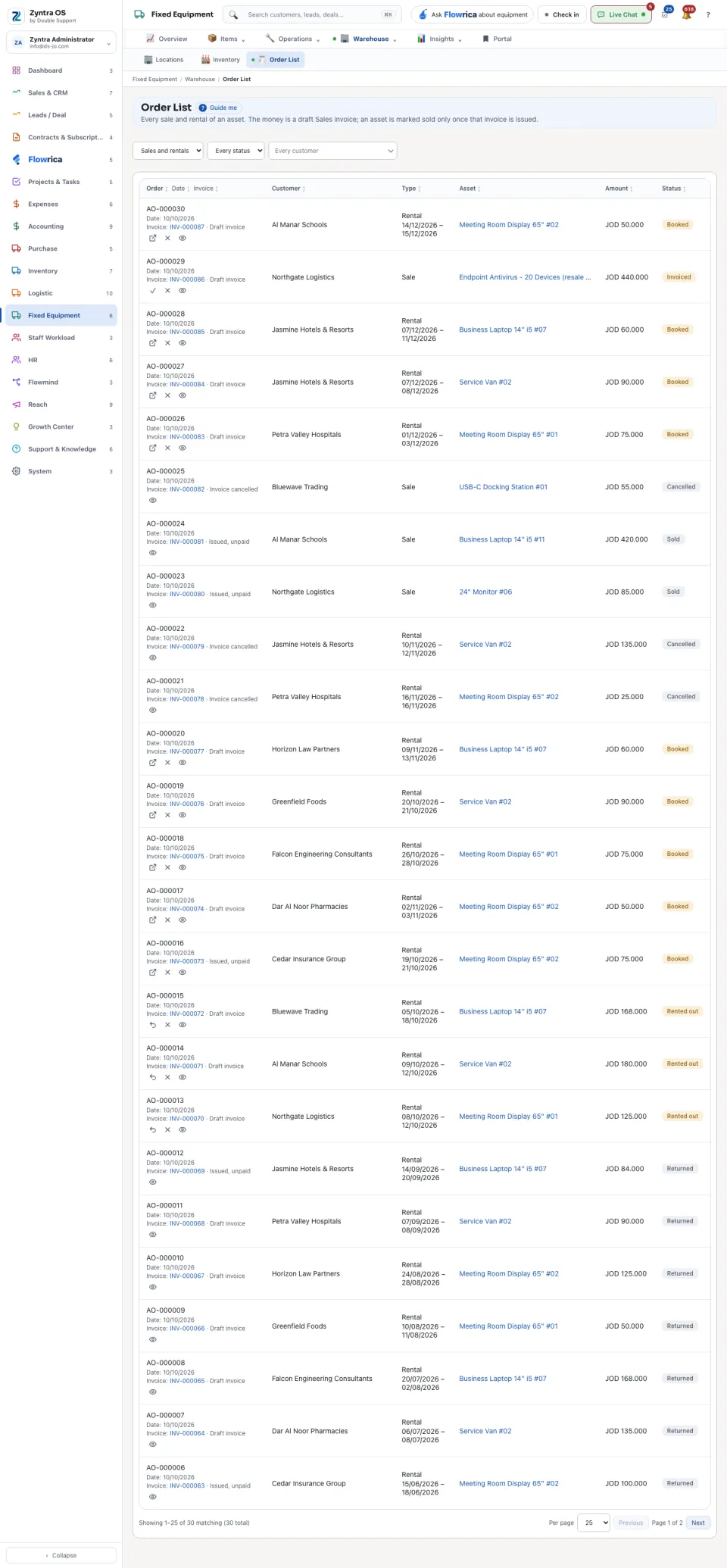
The list shows Order, Date, Invoice, Customer, Type, Asset, Amount and Status. Under the invoice number it says how the invoice stands, for example Draft invoice or Issued, unpaid. Narrow the list with Sales and rentals, Every status and Every customer.
| On a row | What it does |
|---|---|
| Mark sold | On a sale that is Invoiced: marks the asset sold once its invoice is issued. |
| Hand over | On a rental that is Booked: hands the asset to the customer on its day. The order becomes Rented out. |
| Return | On a rental that is Rented out: takes the asset back. The order becomes Returned. |
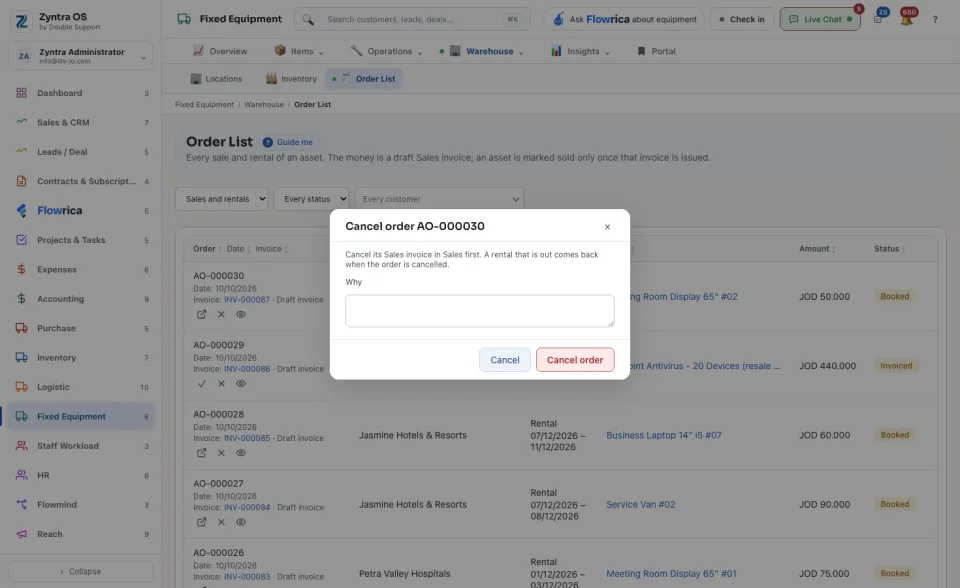
| Cancel order | Asks Why. Cancel its Sales invoice in Sales first. A rental that is out comes back when the order is cancelled. |
| Open | Goes to the asset. Its page lists its own orders under Sales and rentals. |