

 Zyntra OS
 Zyntra Legal
 Zyntra Real Estate
 Zyntra Hotel
 Zyntra E-commerce
 Zyntra Appointments
 Zyntra Repair
 Zyntra Garage
 Zyntra Concierge
 Zyntra Contracting
 Zyntra Clinic
 Zyntra Call Center
 Zyntra OTA
Where
Sales & CRM › Items & Price lists › Price listsWho
Anyone allowed to manage items.1
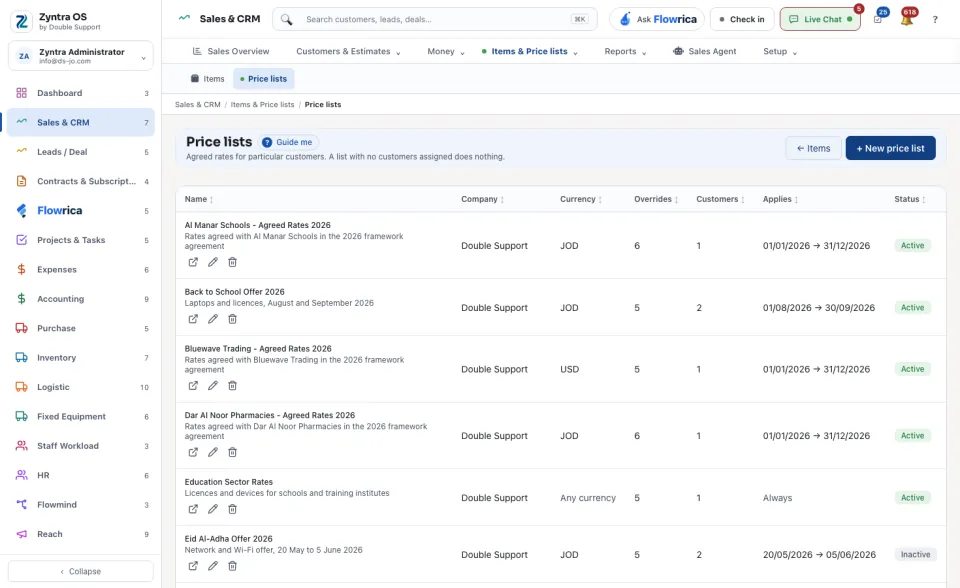
Press + New price list. Type its Name and a Short description, choose a Currency (or Any currency), and when it Starts on and Ends on. Leave Active ticked. Press Save.
2
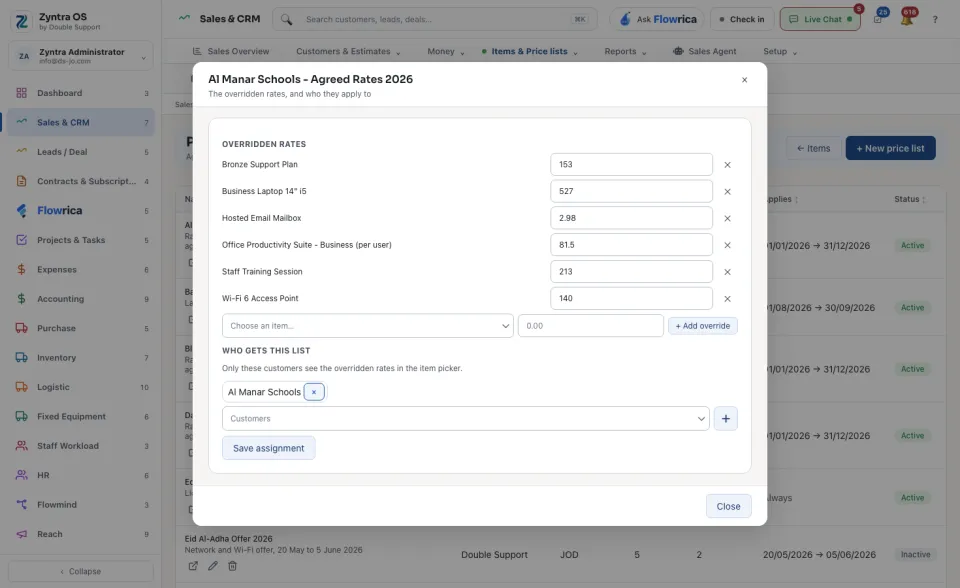
Open the list. Under Overridden rates, choose an item and type the agreed rate for this list.
3
Under Who gets this list, choose the customers and press Save assignment. Only they get these rates.
A list with no customers assigned does nothing. A list priced in one currency only applies to documents in that currency.
The table shows each list's Company, Currency, how many Overrides and Customers it has, when it Applies (Always, or its dates) and its Status. ← Items goes back to your items.
Before: Your items · Next: Make and send an estimate