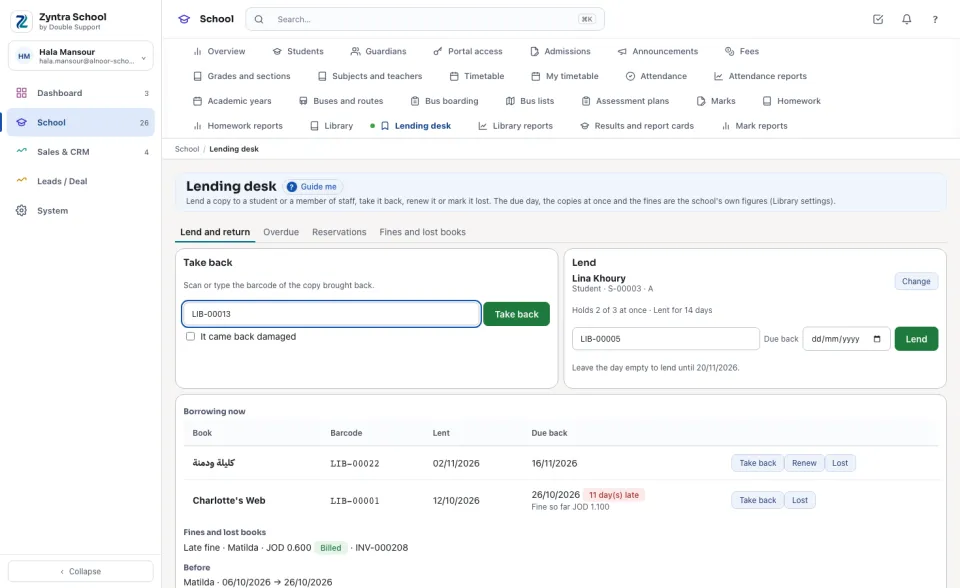
Lend a copy to a student or a member of staff, take it back, renew it or mark it lost; the books overdue, the copies held for students, and the fines and lost books billed to the family.
Where
School › Lending desk
Who
The library's right to lend and return.
The due day, the copies at once, the renewals and the fines are the school's own figures, set in Library settings.
Lend
1
Under Lend, type a student's name or number, or a member of staff's name, and press the one you mean. The card says what they Holds now against the most they may hold at once, and for how many days they borrow.
2
Scan or type the copy's Barcode. Leave Due back empty for the school's days (the line under it says the day), or choose another day.
3
Press Lend. It is refused, with why, for a copy that is not on the shelf, a copy held for another student, a borrower who already holds the most allowed, or a student who is not enrolled.
Take back
Under Take back, scan or type the barcode of the copy brought back and press Take back (tick It came back damaged to put the copy aside). A late return is fined by the school's figures — the days late × the fine for each day, never above the most a fine can reach — and the fine waits under Fines and lost books.
The borrower's books
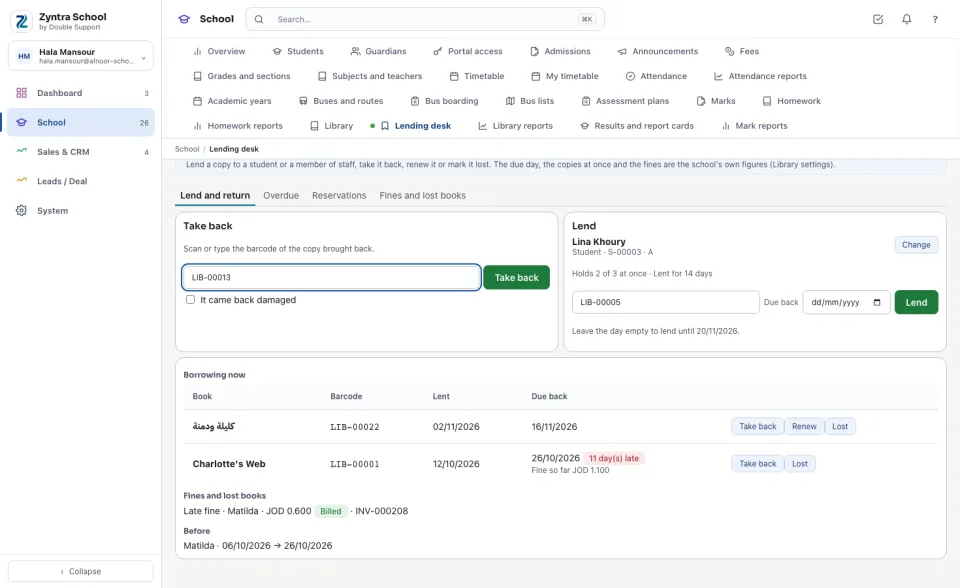
Under the two boxes, Borrowing now lists what the borrower holds, each with the day it was Lent and is Due back, how many days late, and the Fine so far. Then what is Held for this borrower, their Fines and lost books (with the invoice once billed), and what they borrowed Before.
1
Renew gives a new due day from today, as many times as the school allows; an overdue book is taken back first.
2
Take back on the line does the same as the barcode.
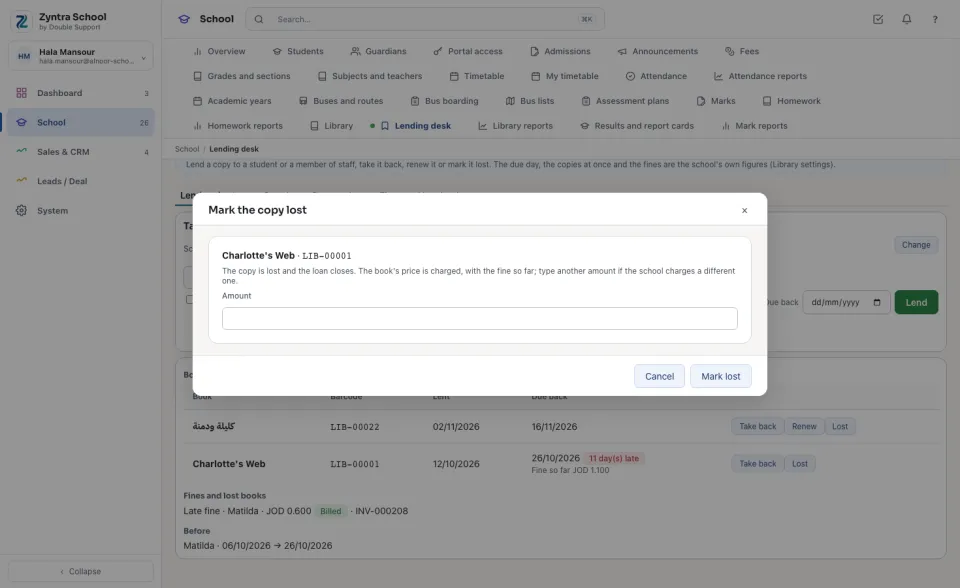
A lost book
1
Press Lost on the line. The copy is lost and the loan closes.
2
Leave the Amount empty for the book's price, or type what the school charges. The fine so far is charged too, while fines are on. Press Mark lost.
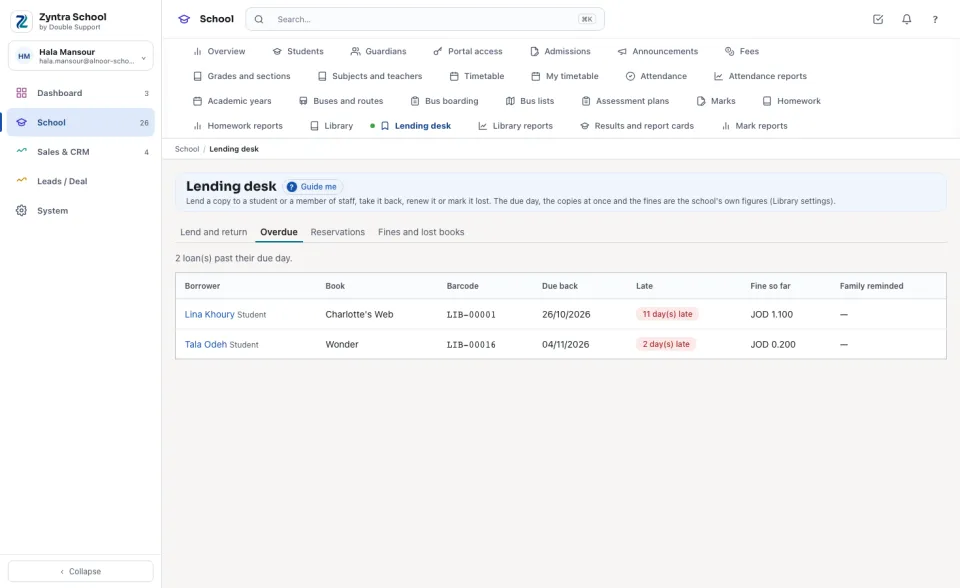
Overdue
Every loan past its due day, the longest late first: the Borrower (press the name to open them on the desk), the Book, its barcode, the due day, how many days Late, the Fine so far, and whether the Family reminded.
Reservations
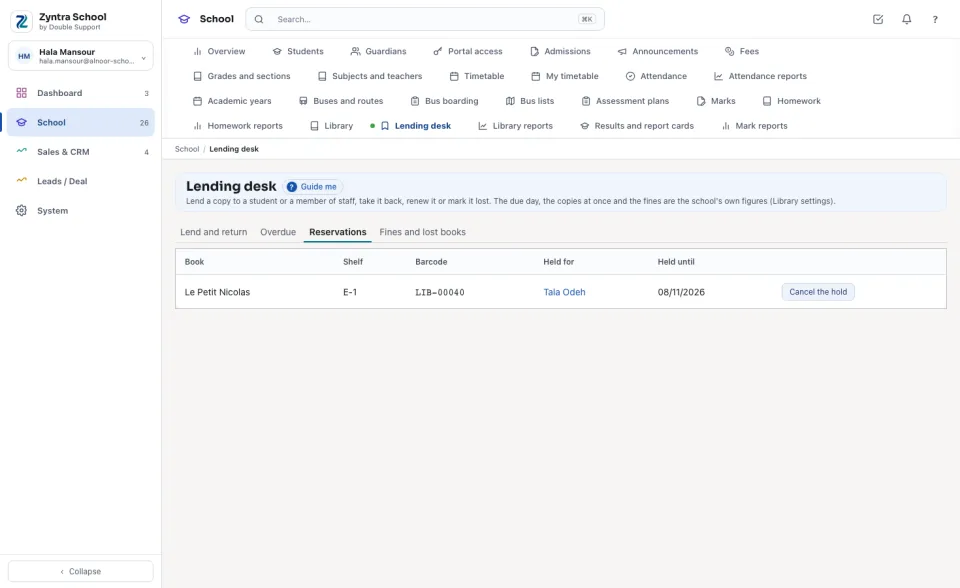
A student reserves a copy on the shelf from the portal; it is held for them until the day shown, and lent to nobody else. Lending them the book fulfils the hold. Cancel the hold frees the copy.
Fines and lost books
1
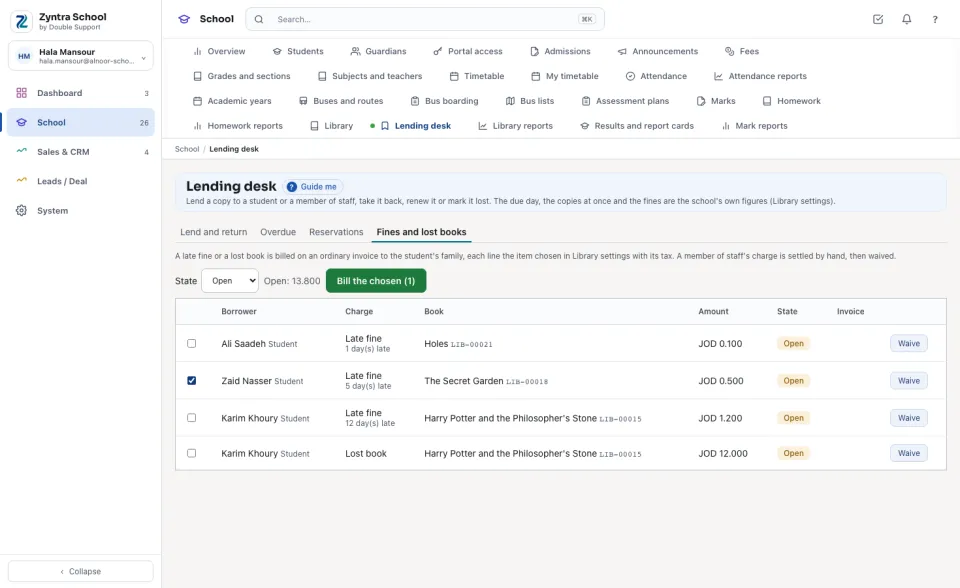
Choose the State (Open first) — the line beside it says what is open.
2
Tick the open charges and press Bill the chosen. Each family gets one ordinary invoice, each line the item chosen in the library settings with its tax; the invoice number is shown on the charge, and the family sees it on the portal.
3
Waive an open charge with its reason. A member of staff's charge is never put on a family's invoice: settle it by hand, then waive it.


 Zyntra OS
 Zyntra Legal
 Zyntra Real Estate
 Zyntra Hotel
 Zyntra E-commerce
 Zyntra Appointments
 Zyntra Repair
 Zyntra Garage
 Zyntra Concierge
 Zyntra Contracting
 Zyntra Clinic
 Zyntra Dental
 Zyntra School
 Zyntra University
 Zyntra Call Center
 Zyntra OTA