Zyntra OS
 Zyntra Legal
 Zyntra Real Estate
 Zyntra Hotel
 Zyntra E-commerce
 Zyntra Appointments
 Zyntra Repair
 Zyntra Garage
 Zyntra Concierge
 Zyntra Contracting
 Zyntra Clinic
 Zyntra Call Center
 Zyntra OTA
Where
Fixed Equipment › Operations › AuditWho
Anyone allowed to see audits; starting one and deciding it need their own rights.Start an audit
1
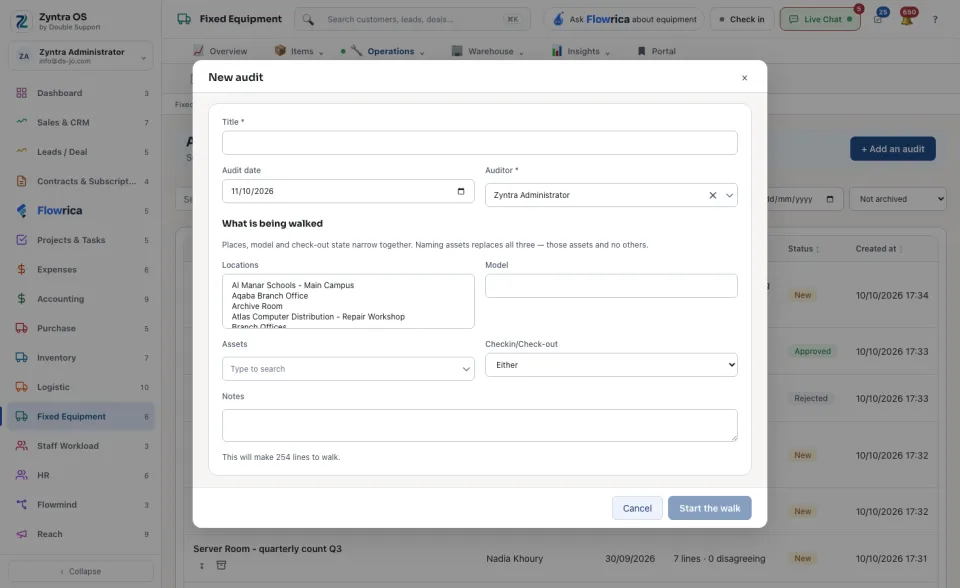
Press + Add an audit. Type a Title, set the Audit date and choose the Auditor.
2
Say what is being walked: choose Locations, a Model, or whether the items are checked in or checked out. These narrow together. Naming particular Assets replaces all three. The form says how many lines it will make.
3
Press Start the walk. The audit’s sheet opens.
Walk the sheet
1
Each line shows the item and where the Register says it is. Under What was found choose Where it should be, Somewhere else or Not found.
2
Faster: scan the item’s code or type it in the box and press Mark here, or press Scan with the camera.
3
The top of the sheet counts the lines that disagree with the register and the lines not walked yet. When the walk is done, press Approve or Reject.
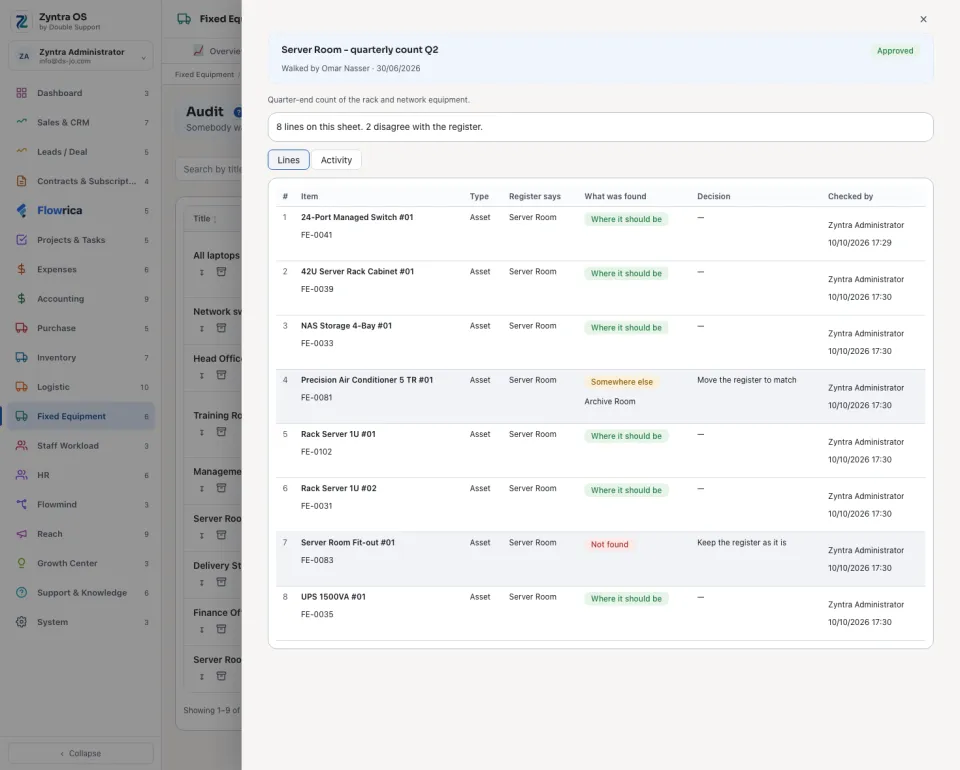
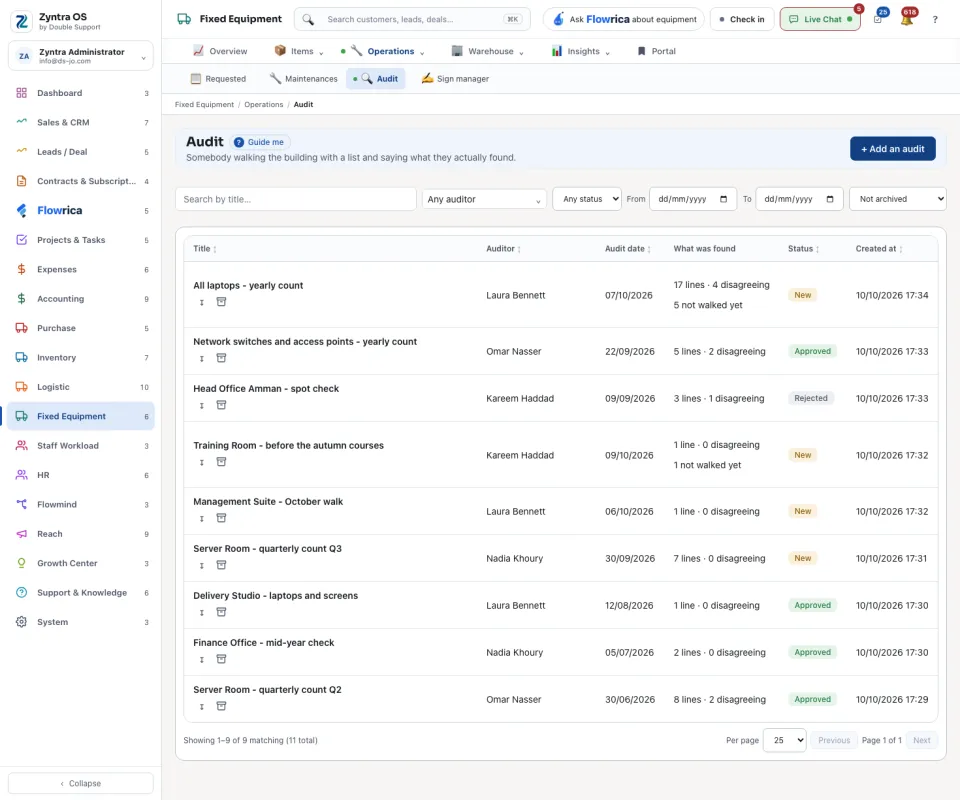
The sheet has two tabs: Lines and Activity. On the list, each audit shows what was found; Export this sheet saves it as a file and Archive takes it off the list.