

 Zyntra OS
 Zyntra Legal
 Zyntra Real Estate
 Zyntra Hotel
 Zyntra E-commerce
 Zyntra Appointments
 Zyntra Repair
 Zyntra Garage
 Zyntra Concierge
 Zyntra Contracting
 Zyntra Clinic
 Zyntra Call Center
 Zyntra OTA
Where
Fixed Equipment › OverviewWho
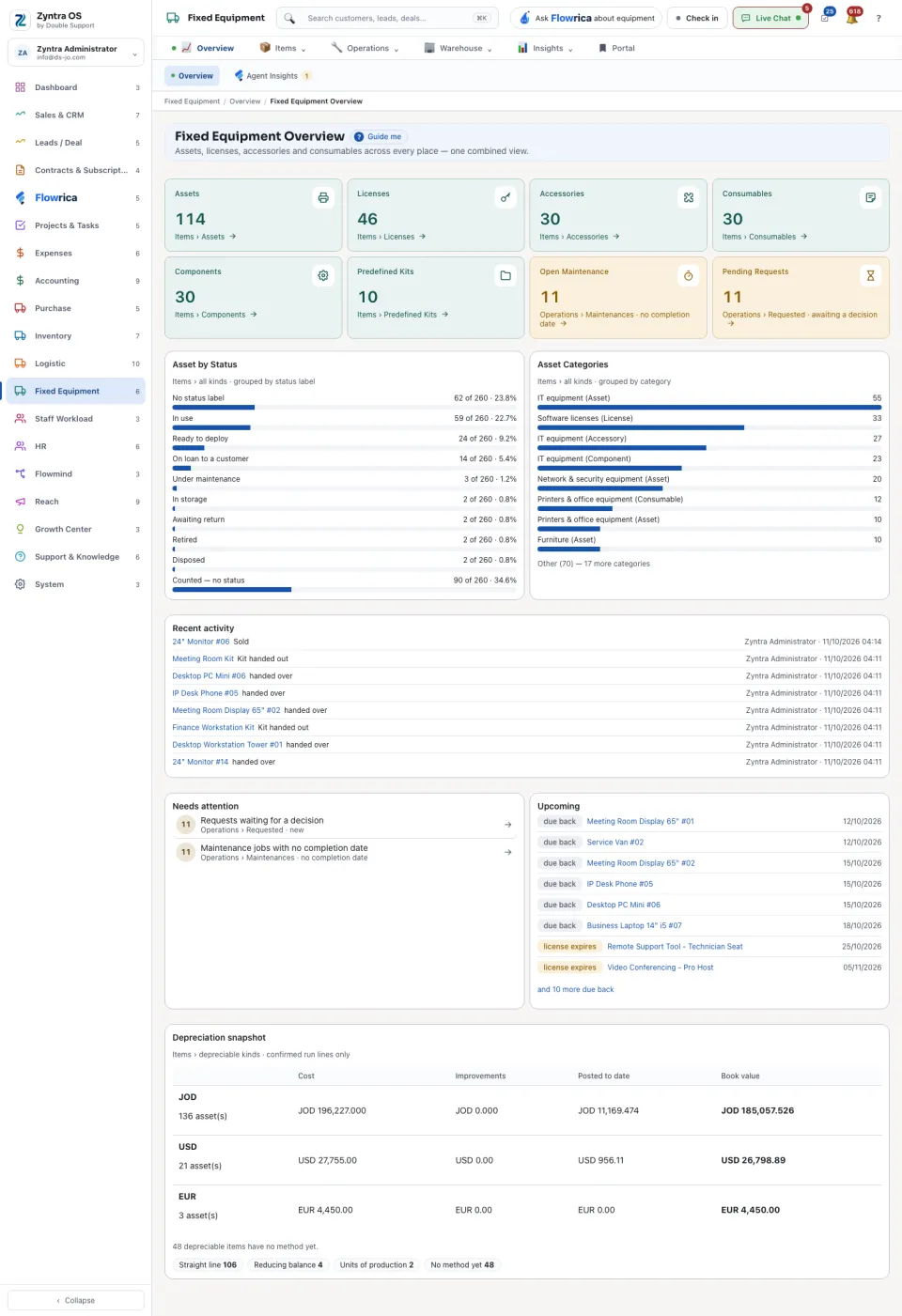
Anyone allowed to see assets.The tiles at the top count each kind of item: Assets, Licenses, Accessories, Consumables, Components and Predefined Kits. Two more count the work waiting: Open Maintenance and Pending Requests. Each tile says where its number comes from; press it to open that list.
| Part | What it shows |
|---|---|
| Asset by Status | How many items are in each status, and their share of the whole. |
| Asset Categories | How many items are in each category. |
| Recent activity | The latest things done: an item added, an item handed over. Press the item’s name to open it. |
| Needs attention | What somebody should look at now. |
| Upcoming | Warranties, licenses and returns that are due soon. |
| Depreciation snapshot | For each currency: the Cost, the Improvements, what is Posted to date and the Book value. Only confirmed runs are counted. Items with no currency are listed apart and are not added to any total. |
From this screen Flowrica can make it with you: Add an asset, Open a maintenance job or Request an item.