

 Zyntra OS
 Zyntra Legal
 Zyntra Real Estate
 Zyntra Hotel
 Zyntra E-commerce
 Zyntra Appointments
 Zyntra Repair
 Zyntra Garage
 Zyntra Concierge
 Zyntra Contracting
 Zyntra Clinic
 Zyntra Dental
 Zyntra School
 Zyntra University
 Zyntra Call Center
 Zyntra OTA
Where
Fixed Equipment › Operations › Stops and breakdowns and Fixed Equipment › Operations › AvailabilityWho
Reading takes Stops and breakdowns — View; reporting a stop takes Report a stop; back in service, a repair job and archive take Edit.The stops
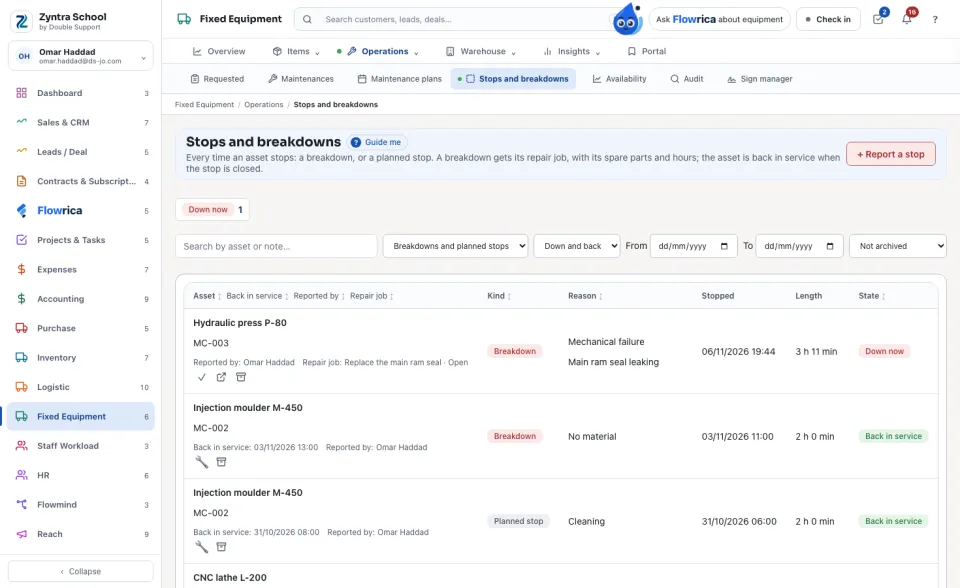
Each stop shows its asset, its kind (Breakdown or Planned stop), its reason, when it stopped, when it was back in service, how long it lasted, who reported it and its repair job. Down now counts the assets still stopped; press it to see only those.
Report a stop
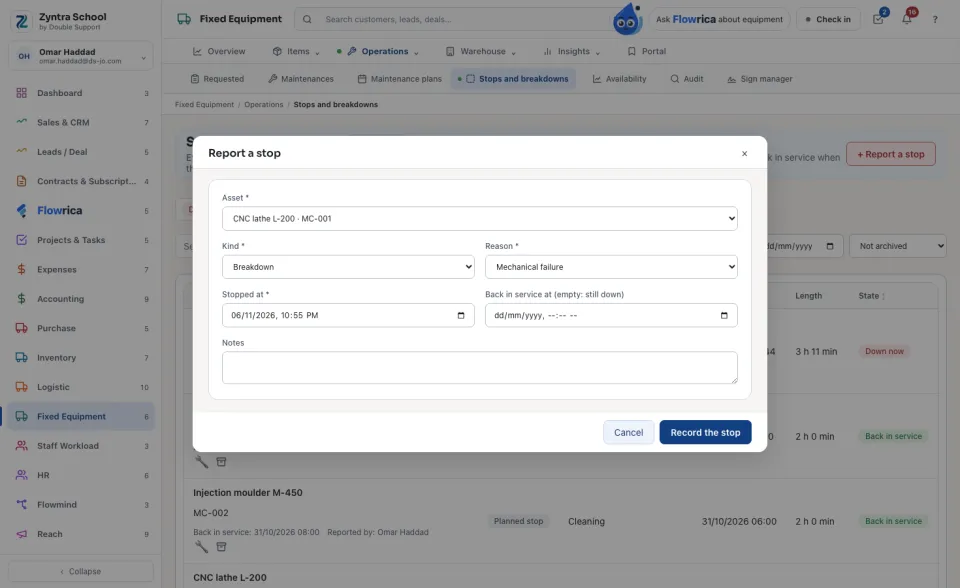
Two stops of one asset never cover the same minute; the refusal says which stop is already there. A planned stop can be written ahead; a breakdown cannot be dated after now. The reasons are the company’s own list: Fixed Equipment › Settings › Stop reasons.
Repair it, with spare parts and hours
On a stop, press Open a repair job, choose the type of work and who does it. The job is an ordinary maintenance job on Maintenances. There, press Spare parts and hours on the job:
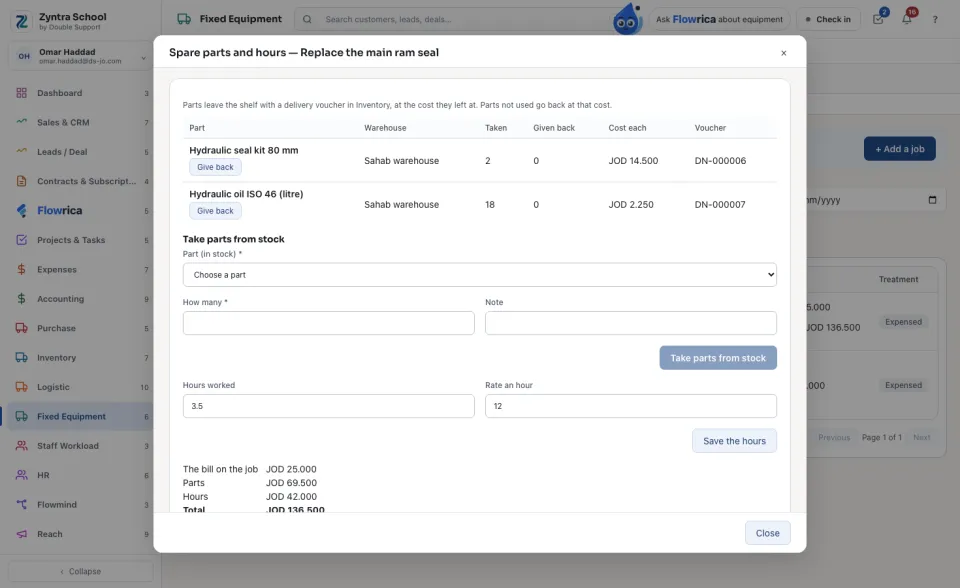
The job’s cost is the bill on it, the parts and the hours; the list shows the total under the bill. When the asset runs again, press Back in service on the stop.
Availability, MTBF and MTTR
For each asset with a stop in the period: its planned hours a day (empty is 24, round the clock — press Planned hours to change it), production hours, down hours, Availability (run time ÷ planned time less planned stops), the breakdowns, MTBF (the run time between breakdowns) and MTTR (how long a repair takes). Press Day by day to see each day.
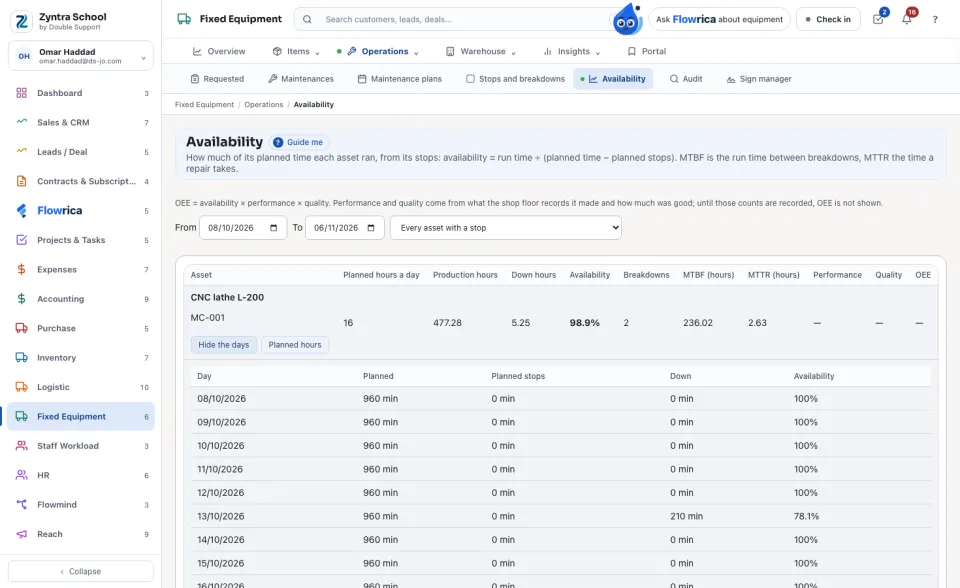
Performance, Quality and OEE show — until the shop floor records what each asset made and how much of it was good; OEE is never guessed.
Questions
Where is “Breakdowns, repairs and availability” in Zyntra OS?
Fixed Equipment › Operations › Stops and breakdowns and Fixed Equipment › Operations › Availability
Who can use “Breakdowns, repairs and availability”?
Reading takes Stops and breakdowns — View; reporting a stop takes Report a stop; back in service, a repair job and archive take Edit.