Zyntra OS
 Zyntra Legal
 Zyntra Real Estate
 Zyntra Hotel
 Zyntra E-commerce
 Zyntra Appointments
 Zyntra Repair
 Zyntra Garage
 Zyntra Concierge
 Zyntra Contracting
 Zyntra Clinic
 Zyntra Call Center
 Zyntra OTA
Where
Fixed Equipment › Operations › Sign managerWho
Anyone allowed to see assets.The screen has two views.
| View | What it shows |
|---|---|
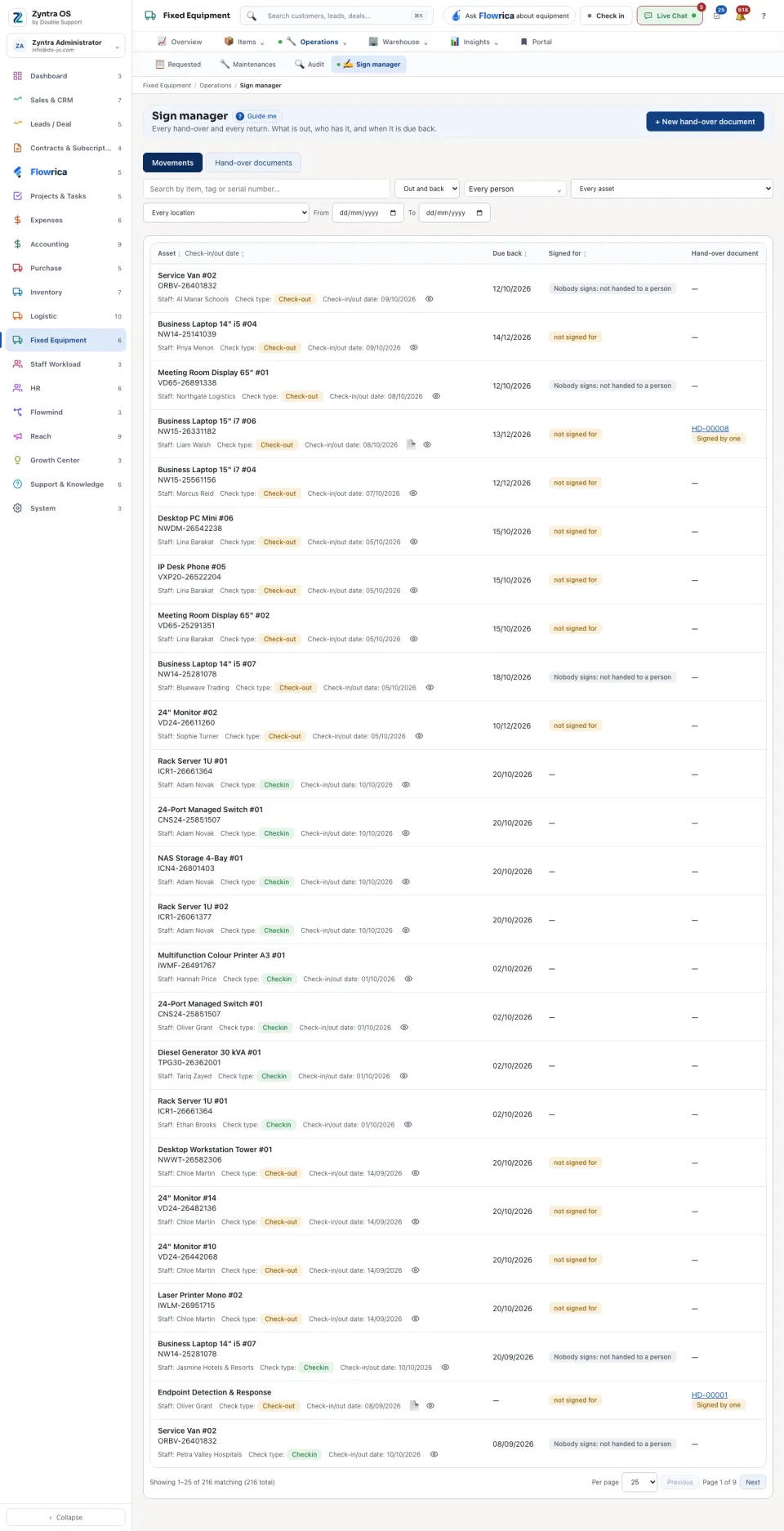
| Movements | One row for each check-out and each check-in: the Asset, the person, the Check type, the date, when it is Due back, whether it was Signed for, and its Hand-over document. Narrow it to Still out or Came back, or by person, asset, location and dates. Open on a row opens the asset. |
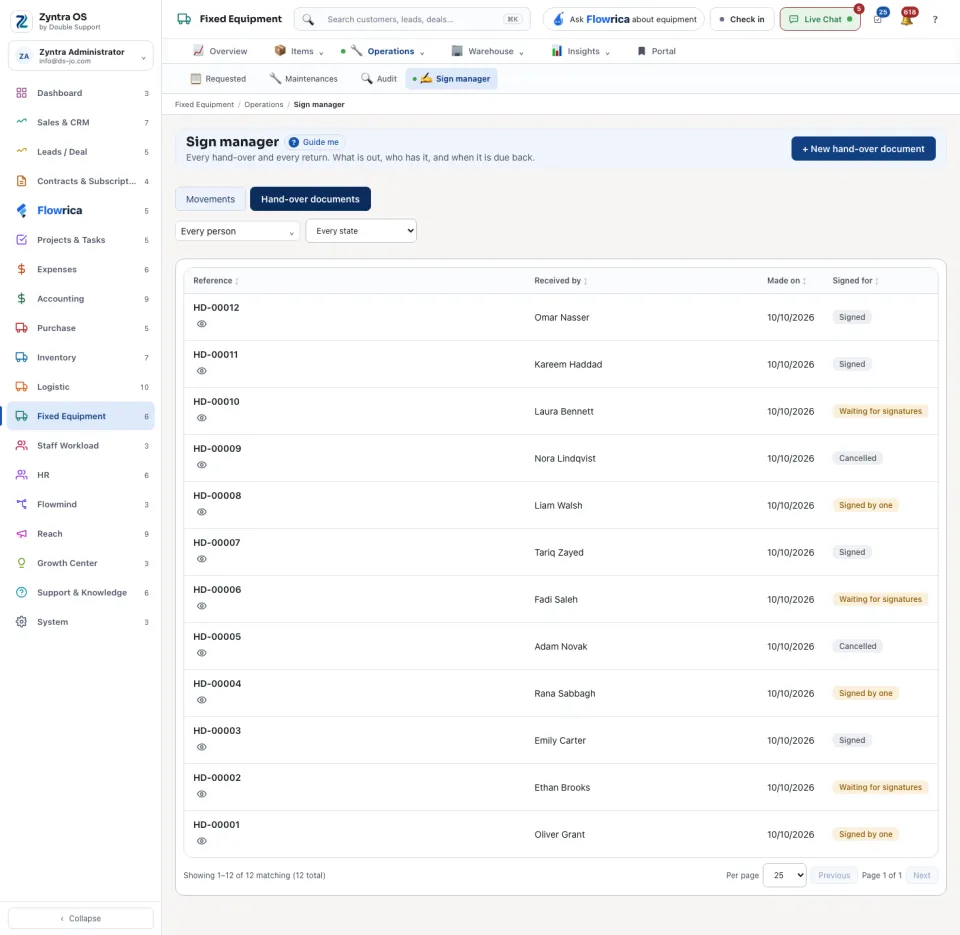
| Hand-over documents | The papers people sign for what they received. Each is Waiting for signatures, Signed by one, Signed or Cancelled. |
Hand something over
1
The hand-over itself is made on the asset: open it and press Check out — see Your equipment. It appears here at once as a row that is not signed for.
Make the paper to sign
1
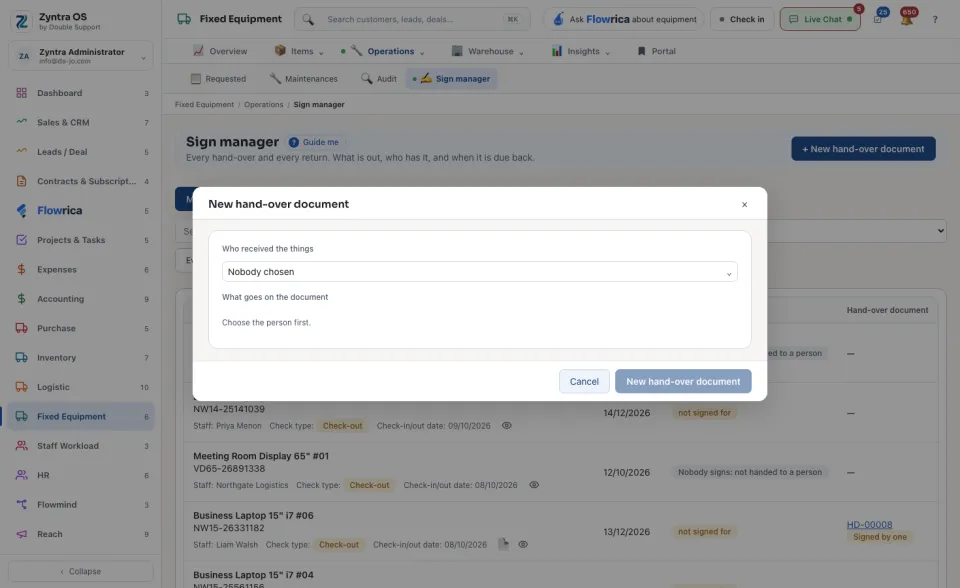
Press + New hand-over document.
2
Choose Who received the things. The form then lists what goes on the document.
3
Press New hand-over document. It waits under Hand-over documents until it is signed.