Zyntra OS
 Zyntra Legal
 Zyntra Real Estate
 Zyntra Hotel
 Zyntra E-commerce
 Zyntra Appointments
 Zyntra Repair
 Zyntra Garage
 Zyntra Concierge
 Zyntra Contracting
 Zyntra Clinic
 Zyntra Call Center
 Zyntra OTA
Where
Fixed Equipment › Insights › SettingsWho
Anyone allowed to see these settings; changes need the right to edit them.Press a tab, then + Add for a new entry. On a row: Edit and Switch off. You may rename anything. The line under the title says what the next asset tag will be.
| Tab | What it holds |
|---|---|
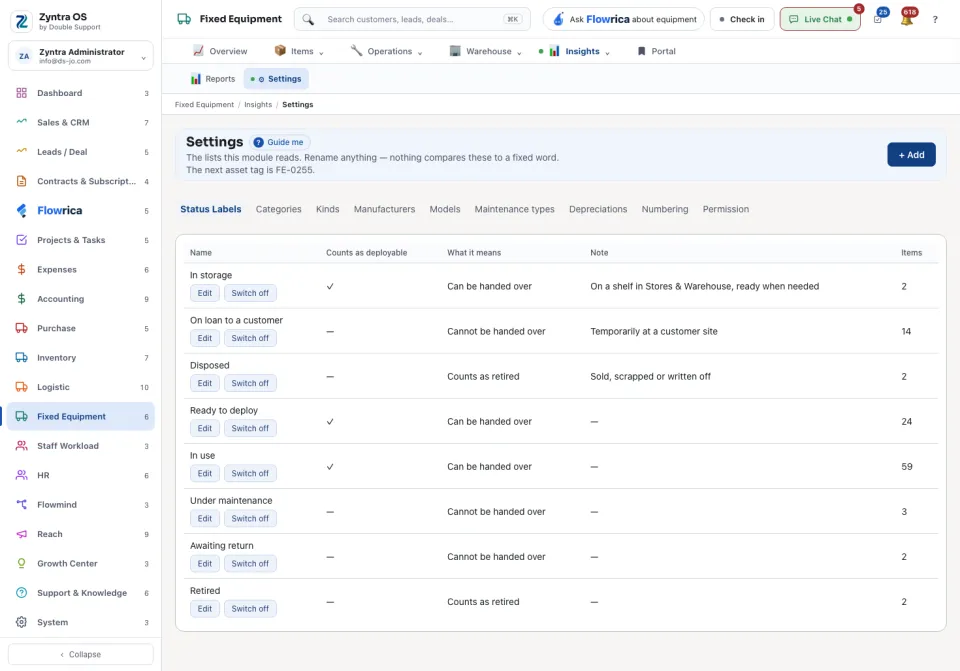
| Status Labels | The statuses an item can have. Counts as deployable means an item in this status can be handed over. Default for new assets is the status a new asset starts with. |
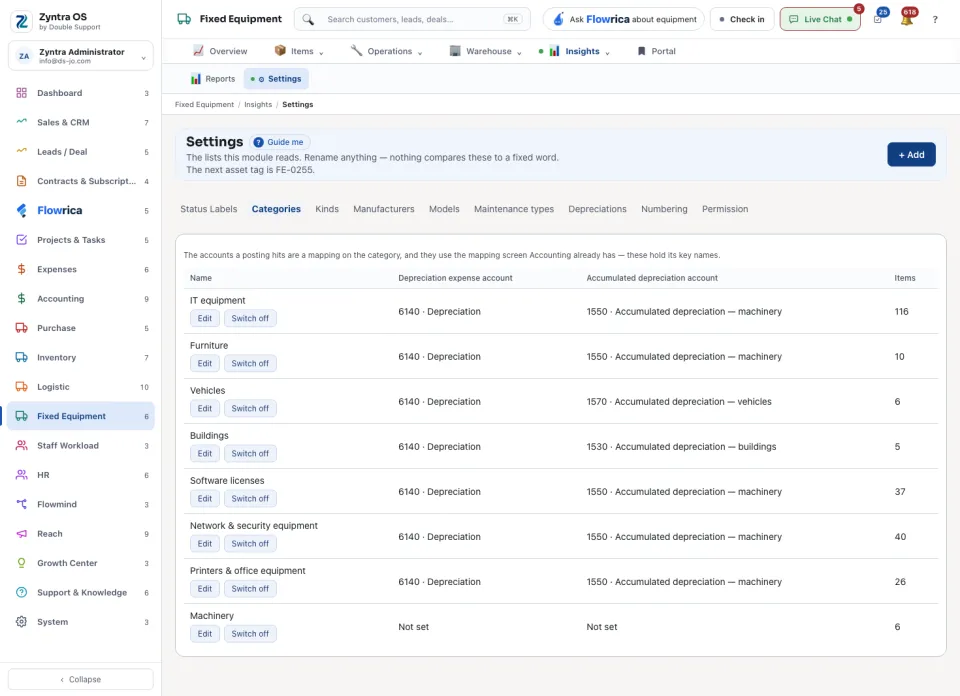
| Categories | The categories, each with the accounts its depreciation posts to: Depreciation expense account and Accumulated depreciation account. |
| Kinds | The kinds of item (asset, license and the others), and whether each kind depreciates. Below the list: the loss & adjustment type that records a return into stock. |
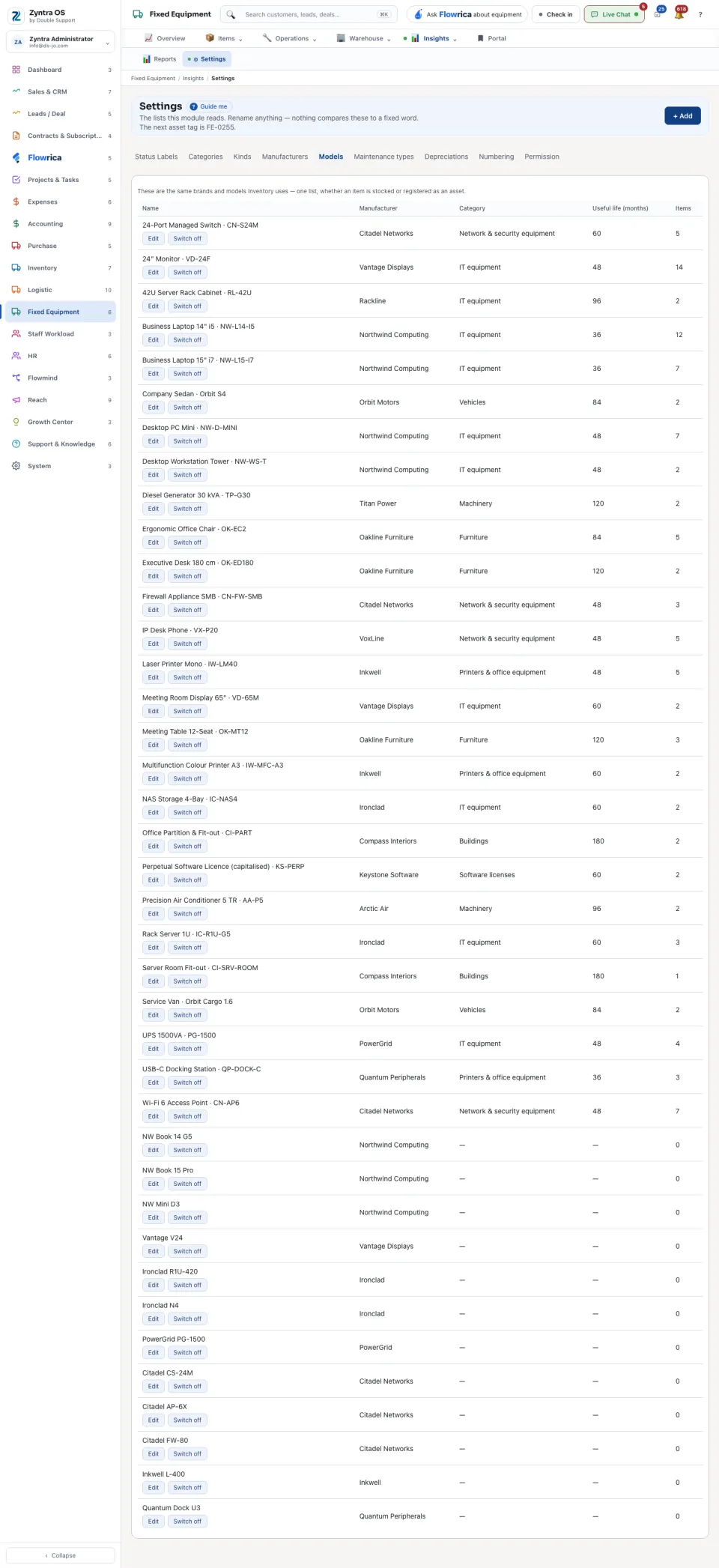
| Manufacturers and Models | The same brands and models Inventory uses: one list. A model carries its Manufacturer, Model no., Category, Depreciation method and Useful life (months). An asset needs a model, so add one here first. |
| Maintenance types | The types a maintenance job is filed under. A type switched off leaves the form; jobs that carry it keep it. |
| Depreciations | The depreciation methods and whether each is available. |
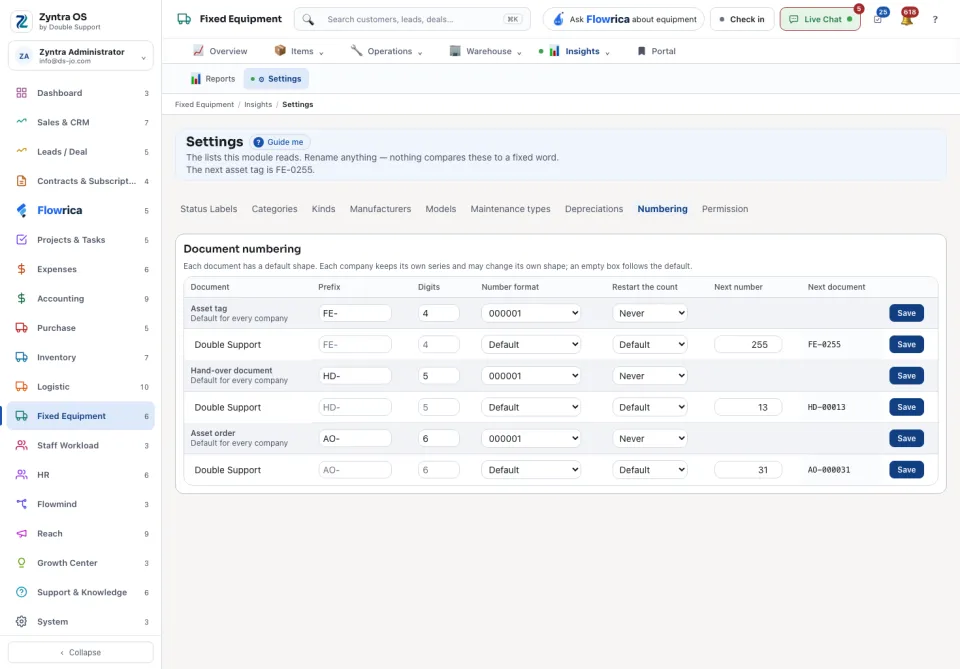
| Numbering | How the asset tag is numbered: its Prefix, Digits, Number format and when to Restart the count. Each company keeps its own series. |
| Permission | Shows what each role may do in Fixed Equipment. It changes nothing: press Open Staff Roles to change it. |