

 Zyntra OS
 Zyntra Legal
 Zyntra Real Estate
 Zyntra Hotel
 Zyntra E-commerce
 Zyntra Appointments
 Zyntra Repair
 Zyntra Garage
 Zyntra Concierge
 Zyntra Contracting
 Zyntra Clinic
 Zyntra Dental
 Zyntra School
 Zyntra University
 Zyntra Call Center
 Zyntra OTA
Where
Accounting › The books › Cost centresWho
«Read cost centres» reads the list and the report. «Edit cost centres» makes, changes, archives and brings them back. Whoever writes a journal entry may choose a centre on its lines.The list
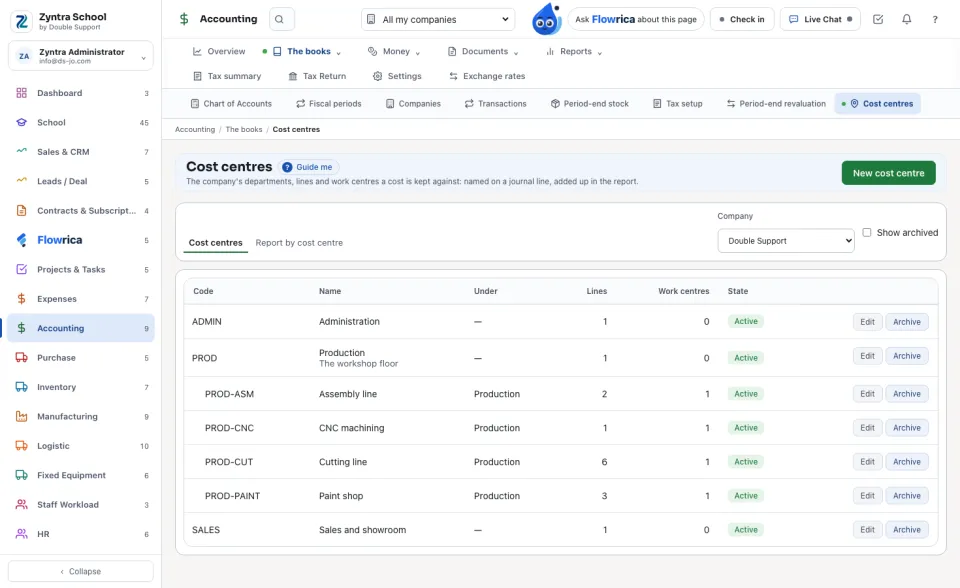
The company's centres show under the centre they belong to, with how many journal lines and work centres name each. Choose the Company when you work in more than one.
Make a cost centre
1
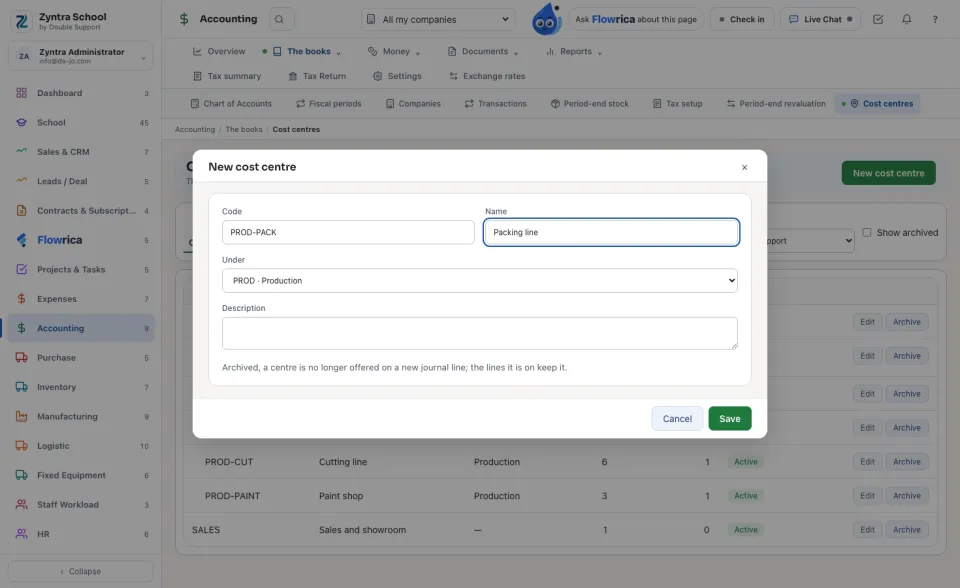
Press New cost centre. Type its Code and Name.
2
Choose the centre it sits Under, or none for one at the top. Add a Description if it helps, and press Save.
Archive takes a centre off new journal lines; the lines it is already on keep it. Bring back returns it.
The report by cost centre
1
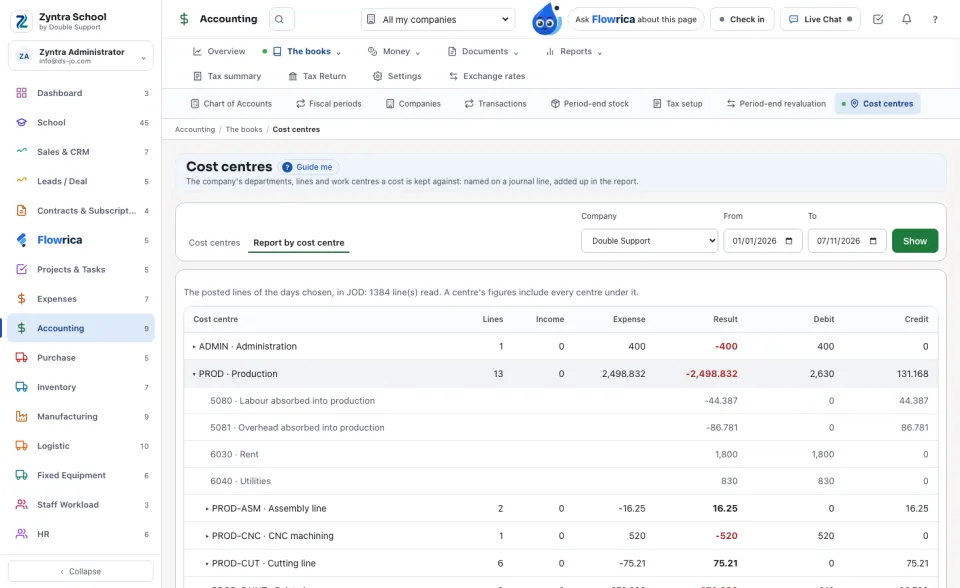
Open Report by cost centre, choose the days From and To and press Show.
2
Each centre shows its Income, Expense and Result, with the debit and credit; a centre includes every centre under it. Press a centre to see its figures account by account.
3
The last line, Lines with no cost centre, shows the rest of the posted lines of those days.
A cost centre on a journal line
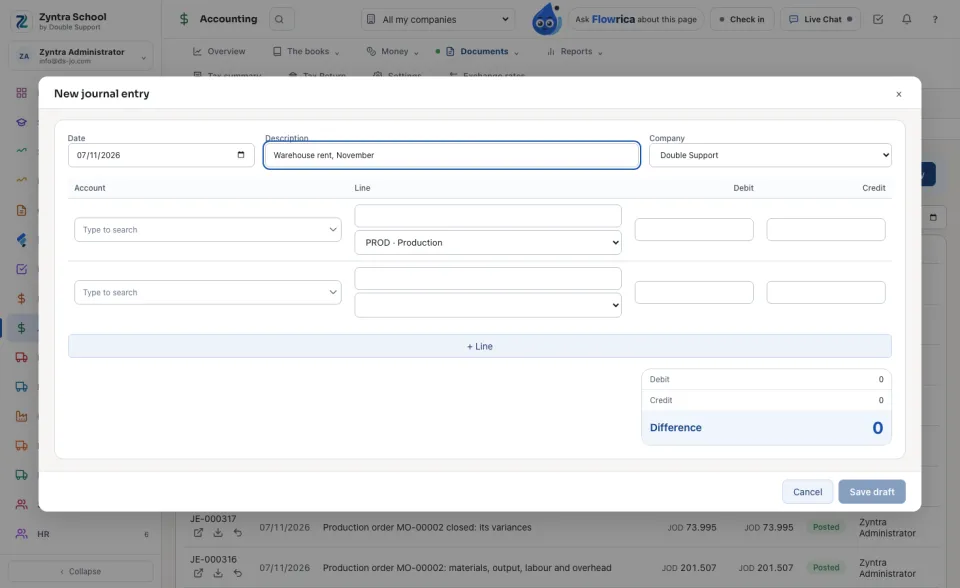
On New journal entry, once the company has cost centres, each line offers one under its description. A production order's labour and overhead are named by the work centre's own centre (Production cost).
A reversal keeps the centres of the lines it reverses, so a reversed entry leaves nothing on a centre.
A centre is one company's: another company's centre is never offered on its lines. A centre is never deleted, and never put under itself or under a centre of its own.
Questions
Where is “Cost centres” in Zyntra OS?
Accounting › The books › Cost centres
Who can use “Cost centres”?
«Read cost centres» reads the list and the report. «Edit cost centres» makes, changes, archives and brings them back. Whoever writes a journal entry may choose a centre on its lines.