

 Zyntra OS
 Zyntra Legal
 Zyntra Real Estate
 Zyntra Hotel
 Zyntra E-commerce
 Zyntra Appointments
 Zyntra Repair
 Zyntra Garage
 Zyntra Concierge
 Zyntra Contracting
 Zyntra Clinic
 Zyntra Call Center
 Zyntra OTA
Where
Accounting › The books › Tax setup › AvaTax (US sales tax)Who
Turning AvaTax on: people with Tax setup — Turn AvaTax on. Checking a customer's address: people who may edit customers.Set up the company
1
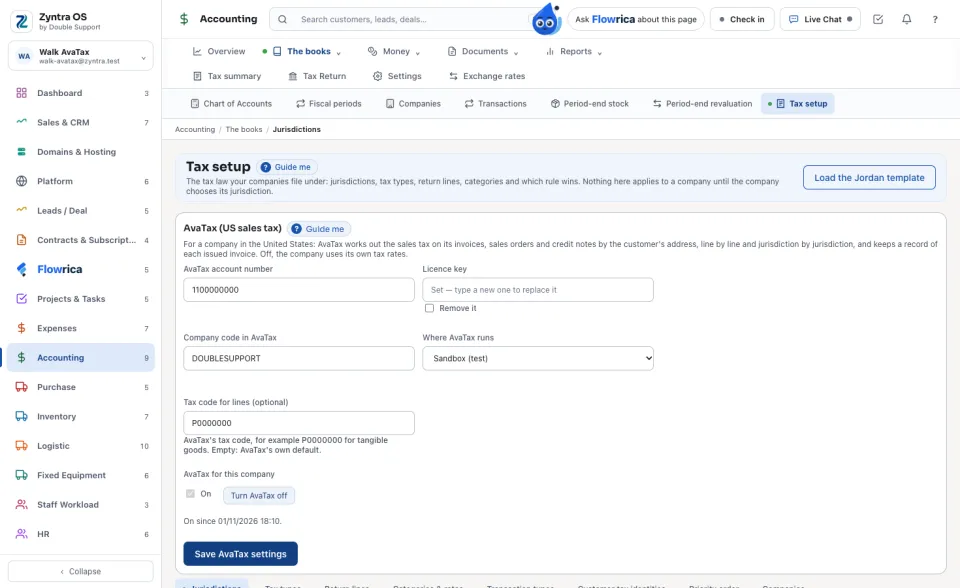
In the AvaTax (US sales tax) card, type the AvaTax account number, the Licence key and the Company code in AvaTax that Avalara gave you, and choose Sandbox (test) or Production. The key is kept sealed and never shown again; the card only says whether it is set.
2
Press Save AvaTax settings, then Turn AvaTax on. Only a company whose address is in the United States can turn it on. Off, the company's documents use its own tax rates, exactly as before.
The customer's address
3
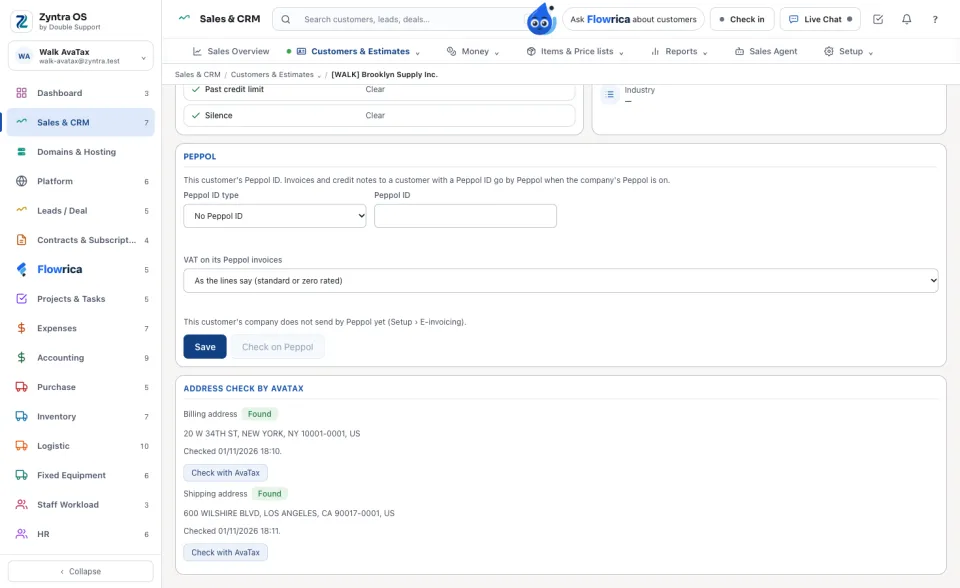
On the customer's page, in the Address check by AvaTax card, press Check with AvaTax beside the billing or the shipping address. The card says Found, with the address as AvaTax writes it and its ZIP+4, or Not found, with AvaTax's reason.
Invoices and sales orders
4
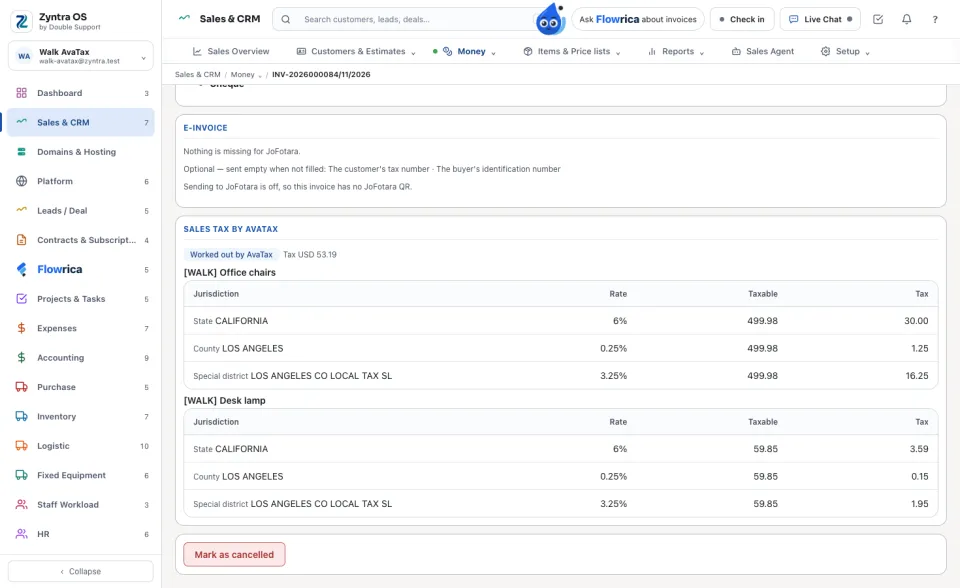
Make the invoice or sales order as usual. When it is saved, AvaTax works out each line's tax from where the goods go (the document's shipping address, else its billing address, else the customer's). The Sales tax by AvaTax card shows each line's tax by jurisdiction: state, county, city and special district.
5
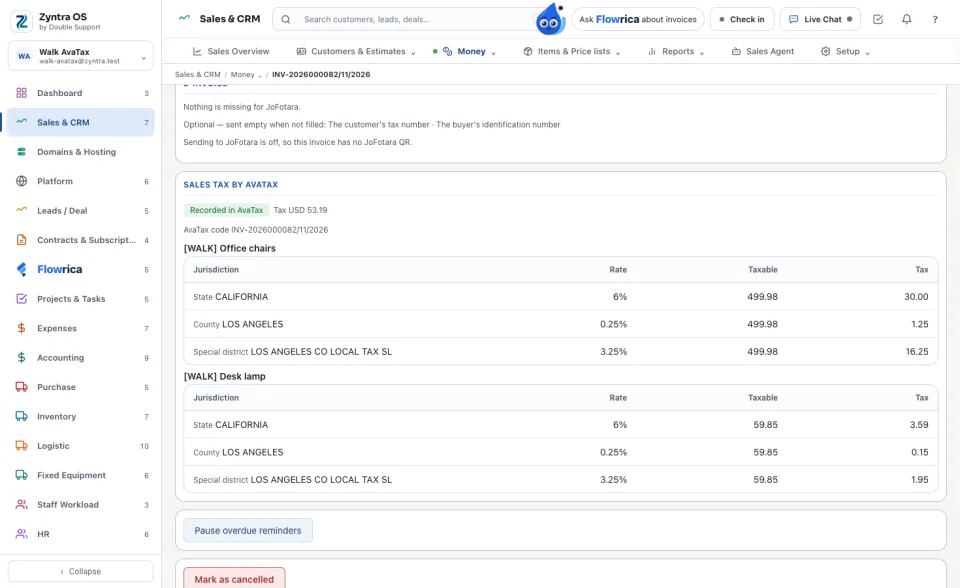
Issue the invoice. It is Recorded in AvaTax under its own number, and the card shows its AvaTax code. If AvaTax's total tax is not the invoice's, the card says both figures.
6
A recorded invoice keeps its lines. Cancelling it voids it in AvaTax (Voided in AvaTax). If AvaTax could not be reached, the card says Not recorded with the reason; press Send to AvaTax again. Undoing the cancel records the invoice in AvaTax again; if AvaTax cannot take it, the invoice stays cancelled and the reason is said.
Credit notes
7
A credit note's tax is worked out by AvaTax too, and it is recorded in AvaTax as a return dated on its invoice's date. Voiding or archiving the credit note voids the return in AvaTax.
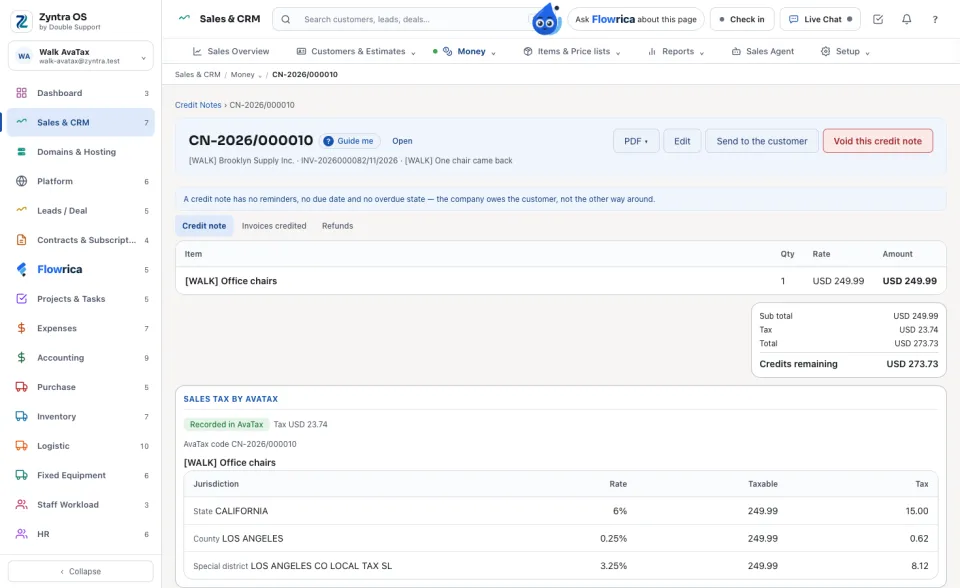
A customer outside the United States, or with no address, is taxed by the company's own tax rates, and AvaTax is not asked: the card says Taxed by the company's own rates. A draft is taxed by what is in force when it is issued: issued after AvaTax was turned off, it takes the company's own rates again. If AvaTax cannot work out the tax, the document is not saved and the reason is said.
Questions
Where is “US sales tax by AvaTax” in Zyntra OS?
Accounting › The books › Tax setup › AvaTax (US sales tax)
Who can use “US sales tax by AvaTax”?
Turning AvaTax on: people with Tax setup — Turn AvaTax on. Checking a customer's address: people who may edit customers.