

 Zyntra OS
 Zyntra Legal
 Zyntra Real Estate
 Zyntra Hotel
 Zyntra E-commerce
 Zyntra Appointments
 Zyntra Repair
 Zyntra Garage
 Zyntra Concierge
 Zyntra Contracting
 Zyntra Clinic
 Zyntra Call Center
 Zyntra OTA
Where
Accounting › The books › Fiscal periodsWho
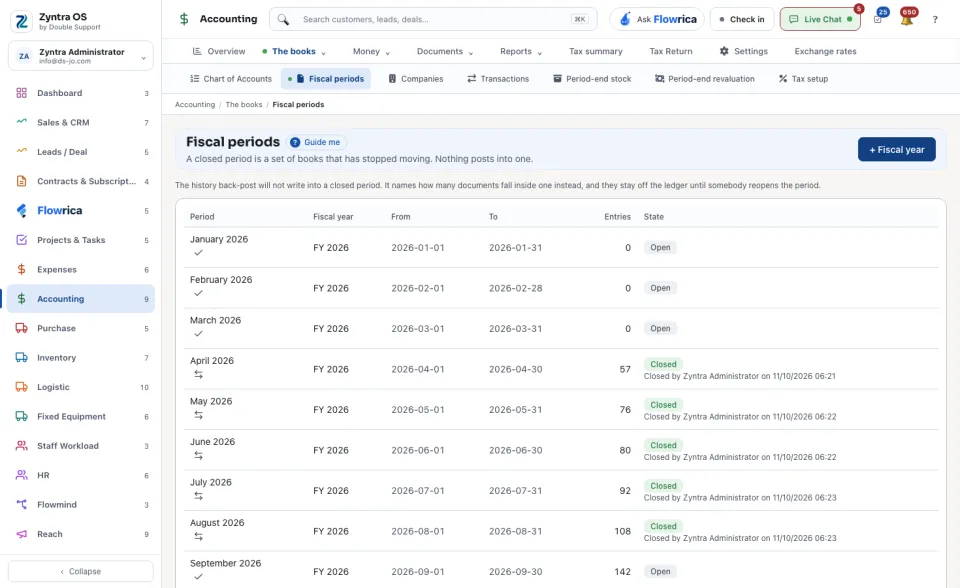
People whose role may see the Accounting settings.Until a fiscal year exists nothing is closed, so anything can still post into any month. Once a year exists, the list shows each Period with its Fiscal year, From, To, how many Entries it holds and its State.
1
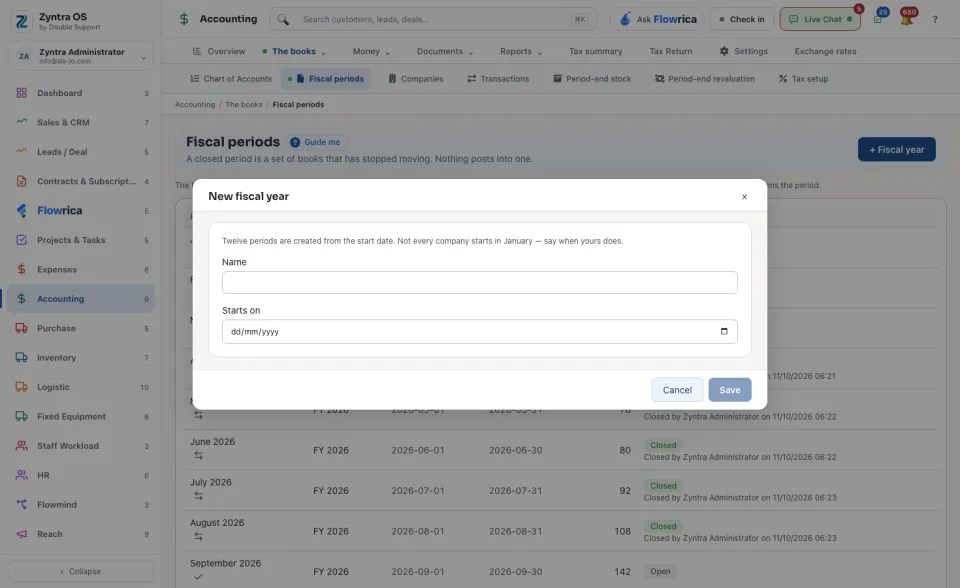
Press + Fiscal year. In New fiscal year type its Name and when it Starts on, and save. Twelve periods are created from the start date; not every company starts in January.
2
At month end, press Close it on the period. The row then says who closed it and when.
3
To open a closed period again, press Reopen it and say Why. Every figure already reported out of that period becomes provisional again, and the reopening is recorded with your name and reason.
Audited years
A closed year the auditors have signed off is marked audited, one company at a time. Choose the Company, press Mark audited on the year, then Type the opening entry: the balance of each account at the end of that year, from the audited statements. When debits and credits match, press Post the opening entry. No longer audited asks for a Reason and reverses that entry; it is kept, never deleted.
Documents dated inside a closed period stay off the ledger until somebody reopens it. The screen names how many.
Guide me on this screen points at + Fiscal year.
Before: Journal entries · Next: Bank accounts and reconciling