

 Zyntra OS
 Zyntra Legal
 Zyntra Real Estate
 Zyntra Hotel
 Zyntra E-commerce
 Zyntra Appointments
 Zyntra Repair
 Zyntra Garage
 Zyntra Concierge
 Zyntra Contracting
 Zyntra Clinic
 Zyntra Call Center
 Zyntra OTA
Where
Accounting › Money › ReconcileWho
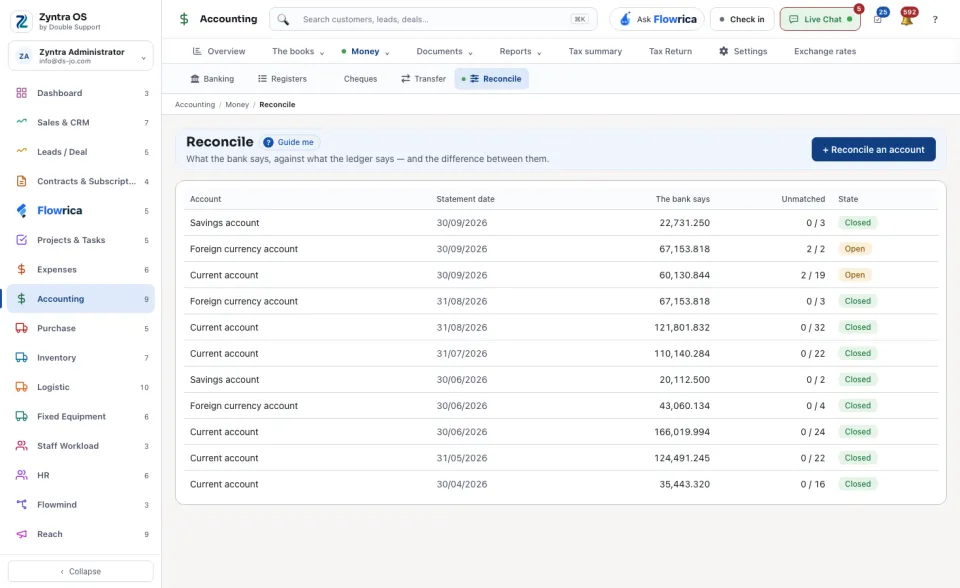
People whose role may see reconciliations.While nothing has been reconciled yet, the screen shows every bank, cash and card account with its balance in the ledger and a Start it button. After that it lists the reconciliations: the Account, the Statement date, what The bank says, how many lines are still Unmatched and the State, Open or Closed. Press a row to open it.
1
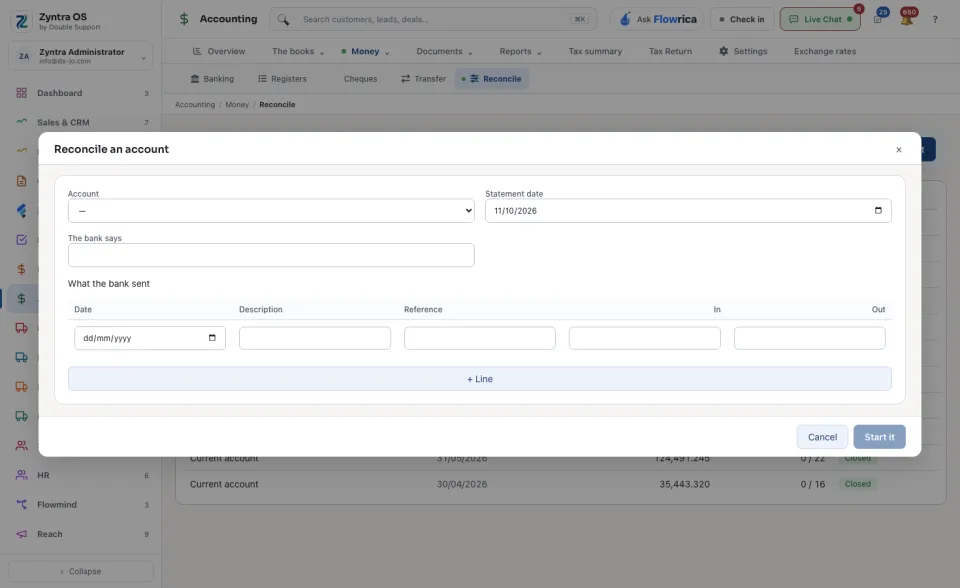
Press Start it on the account, or + Reconcile an account and choose the Account. Enter the Statement date and the closing balance under The bank says.
2
Under What the bank sent, add the statement's lines: a Reference and the money In or Out on each. Import the statement file reads them from the bank's own file instead.
3
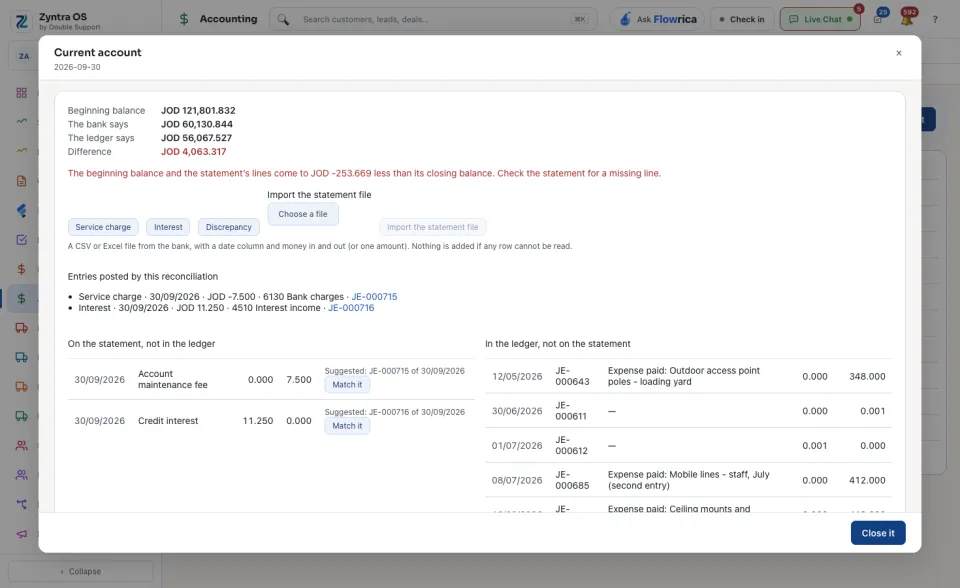
The page puts the two sides next to each other: On the statement, not in the ledger and In the ledger, not on the statement. Where it finds a likely pair it says so; press Match it.
4
For a bank fee or interest the ledger does not have yet, press Service charge, Interest or Discrepancy. The form Post an adjusting entry asks the Amount, the Date on the statement and The other side.
5
The top of the page keeps the Beginning balance, and Entries posted by this reconciliation lists the adjusting entries. Watch The ledger says and the Difference. When the difference is nil, press Close it.
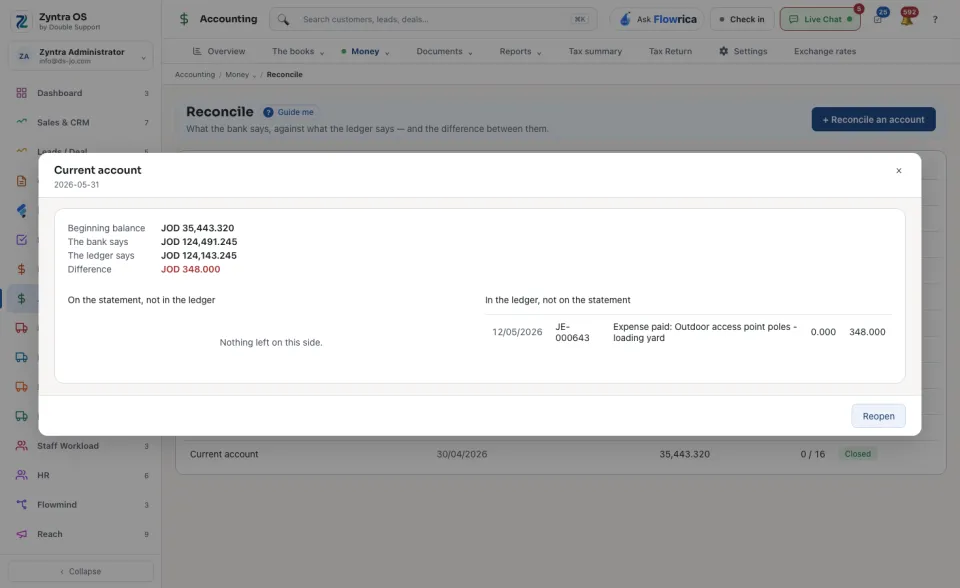
Closed. On that date the books and the bank agreed.
A closed reconciliation can be opened again with Reopen; the reason is kept on it. A credit card is reconciled in what is owed: charges are money out, payments money in.
Guide me on this screen points at + Reconcile an account.