A work centre is a place on the floor where work is done: Cutting, CNC machining, Assembly, Painting. Each one has its machines, its cost per hour and its calendar, so Zyntra knows how many hours it can give each day and what an hour of its work costs. Each operation of a routing is done at one.
Where
Manufacturing › Work centres
Who
«Read work centres and their capacity» reads them, their cost and their capacity. «Manage work centres» adds, changes and archives them.
The work centres
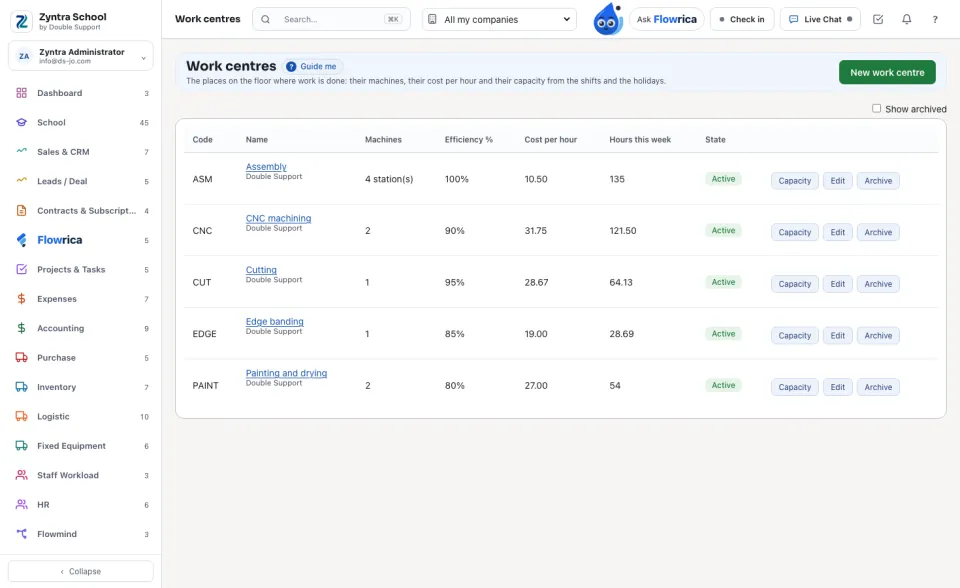
Each work centre shows its Code, its Machines (or its stations), its Efficiency %, its Cost per hour and its Hours this week. Press a name to see its cost and its capacity below the list.
Add a work centre
1
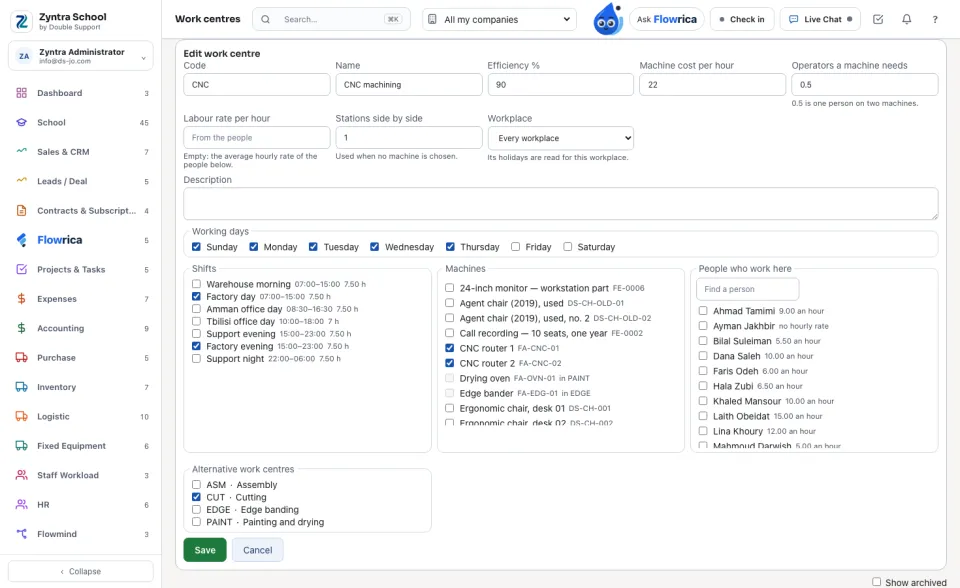
Press New work centre. Type its Code and Name, its Efficiency % (90 means a planned hour takes a little longer in practice), its Machine cost per hour and how many Operators a machine needs (0.5 is one person looking after two machines).
2
Leave Labour rate per hour empty to use the average hourly rate of the People who work here — each person's own rate from their staff record — or type one rate.
3
Tick its Working days and its Shifts (from Human Resources › Shifts). Tick its Machines: they are the company's own fixed assets, and a machine already in another work centre cannot be ticked. A work centre with no machine, such as an assembly area, counts its Stations side by side instead.
4
Tick the Alternative work centres that can take its work when it is full or stopped, and press Save.
Its cost per hour
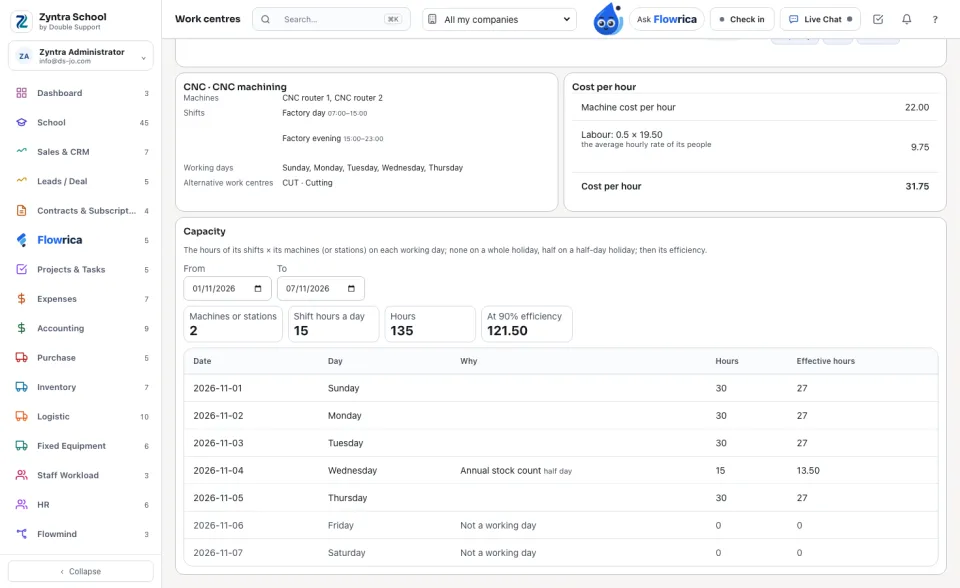
Cost per hour = the Machine cost per hour + the operators × the labour rate. The card says where the labour rate came from: the rate typed, or the average of its people.
Its capacity
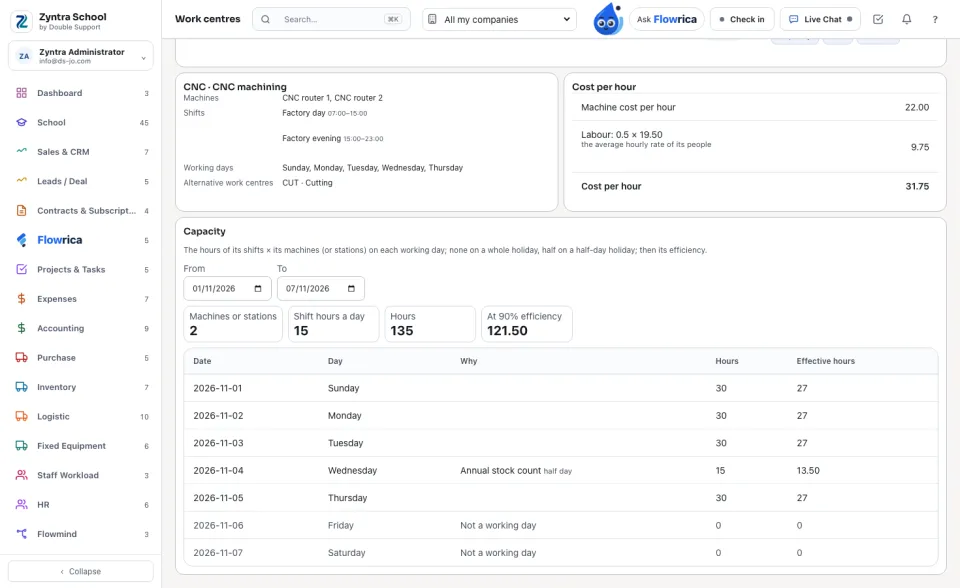
Choose From and To. Each day shows its Hours: the hours of its shifts (less their breaks) × its machines or stations. A day that is not one of its working days gives none; a company holiday gives none, and a half-day holiday gives half. Effective hours are those hours at its efficiency.
The holidays are the ones in Human Resources › Holidays: the shared ones and this company's own. A holiday set for one workplace closes only the work centres of that Workplace.
A work centre is never deleted. Archive puts it away (tick Show archived to see it, and Open again to bring it back); the routings that already name it keep it, but a new operation cannot choose it, and its machines are free for another work centre.
Questions
Where is “Work centres” in Zyntra OS?
Manufacturing › Work centres
Who can use “Work centres”?
«Read work centres and their capacity» reads them, their cost and their capacity. «Manage work centres» adds, changes and archives them.
FlowricaUsually replies instantly
We’d like to use Google Analytics to see how this site is used. Nothing is set unless you accept.


 Zyntra OS
 Zyntra Legal
 Zyntra Real Estate
 Zyntra Hotel
 Zyntra E-commerce
 Zyntra Appointments
 Zyntra Repair
 Zyntra Garage
 Zyntra Concierge
 Zyntra Contracting
 Zyntra Clinic
 Zyntra Dental
 Zyntra School
 Zyntra University
 Zyntra Call Center
 Zyntra OTA