

 Zyntra OS
 Zyntra Legal
 Zyntra Real Estate
 Zyntra Hotel
 Zyntra E-commerce
 Zyntra Appointments
 Zyntra Repair
 Zyntra Garage
 Zyntra Concierge
 Zyntra Contracting
 Zyntra Clinic
 Zyntra Call Center
 Zyntra OTA
Where
Accounting › Documents › Journal EntryWho
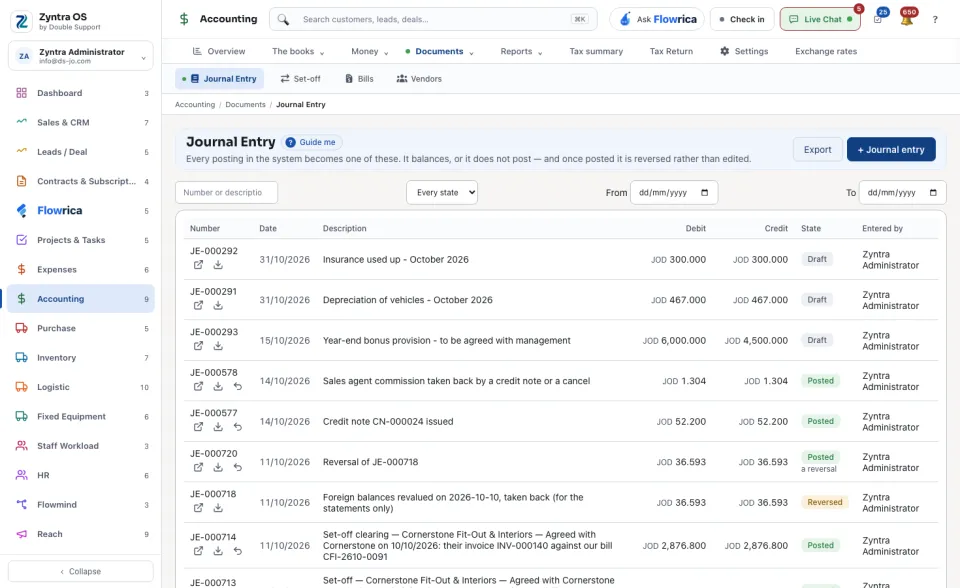
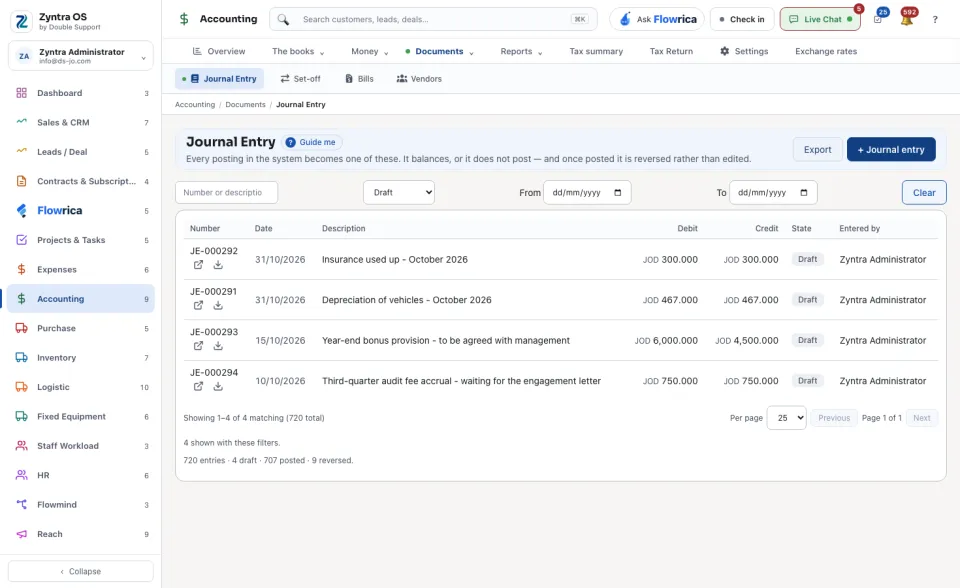
People whose role may see the journal.The list shows each entry's Number, Date, Description, Debit, Credit, State and who it was Entered by. Invoices, payments, payroll and stock post their own entries; those read System. Narrow the list with From, To and the state: Draft, Posted or Reversed.
Write an entry by hand
1
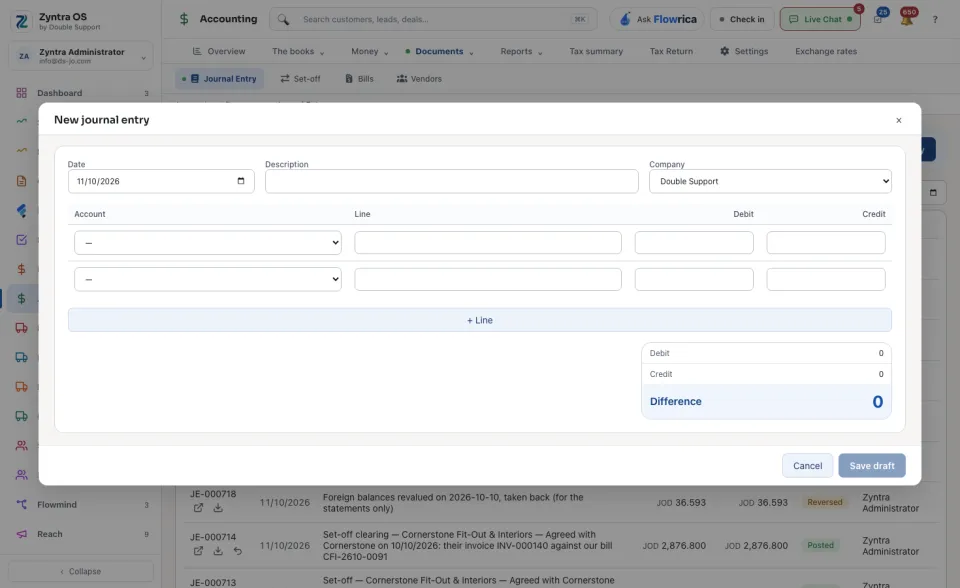
Press + Journal entry. Set the Date, Description and Company.
2
Add lines with + Line: the Account, then an amount under Debit or Credit. Difference shows what is left to balance.
3
Press Save draft. A draft can be saved unbalanced, and you can come back to it. Delete draft removes it: nothing of it was in the ledger.
4
When debits and credits match, press Post it.
Posted. It is in the ledger now.
An entry's own page
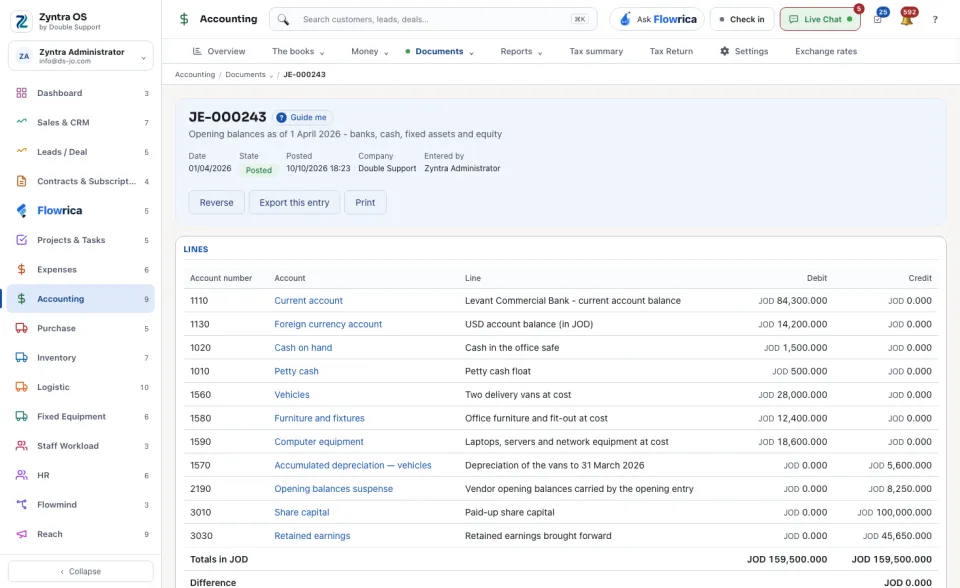
Press Open on a row. The page shows the Date, State, Company, who it was Entered by and the document it came From, then its lines: Account number, Account, Line, Debit and Credit.
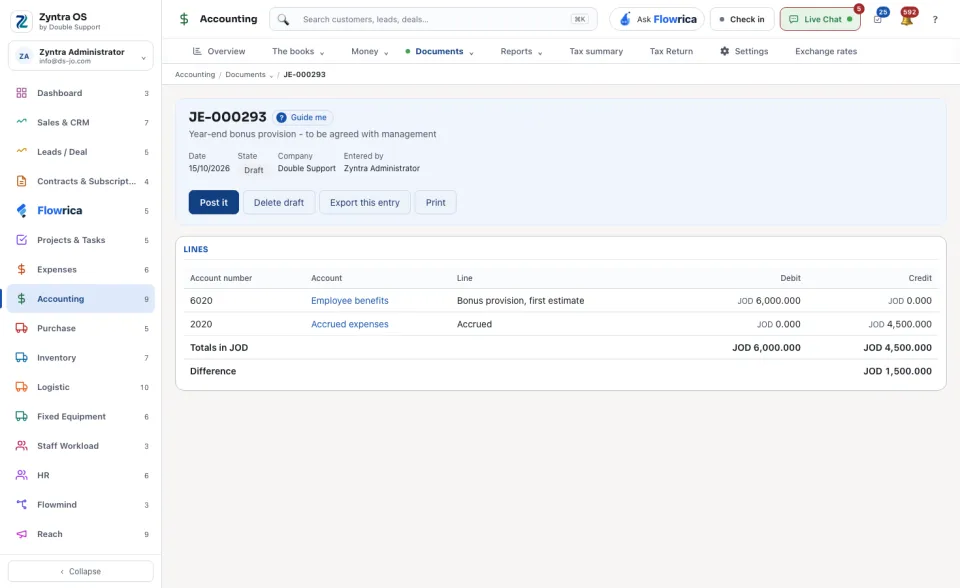
| Button | What it does |
|---|---|
| Reverse | Posts the opposite entry and asks for a Reason. Both entries stay readable; the second one is marked a reversal. |
| Open the document | Opens the invoice, payment or other document that posted this entry. |
| Export this entry · Print | Saves or prints this one entry. |
Guide me on the list points at + Journal entry.
Before: Chart of accounts · Next: Fiscal periods