

 Zyntra OS
 Zyntra Legal
 Zyntra Real Estate
 Zyntra Hotel
 Zyntra E-commerce
 Zyntra Appointments
 Zyntra Repair
 Zyntra Garage
 Zyntra Concierge
 Zyntra Contracting
 Zyntra Clinic
 Zyntra Dental
 Zyntra School
 Zyntra University
 Zyntra Call Center
 Zyntra OTA
Where
Manufacturing › Production ordersWho
«Read production orders» reads them and prints them. «Plan production orders» makes and changes a draft. «Reserve and release production orders» confirms, releases and reserves again. «Issue materials to production orders» issues, returns and scraps materials. «Report output and operation times» reports what was made and the operations. «Close and cancel production orders» closes and cancels them.The orders
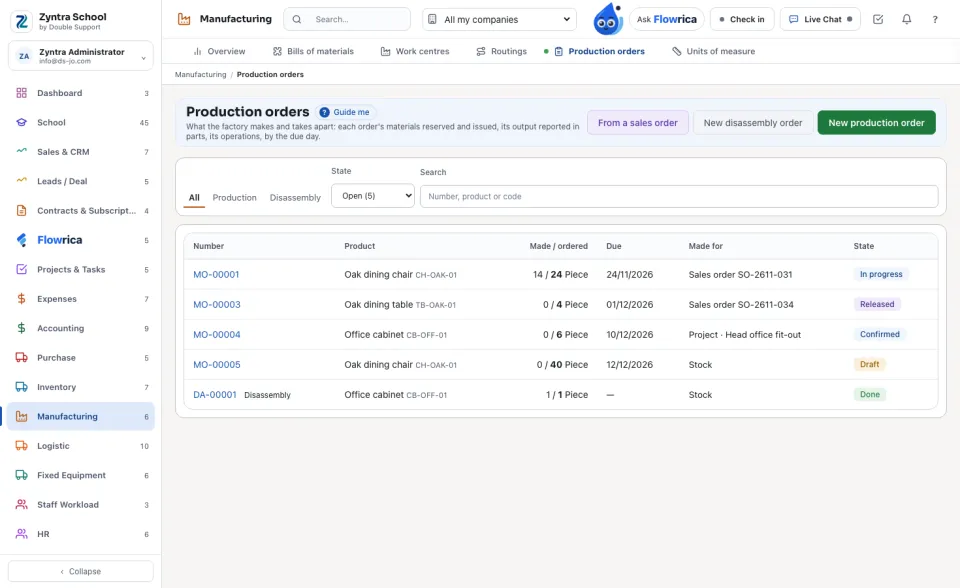
The open orders come first, by their Due day; a late one says so. Each shows what it makes, Made / ordered, what it is Made for and its State. Choose Production or Disassembly, a State, or search by number or product.
Make an order
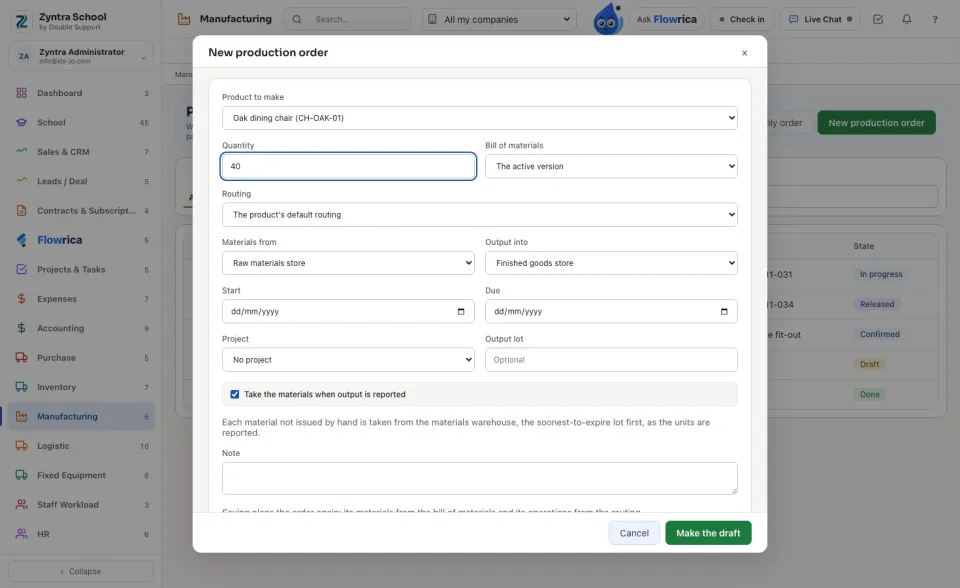
To make what a customer ordered, press From a sales order: the lines of open sales orders whose product has an active bill are listed with what is still To make; press Make on one. The order carries the line's product, its quantity and its promised day, and the sales order is named on it.
Confirm, reserve and release
Materials and output
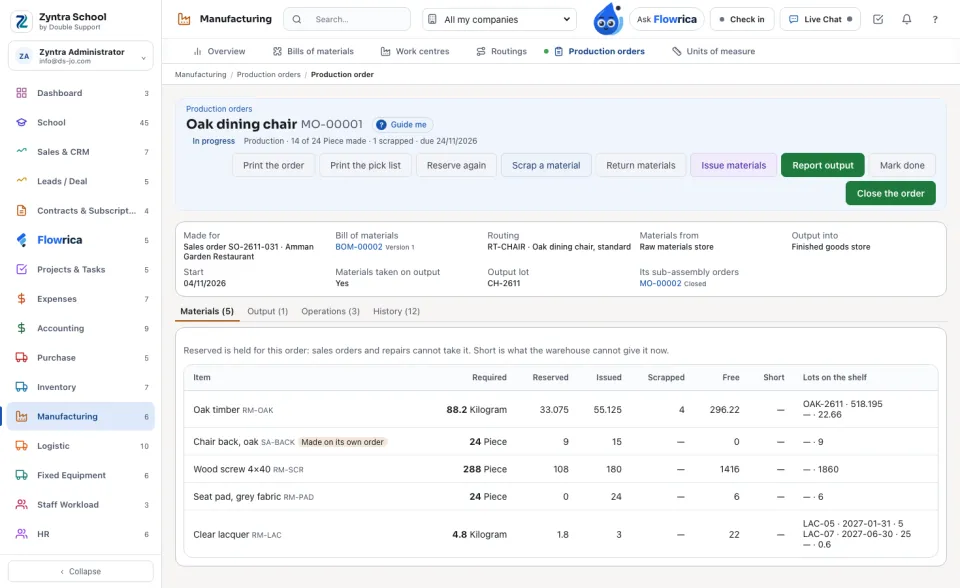
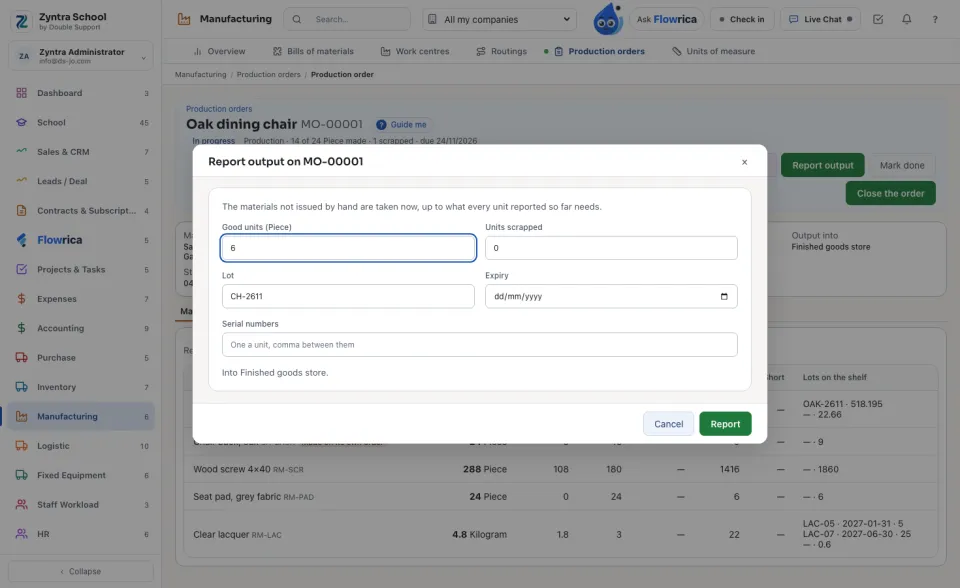
Issue materials takes materials to the line by hand: change a quantity to issue part of it, choose the Lot, and name the Serial numbers where the shelf keeps them. Return materials puts back what was not used, at the cost it left at. Scrap a material takes a spoiled material off the shelf by a loss voucher with its reason.
Operations
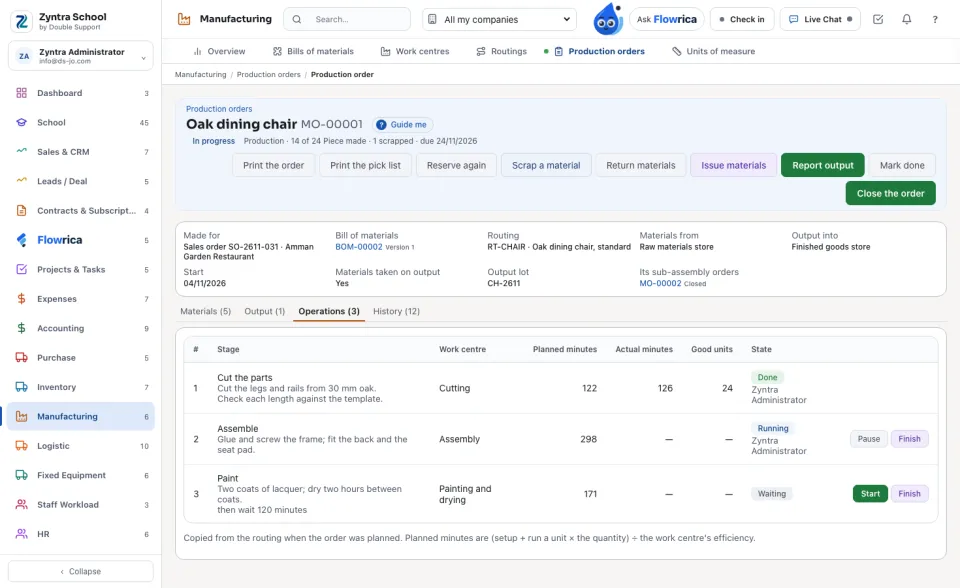
The routing's operations are copied onto the order with their instructions and their Planned minutes. Start, Pause and Finish each one; at Finish type what it really took and the good units.
History, print and close
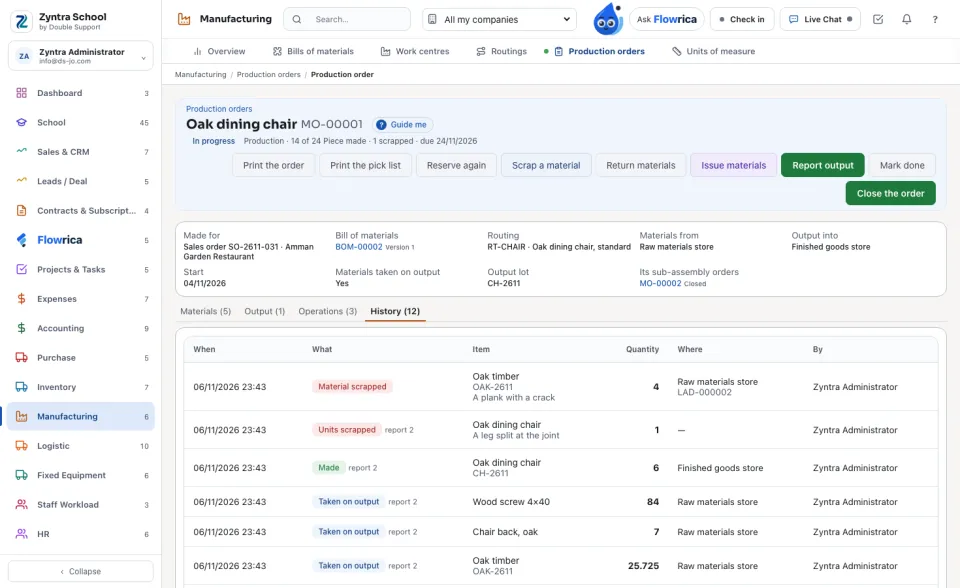
History lists every move on the order: issued, taken on output, returned, made, scrapped, with its lot, its warehouse and who did it; a scrap names its loss voucher. Print the order prints it with its operations and instructions; Print the pick list prints what is still to take, with the lots on the shelf.
Questions
Where is “Production orders” in Zyntra OS?
Manufacturing › Production orders
Who can use “Production orders”?
«Read production orders» reads them and prints them. «Plan production orders» makes and changes a draft. «Reserve and release production orders» confirms, releases and reserves again. «Issue materials to production orders» issues, returns and scraps materials. «Report output and operation times» reports what was made and the operations. «Close and cancel production orders» closes and cancels them.