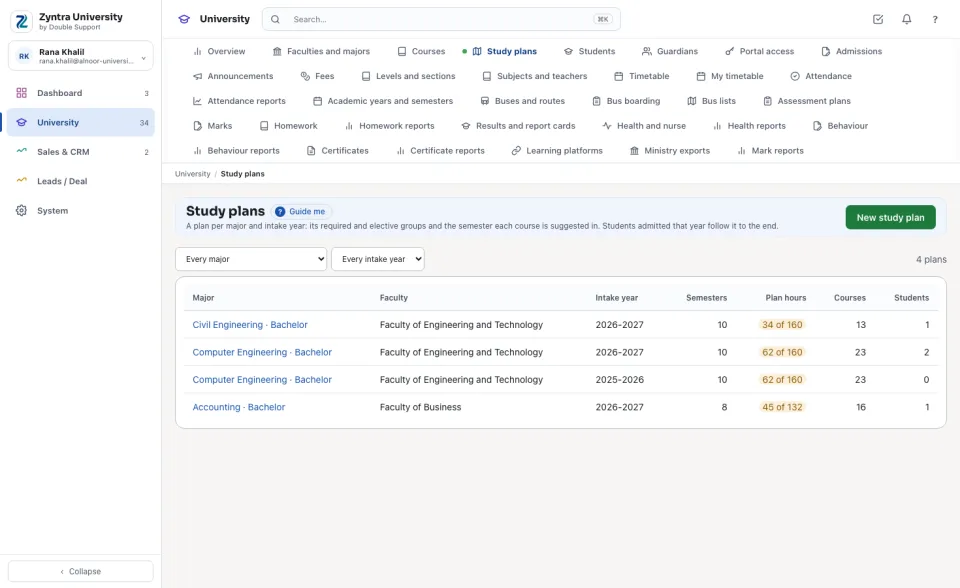
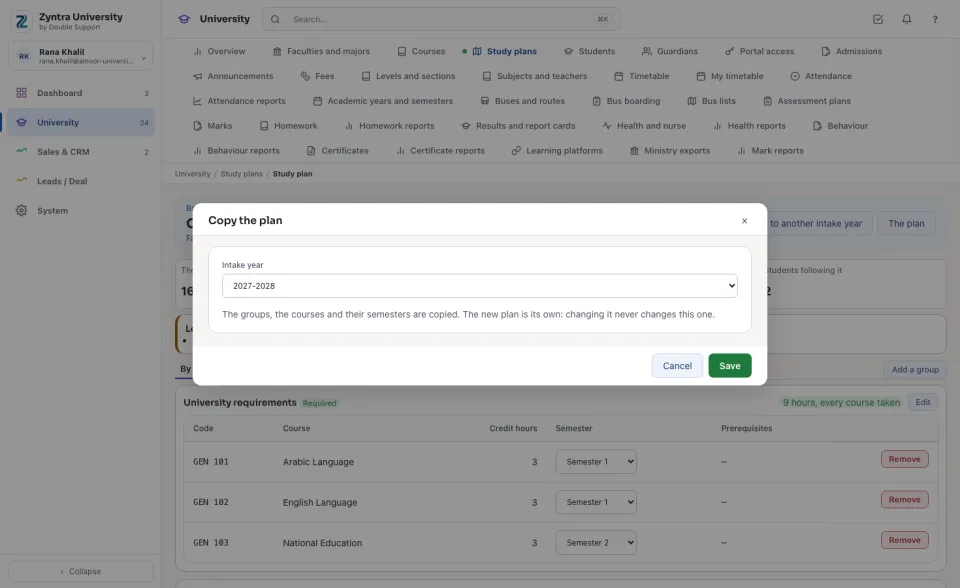
A plan per major and intake year: its required and elective groups and the semester each course is suggested in. Students admitted that year follow it to the end.
Where
University › Study plans
Who
University — View reads them; University — Manage study plans makes and changes them.
Choose a major or an intake year to narrow the list. Each plan shows its Semesters, the Plan hours against the major's (amber when they differ), its Courses and how many Students follow it.
Make a plan
1
Press New study plan, choose the Major and the Intake year, type the number of Semesters, and press Make the plan.
2
The plan starts with four groups: University requirements, Faculty requirements and Major requirements (every course in them is taken), and Major electives (the student takes the hours it needs from its list). Add a group adds another; Edit on a group renames it or sets its hours.
3
Under Add a course, choose the course, its group and its suggested semester, and press Add.
The plan's page
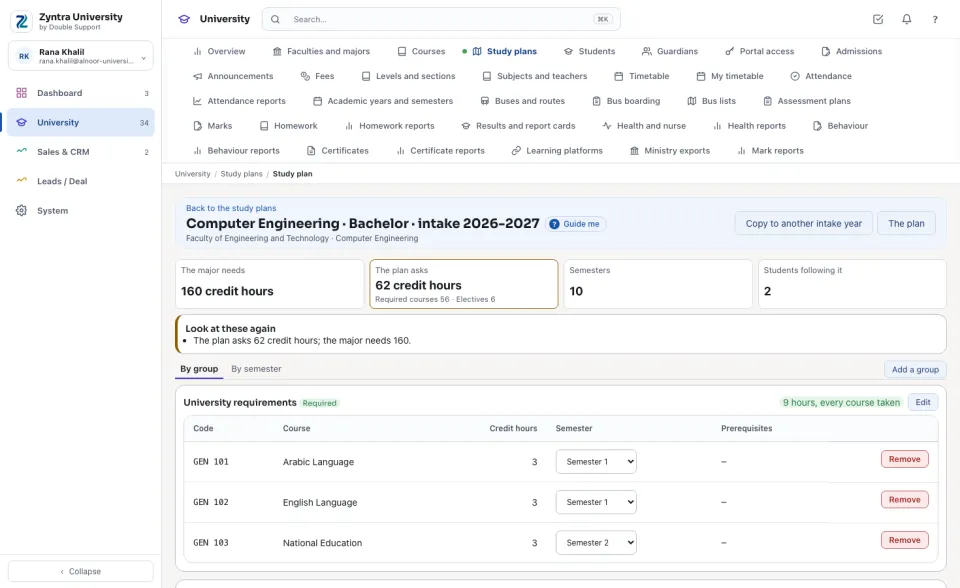
At the top: the hours The major needs, the hours The plan asks (its required courses and its electives), the Semesters and the Students following it. Look at these again lists what to check before anyone registers: hours that differ from the major's, a course suggested in the same semester as a course it needs first (or before it), a prerequisite missing from the plan, and an elective group listing fewer hours than it needs.
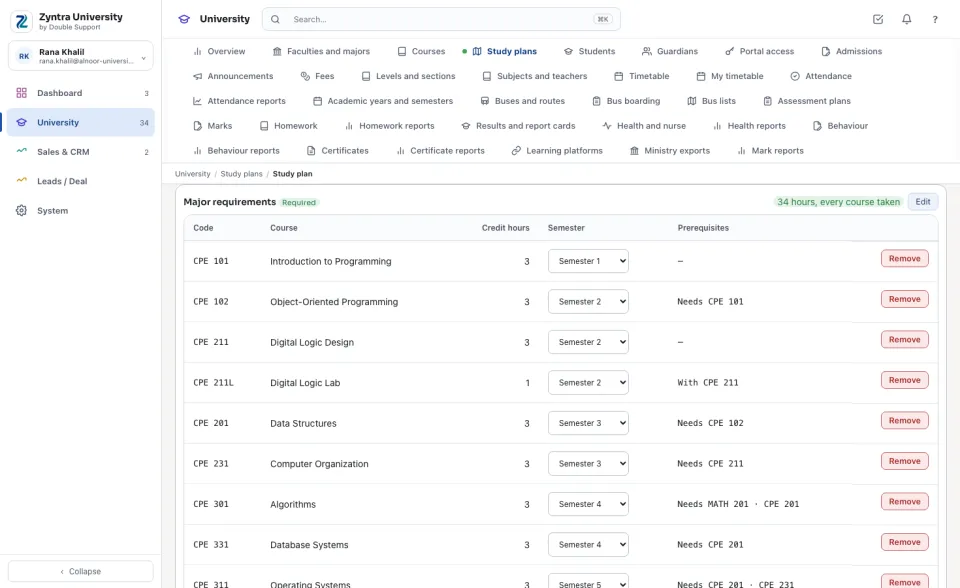
By group shows each group's courses with their hours, semester and prerequisites; change a course's semester in its list, or Remove it from the plan.
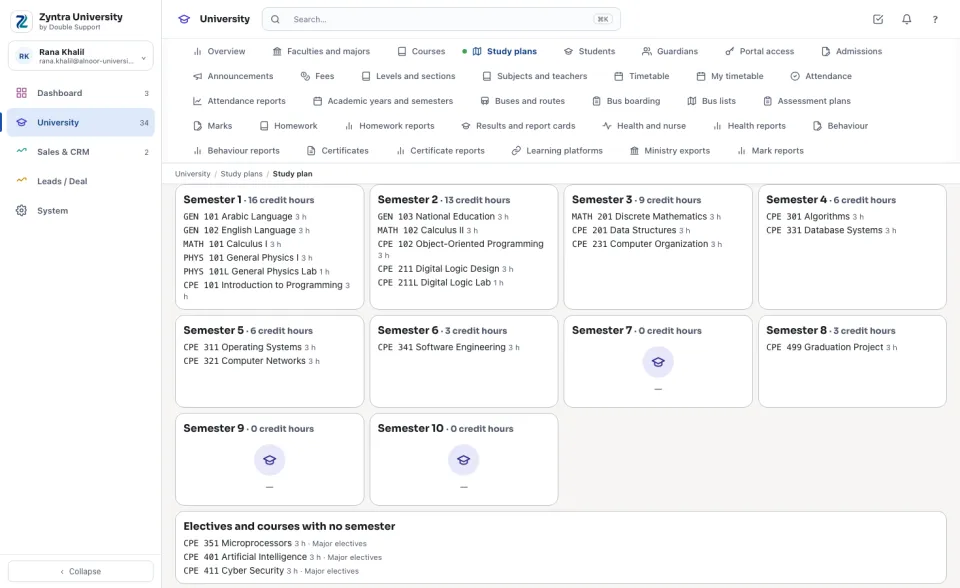
By semester shows the same courses semester by semester, each with its hours.
Copy to a new intake year
1
Press Copy to another intake year, choose the year and press Save.
2
The groups, the courses and their semesters are copied. The new plan is its own: changing it never changes the old one, which its students keep.
A major has one plan per intake year. A plan its students follow is kept, never deleted. The plan changes the number of semesters (never fewer than a course is suggested in) and its note.


 Zyntra OS
 Zyntra Legal
 Zyntra Real Estate
 Zyntra Hotel
 Zyntra E-commerce
 Zyntra Appointments
 Zyntra Repair
 Zyntra Garage
 Zyntra Concierge
 Zyntra Contracting
 Zyntra Clinic
 Zyntra Dental
 Zyntra School
 Zyntra University
 Zyntra Call Center
 Zyntra OTA