

 Zyntra OS
 Zyntra Legal
 Zyntra Real Estate
 Zyntra Hotel
 Zyntra E-commerce
 Zyntra Appointments
 Zyntra Repair
 Zyntra Garage
 Zyntra Concierge
 Zyntra Contracting
 Zyntra Clinic
 Zyntra Call Center
 Zyntra OTA
Where
Purchase › Post-Purchase › Debit NotesWho
Anyone allowed to handle vendor invoices.1
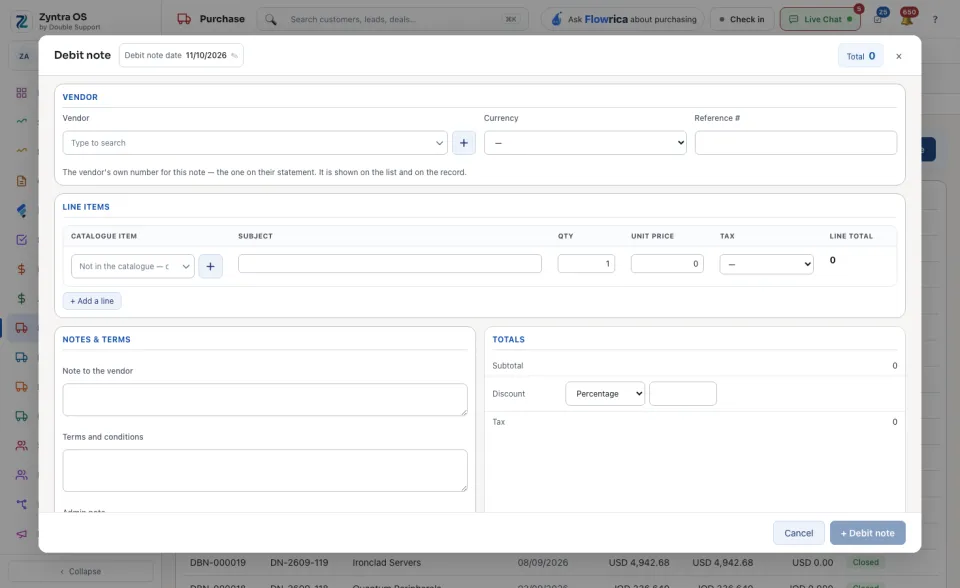
Press + Debit note. Choose the Vendor and the Currency, and check the Debit note date.
2
In Reference # type the vendor’s own number for this note, the one on their statement. It is shown on the list and on the record.
3
Fill the lines: the Catalogue item, the Subject, the Qty, the Unit price and the Tax. + Add a line adds another. The Admin note is for your own staff: it is not printed and the vendor does not see it.
4
Press + Debit note at the foot of the form to save.
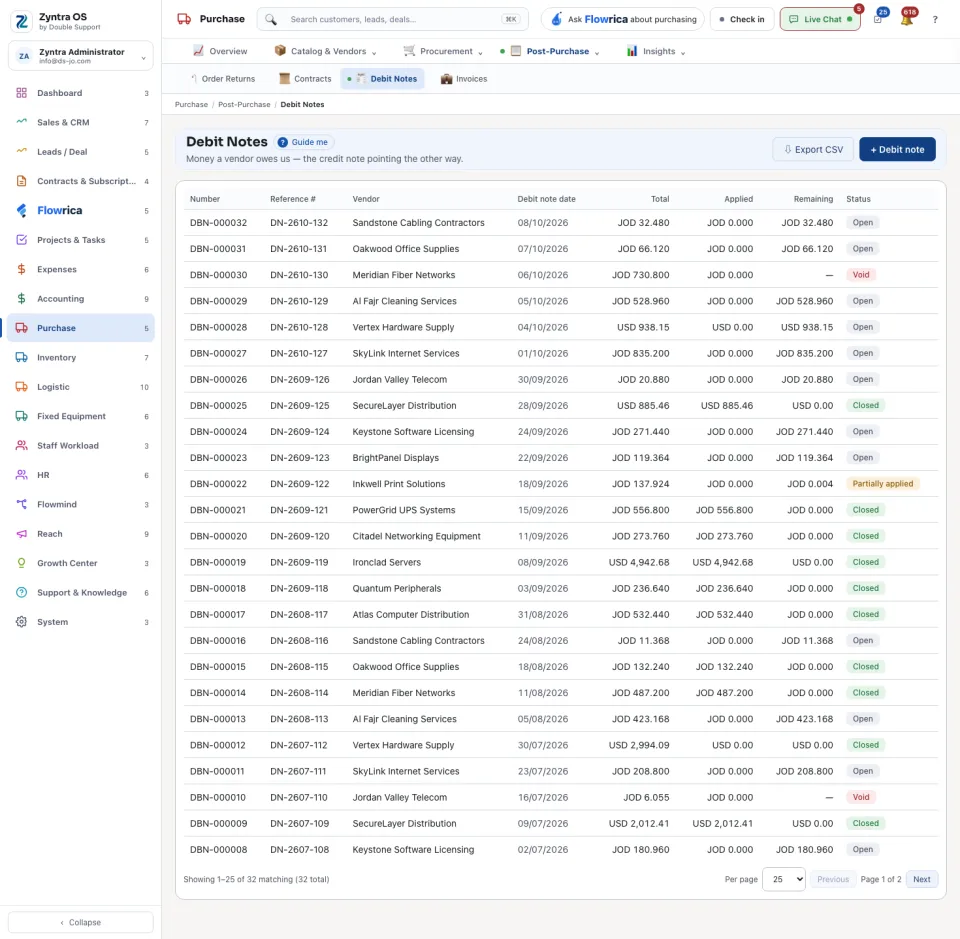
The list shows Number, Reference #, Vendor, Debit note date, Total, Applied, Remaining and Status.
The debit note’s page
Press a debit note: its page slides in over the list. It has no tabs; it reads top to bottom: Lines, Details, Applied to (the vendor invoices this note took money off), Refunds from the vendor (what the vendor paid back in cash) and Activity. At the foot of the page: Apply to an invoice takes the note off a vendor invoice, Record a refund records cash the vendor paid back, and Void this note cancels it. View PDF and Download give it to you as a file.