

 Zyntra OS
 Zyntra Legal
 Zyntra Real Estate
 Zyntra Hotel
 Zyntra E-commerce
 Zyntra Appointments
 Zyntra Repair
 Zyntra Garage
 Zyntra Concierge
 Zyntra Contracting
 Zyntra Clinic
 Zyntra Call Center
 Zyntra OTA
Where
Purchase › Post-Purchase › Order ReturnsWho
Anyone allowed to handle purchase returns.1
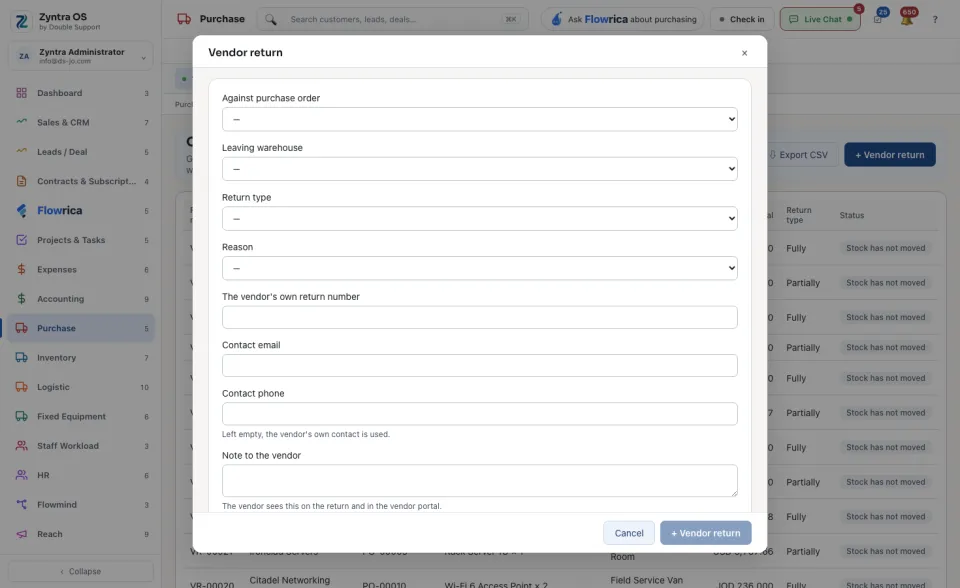
Press + Vendor return. Choose the order in Against purchase order first: you can only return what was ordered on it.
2
Choose the Leaving warehouse, the Return type (Partially or Fully) and the Reason, and tick the items and quantities going back.
3
If the vendor gave you one, type The vendor's own return number. The Contact email and Contact phone can stay empty: the vendor’s own contact is used. The vendor sees the Note to the vendor on the return and in the vendor portal.
4
Press + Vendor return at the foot of the form to save. The return then waits for its approval; until then its row says Stock has not moved.
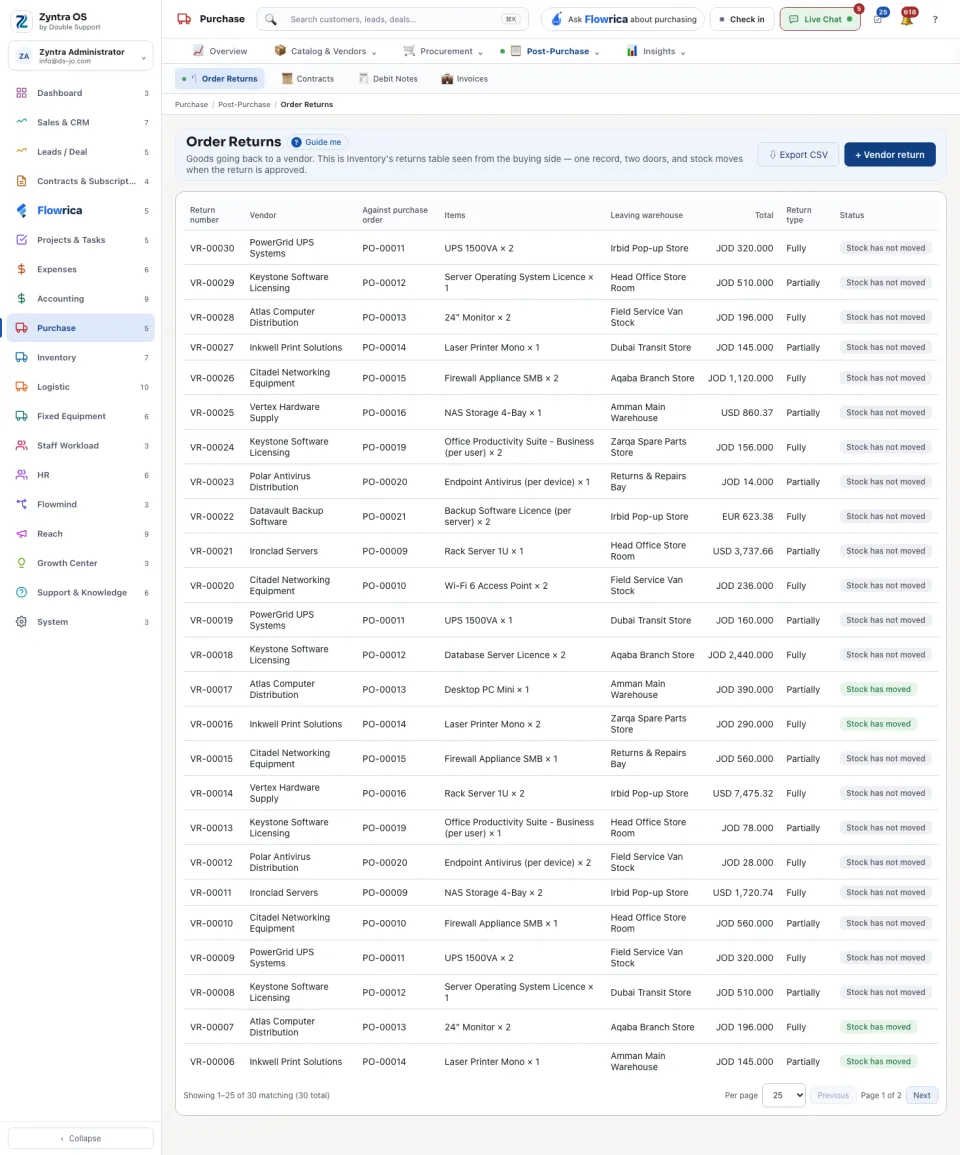
The list shows Return number, Vendor, Against purchase order, Items, Leaving warehouse, Total, Return type and Status.
The return’s page
Press a return: its page slides in over the list. It has no tabs; it reads top to bottom: Details (with the Approval step and who it is waiting on), Lines, Files and Activity. View PDF and Download give it to you as a file. The approver signs it under Financial Approval.
Money the vendor owes you for what went back is recorded as a debit note.
Before: Enter and pay a vendor invoice