Zyntra OS
 Zyntra Legal
 Zyntra Real Estate
 Zyntra Hotel
 Zyntra E-commerce
 Zyntra Appointments
 Zyntra Repair
 Zyntra Garage
 Zyntra Concierge
 Zyntra Contracting
 Zyntra Clinic
 Zyntra Call Center
 Zyntra OTA
Where
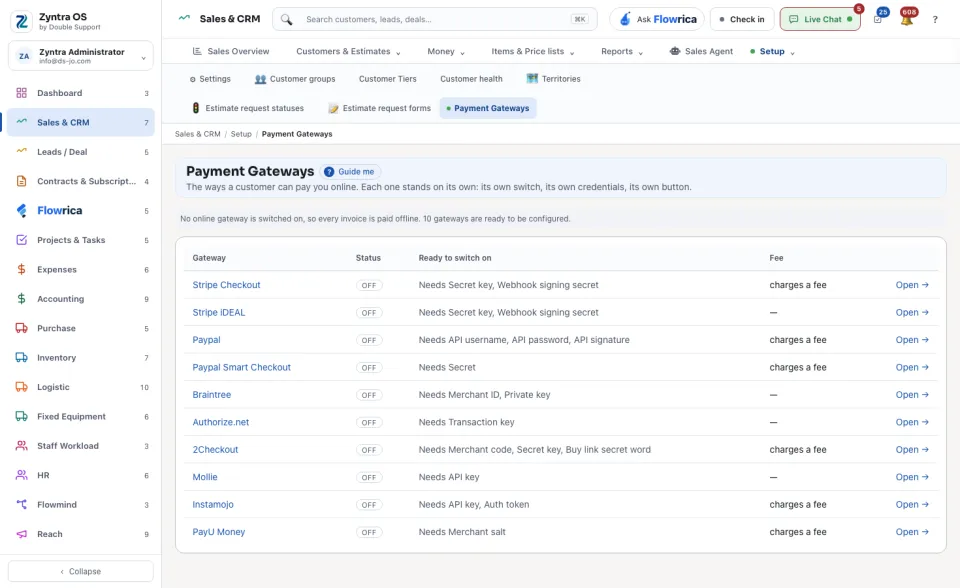
Sales & CRM › Setup › Payment GatewaysWho
Anyone allowed to see settings; changes need permission to edit settings.A line at the top says how many gateways are switched on; while none is, every invoice is paid offline. The list shows each Gateway, its Status, whether it is Ready to switch on (or what it still needs) and its Fee. Press Open → on one to fill in its details.
A gateway needs an account with that payment provider: the keys from that account go in here, and it cannot be switched on until they are stored. Keys are never shown back. Press Save this gateway when done.