

 Zyntra OS
 Zyntra Legal
 Zyntra Real Estate
 Zyntra Hotel
 Zyntra E-commerce
 Zyntra Appointments
 Zyntra Repair
 Zyntra Garage
 Zyntra Concierge
 Zyntra Contracting
 Zyntra Clinic
 Zyntra Call Center
 Zyntra OTA
Where
Purchase › Procurement › QuotationsWho
Buyers.1
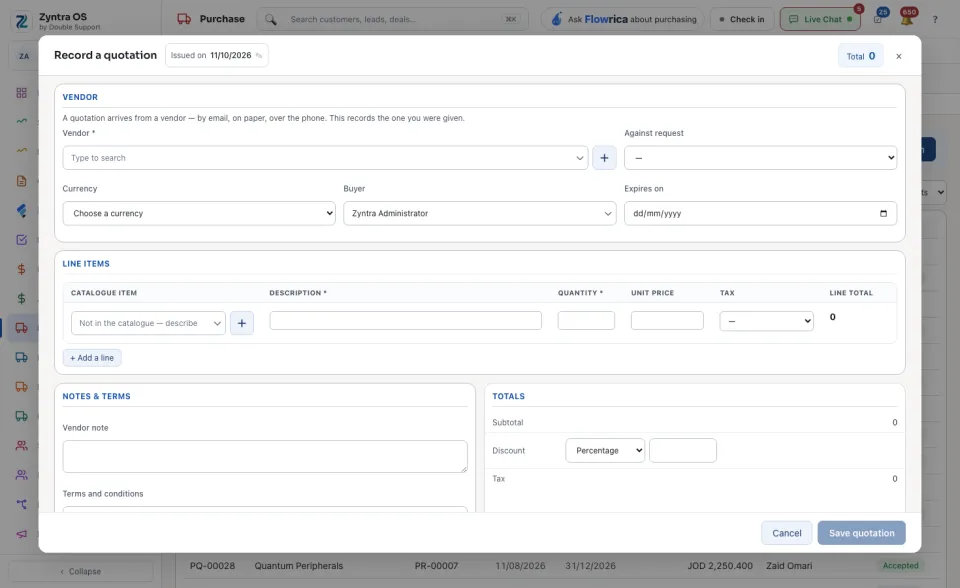
Press + Record a quotation. Choose the Vendor and the request it answers in Against request. Set the Currency, the Buyer and the date it Expires on.
2
Fill the lines: the Catalogue item, its Description, the Quantity, the Unit price and the Tax. + Add a line adds another. Add the Vendor note and the Terms and conditions if the vendor gave any.
3
Press Save quotation.
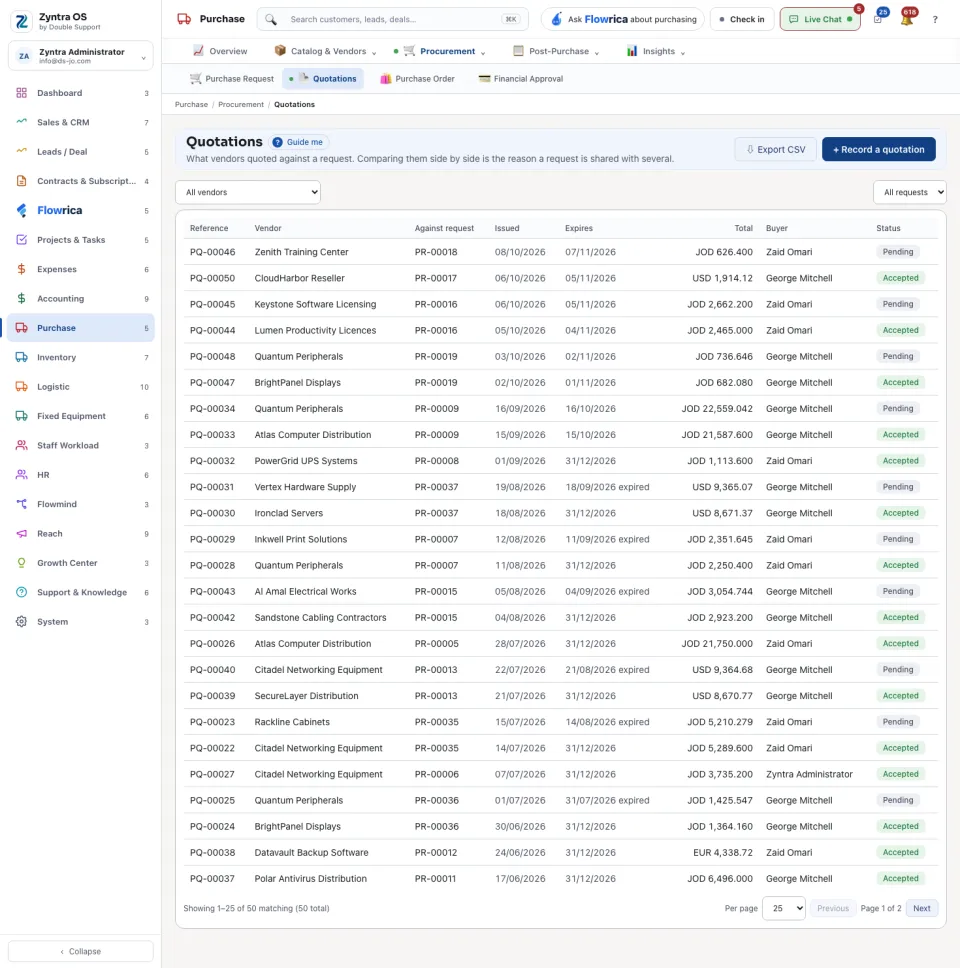
The list shows Reference, Vendor, Against request, Issued, Expires, Total, Buyer and Status. Narrow it by vendor or by request.
The quotation’s page
Press a quotation: its page slides in over the list. It has no tabs; it reads top to bottom: Lines, Details, Files, Discuss (messages with the vendor) and Activity.
| Button | What it does |
|---|---|
| Compare the quotes for this request | Puts every quotation for the same request side by side. |
| Accept this quotation | Chooses this vendor’s offer. |
| Send to the vendor | Sends the quotation to the vendor. |
| Edit, Archive, View PDF, Download | Change it, put it away, or take it as a file. |
Flowrica on this screen
Flowrica can record the quotation with you, one question at a time: open her from the top bar and choose Record a quotation.
Before: Ask to buy · Next: Purchase orders