Zyntra OS
 Zyntra Legal
 Zyntra Real Estate
 Zyntra Hotel
 Zyntra E-commerce
 Zyntra Appointments
 Zyntra Repair
 Zyntra Garage
 Zyntra Concierge
 Zyntra Contracting
 Zyntra Clinic
 Zyntra Call Center
 Zyntra OTA
Where
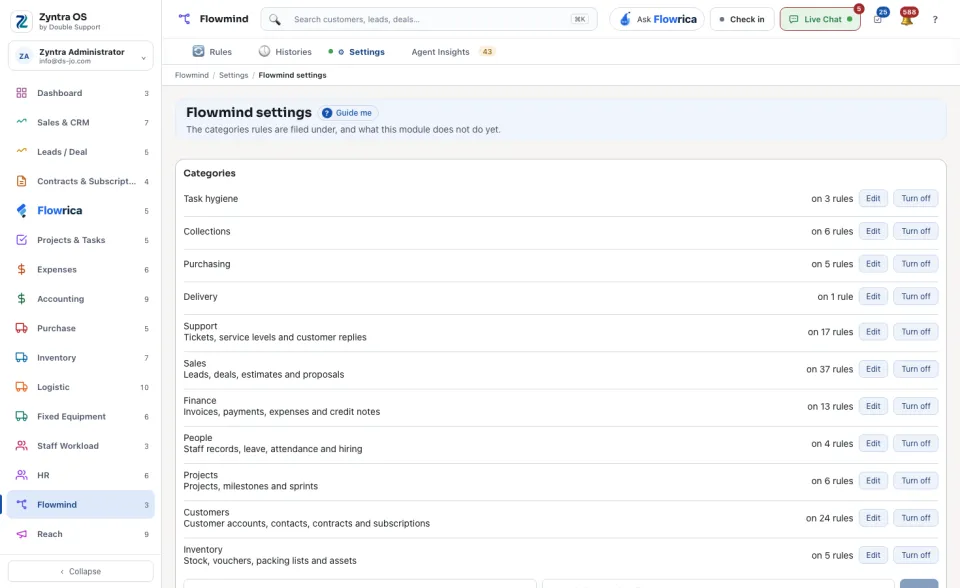
Flowmind › SettingsWho
Anyone allowed to see this screen; changes need edit rights.| Part | What you do there |
|---|---|
| Categories | Each category shows how many rules use it. Press Edit to rename it, Turn off to stop offering it, or + Add for a new one. |
| Task templates | Ready-made tasks a rule can make: what the task says, who does it, who follows it and when it falls due. Press + Add a template. |
| Rules run as Automation | Explains whose rights a rule uses. Open Roles takes you to that role. |
| Safety limits | Rules in a chain: how many rules may set each other off before the chain stops. Change the number and press Save. A rule never sets itself off again. |
| What is registered | For each module: the records a rule can listen to, how many events it has and how many actions of its own. Read-only. |