

 Zyntra OS
 Zyntra Legal
 Zyntra Real Estate
 Zyntra Hotel
 Zyntra E-commerce
 Zyntra Appointments
 Zyntra Repair
 Zyntra Garage
 Zyntra Concierge
 Zyntra Contracting
 Zyntra Clinic
 Zyntra Call Center
 Zyntra OTA
Where
Flowmind › Rules › + Add ruleWho
Anyone allowed to create a rule. Editing an existing rule needs the right to edit rules.- Rule
- When
- Where
- Then
Rule: its name and who sees it
When: what sets it off
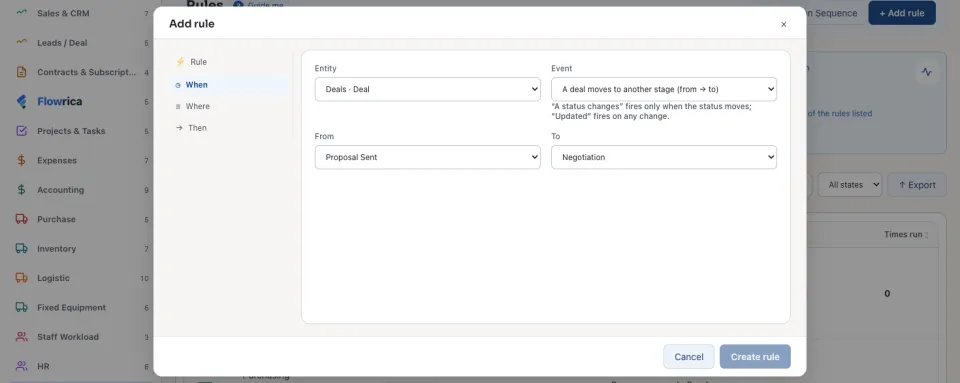
A status event fires only when the status really moves; an updated event fires on any change to the record.
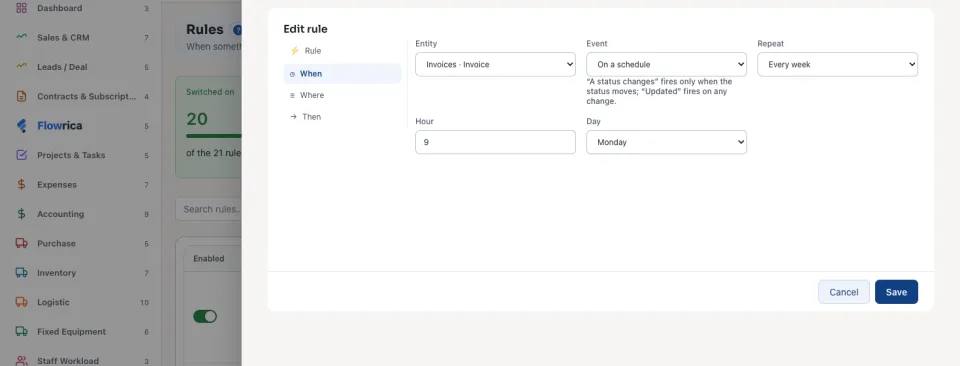
On a schedule is the clock instead of an event: choose Repeat (Every day, Every week, Every month or Once, at a set time) and then the Hour, the Day of the week, the Date of the month or the moment it Runs at. At that time the rule looks at the records of its company that match its conditions and that its author may see, and acts on each. Where a record cannot be put on a schedule, the form says why.
Where: which records
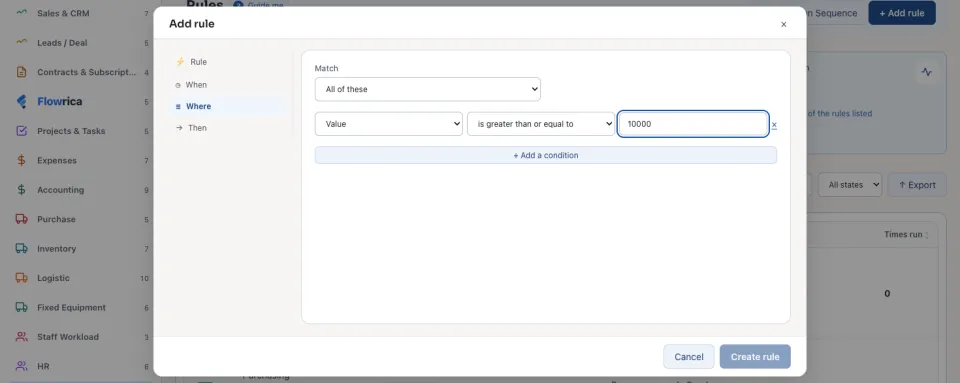
The fields offered are only the ones you may read on that record.
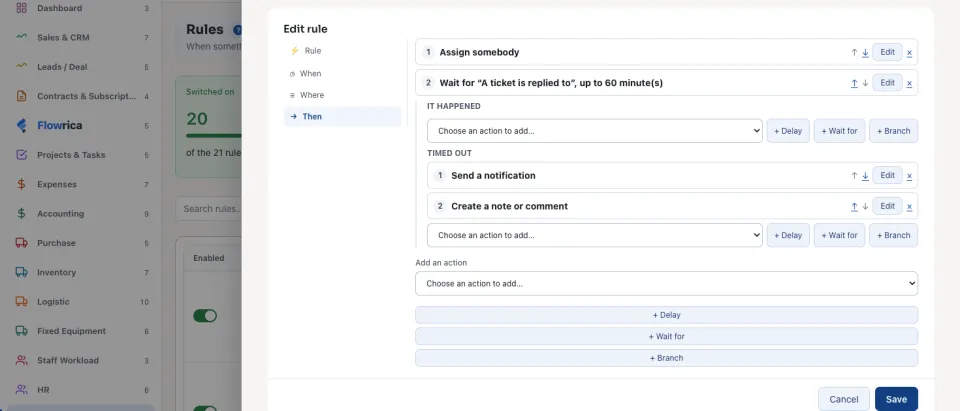
Then: what it does
| Step | What it does |
|---|---|
| Delay | Waits the Minutes you give before the next step. |
| Wait for | Waits for another event on the same record, Up to (minutes). Under it are two lists of steps: It happened and Timed out. For example: wait up to 60 minutes for a reply on a new ticket; if none comes, tell the support lead. |
| Branch | Asks conditions of its own at that moment, and carries on down Yes or No. |
Change a rule later
Open the rule and press Edit. If runs of the rule are waiting (in a delay or a wait), the form says how many: saving a change to the trigger, the conditions or the steps stops them, each with a note on its run; a new name, category or note keeps them.
When several rules answer the same event, Order Action Sequence on the Rules list sets which goes first. When two rules write the same field, the last one wins.
A rule never sets itself off again, and a chain of rules that set each other off stops at the depth set in Flowmind settings, and says so in its history.
Questions
Where is “Build a rule: when, where, then” in Zyntra OS?
Flowmind › Rules › + Add rule
Who can use “Build a rule: when, where, then”?
Anyone allowed to create a rule. Editing an existing rule needs the right to edit rules.