

 Zyntra OS
 Zyntra Legal
 Zyntra Real Estate
 Zyntra Hotel
 Zyntra E-commerce
 Zyntra Appointments
 Zyntra Repair
 Zyntra Garage
 Zyntra Concierge
 Zyntra Contracting
 Zyntra Clinic
 Zyntra Call Center
 Zyntra OTA
Where
Flowmind › RulesWho
Anyone allowed to manage automations.Read the list
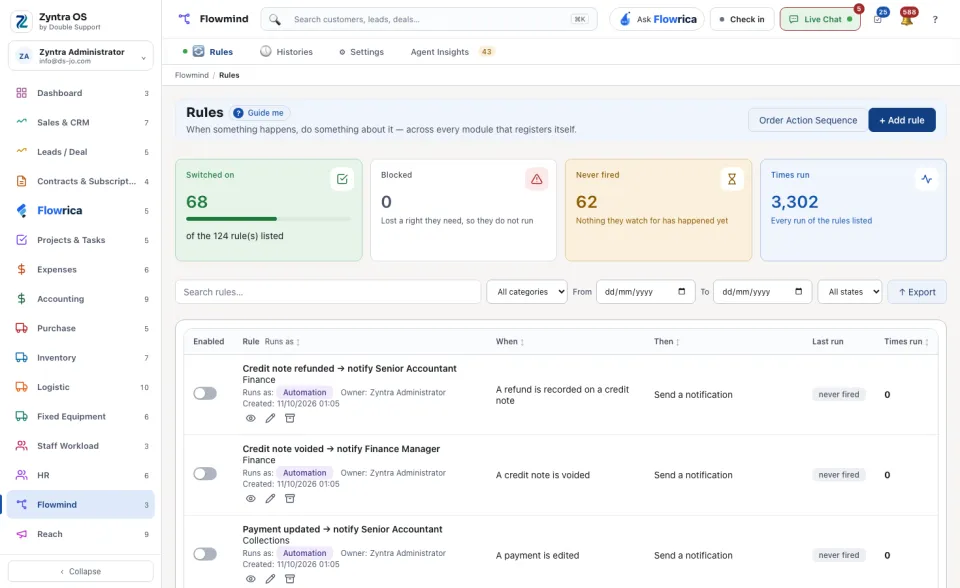
The four cards count the rules Switched on, the rules Blocked because they lost a right they need, the rules that Never fired, and the Times run. Narrow the list by company, category, dates and state. Each row gives the rule, who it Runs as, its When and its Then, its last run and how many times it ran; the switch at the start of the row turns the rule on or off. Export saves the rows shown.
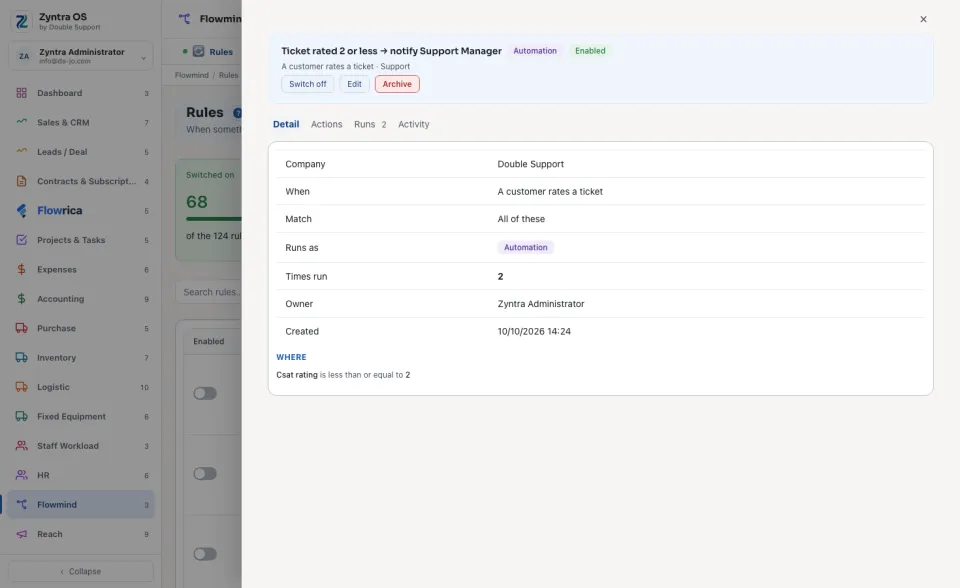
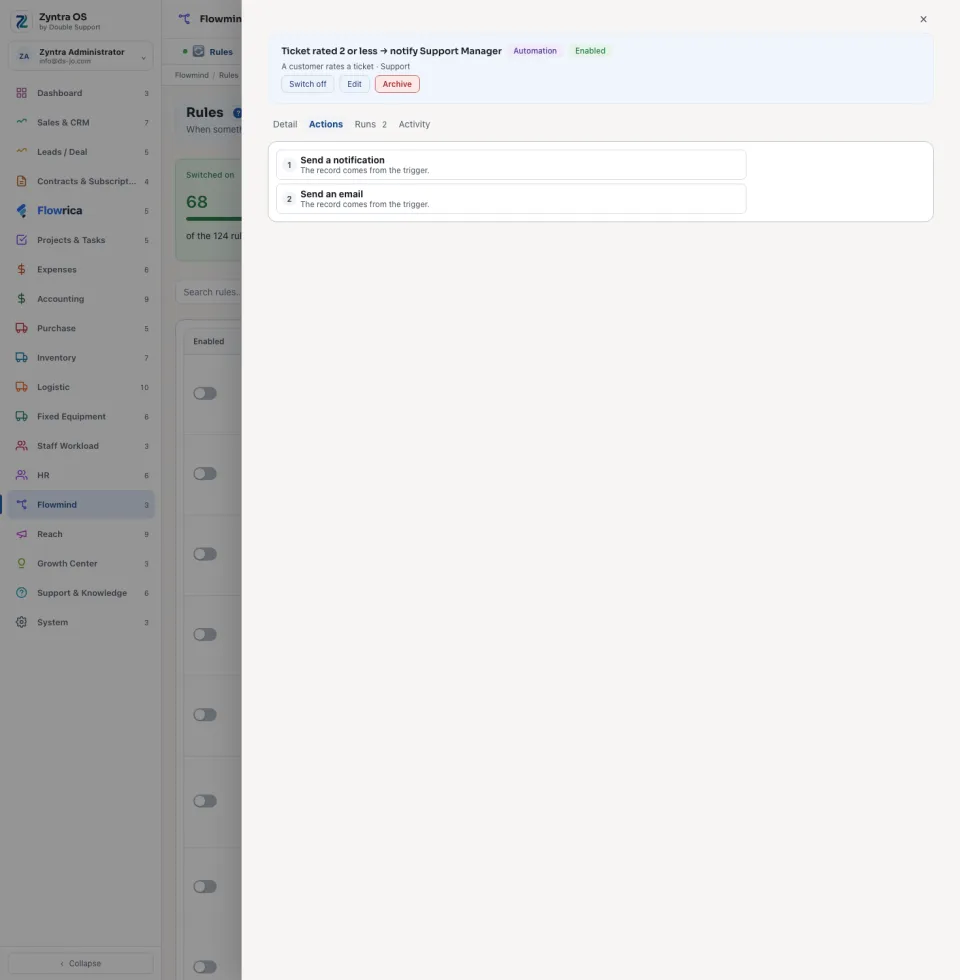
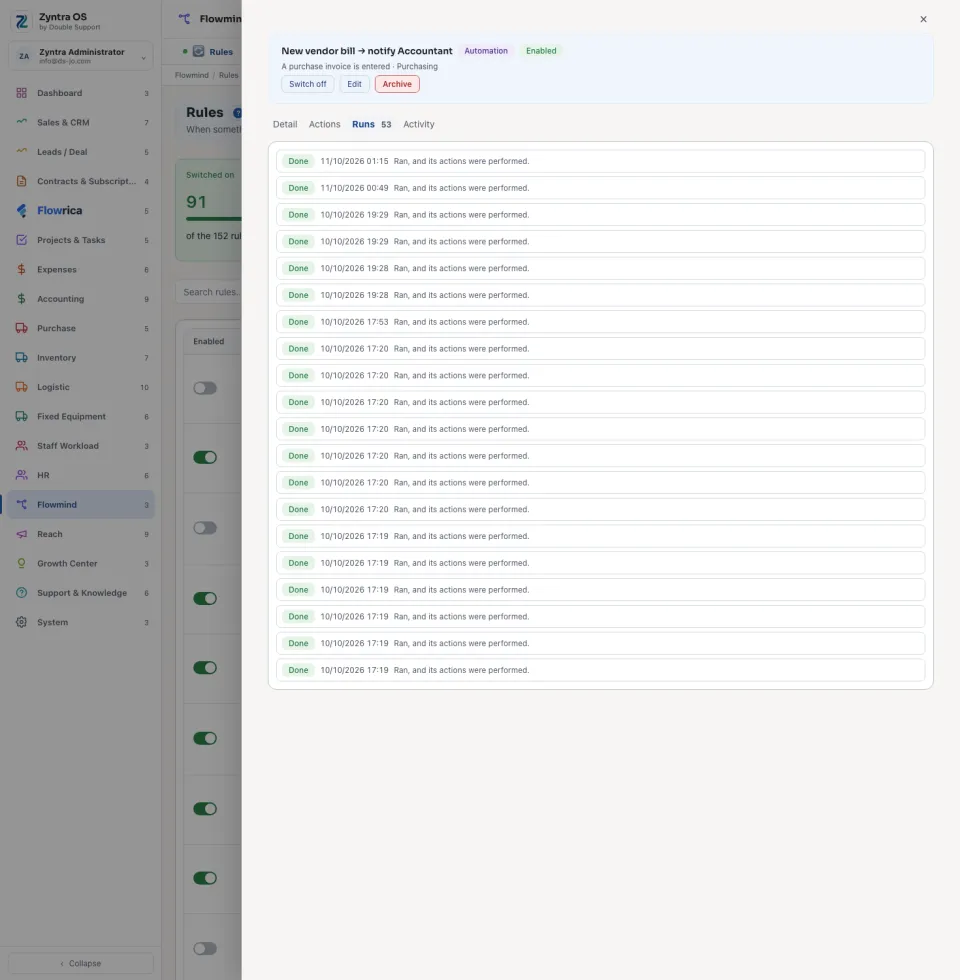
Press a rule to open it beside the list. Its head has Switch off, Edit and Archive. Its tabs: Detail (when it fires, what it must match, who it runs as and how many times it has run), Actions (what it does, in order), Runs (each run and how it ended) and Activity.
Add a rule
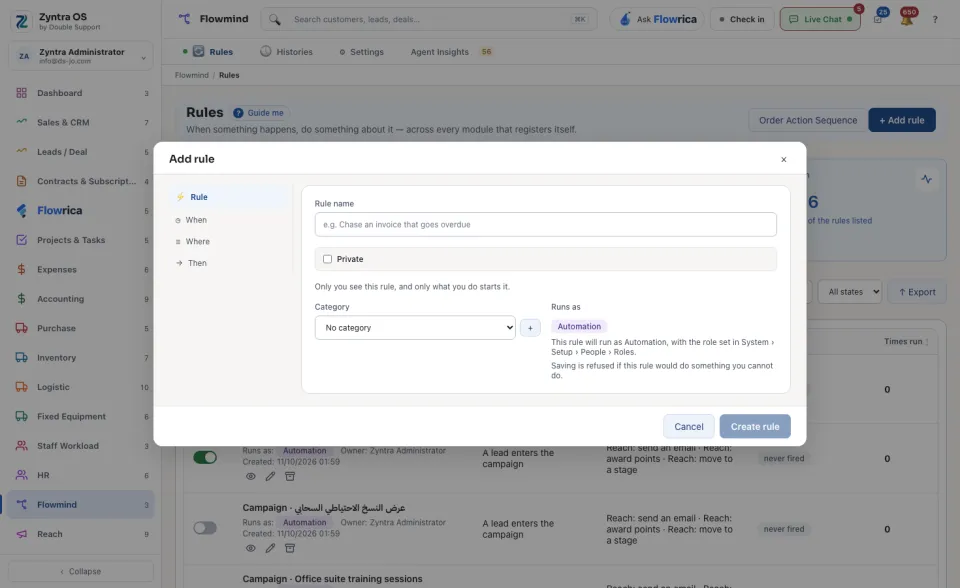
A rule runs as Automation, not as the person who wrote it. Saving is refused if the rule would do something you cannot do yourself. Order Action Sequence at the top of the list sets which rule goes first when several answer the same event.
Flowrica on this screen
Her walk points at + Add rule as the main thing to press, and her panel can build the rule with you one question at a time. A sentence typed to her such as tell me when an invoice is 7 days late also ends as a rule in this list: see Flowrica.