

 Zyntra OS
 Zyntra Legal
 Zyntra Real Estate
 Zyntra Hotel
 Zyntra E-commerce
 Zyntra Appointments
 Zyntra Repair
 Zyntra Garage
 Zyntra Concierge
 Zyntra Contracting
 Zyntra Clinic
 Zyntra Call Center
 Zyntra OTA
Where
HR › Timesheets & Leave › Shifts › Work Shift TableWho
Anyone allowed to manage shifts.1
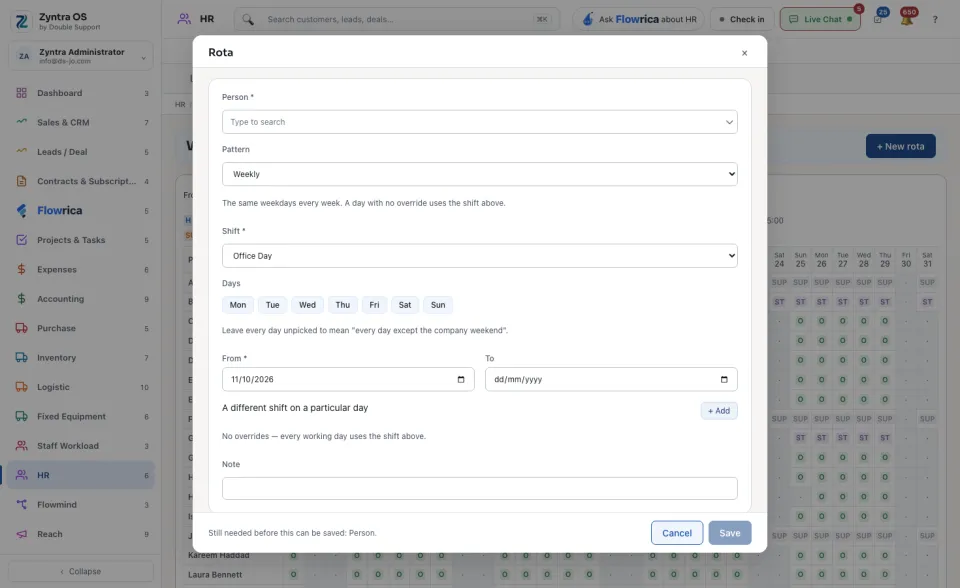
Press + New rota. The form Rota opens.
2
Choose the Person and the Shift.
3
Choose a Pattern: Weekly (the same weekdays every week; tick the Days) or By dates. Leave every day unticked to mean every day except the company weekend.
4
Set From and, if the rota ends, To.
5
If one day differs, press + Add under A different shift on a particular day and choose the day and the shift.
6
Press Save. The line beside it names what is still needed.
Read the table
The shifts are listed above the table, each with its letter and its hours. In the table each row is a person and each column a day: the letter is the shift worked that day, and a dot is a day off. From and To choose the days shown. Edit and Delete on a rota change or remove it.
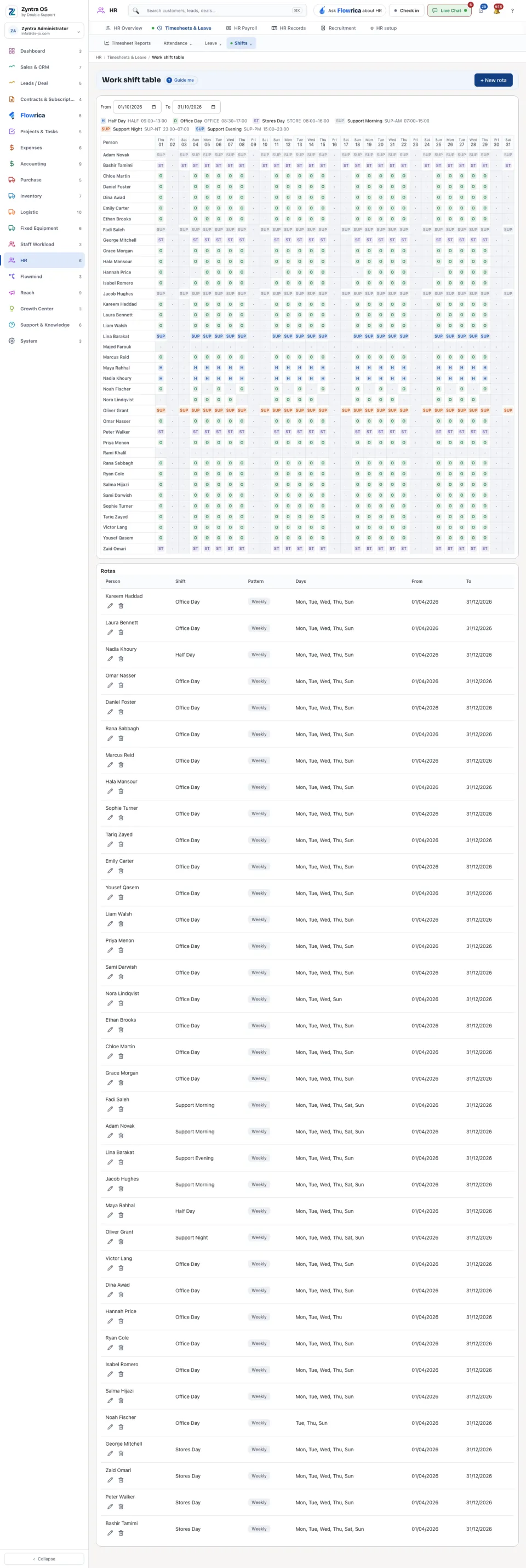
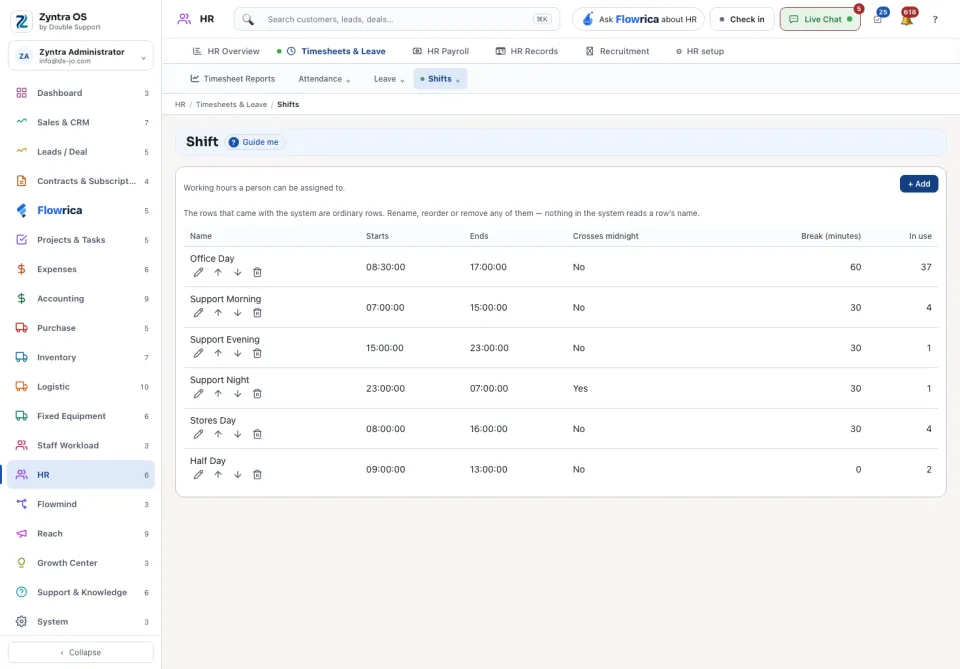
Someone with no rota falls back to the shift on their HR record. The shifts themselves are made in HR setup.
Before: Check in and attendance · Next: Put people on payroll