

 Zyntra OS
 Zyntra Legal
 Zyntra Real Estate
 Zyntra Hotel
 Zyntra E-commerce
 Zyntra Appointments
 Zyntra Repair
 Zyntra Garage
 Zyntra Concierge
 Zyntra Contracting
 Zyntra Clinic
 Zyntra Dental
 Zyntra School
 Zyntra University
 Zyntra Call Center
 Zyntra OTA
Where
HR › Attendance devices › Office screens · Me › Make this device a check-in tablet in the Zyntra appWho
Somebody who may manage attendance devices sets the tablet up and the PINs. Everybody uses their own PIN.1
In HR › Attendance devices › Office screens press Add an office screen. Give it a Name, choose Check-in tablet (PIN and selfie) under What it does, choose the Workplace it stands at, and press Save.
2
On the tablet, sign in, open the same list and press Open on this tablet. The tablet keeps its own key — it names nobody — so sign out of your own account afterwards. In the Zyntra app on a tablet, open Me › Make this device a check-in tablet: your account is signed out of it for you.
3
Give everybody a PIN in Check-in PINs on the same page (see Attendance devices), or let each person set their own under My Space › My time › My check-in PIN.
4
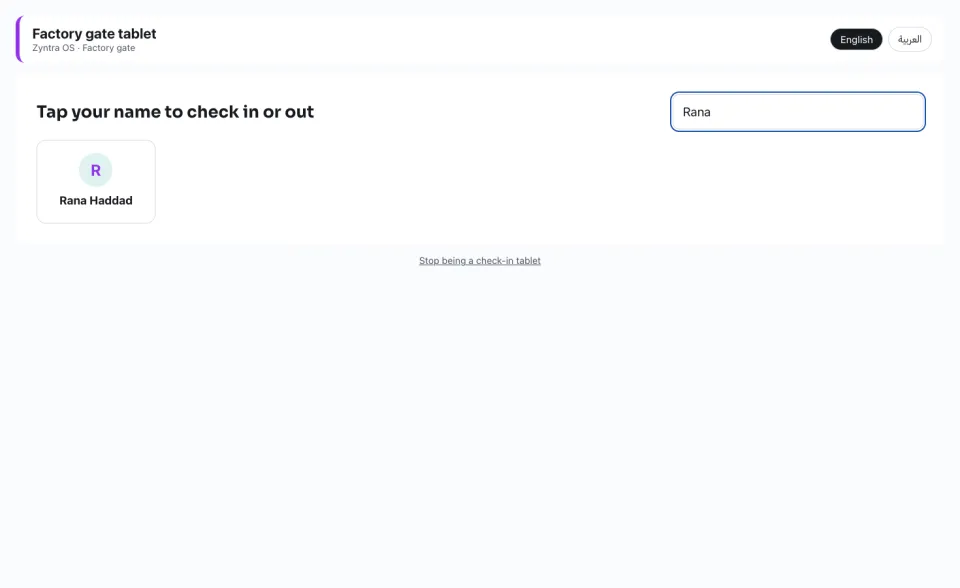
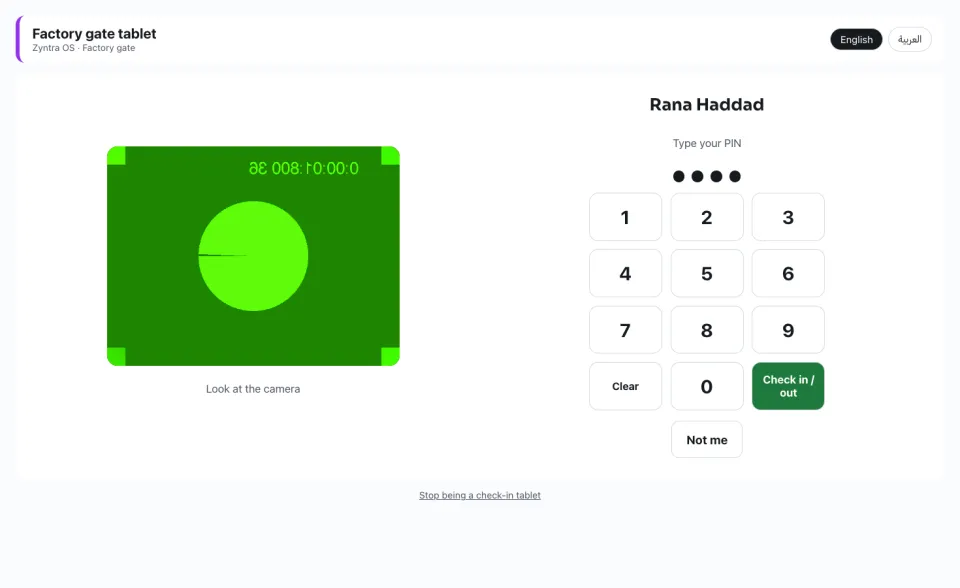
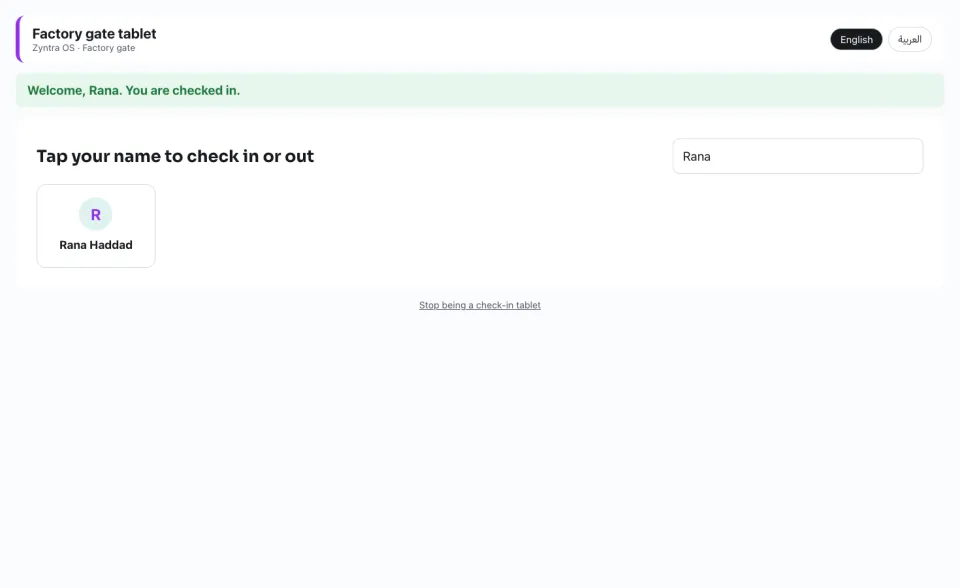
At the door, a person taps their name (or types it to find it), types their PIN and presses Check in / out. The camera's selfie goes with it, and the tablet says «Welcome» or «Goodbye» with their name.
5
The same tablet in the Zyntra app: names, the PIN pad, and the front camera takes the selfie.
A PIN typed wrong five times in a row locks that person for 15 minutes; HR can unlock it at once. A person of another company is refused. With no internet, the tablet keeps the press and sends it as soon as the internet is back; the time recorded is when it reaches Zyntra.
Stop being a check-in tablet at the bottom of the tablet ends it on that device. End in the Office screens list ends it everywhere.
Questions
Where is “Check-in tablet at the entrance” in Zyntra OS?
HR › Attendance devices › Office screens · Me › Make this device a check-in tablet in the Zyntra app
Who can use “Check-in tablet at the entrance”?
Somebody who may manage attendance devices sets the tablet up and the PINs. Everybody uses their own PIN.