

 Zyntra OS
 Zyntra Legal
 Zyntra Real Estate
 Zyntra Hotel
 Zyntra E-commerce
 Zyntra Appointments
 Zyntra Repair
 Zyntra Garage
 Zyntra Concierge
 Zyntra Contracting
 Zyntra Clinic
 Zyntra Call Center
 Zyntra OTA
Where
HR › HR Payroll › Payslips › Payslips (the screen is named Payroll runs)Who
Anyone allowed to run payroll.1
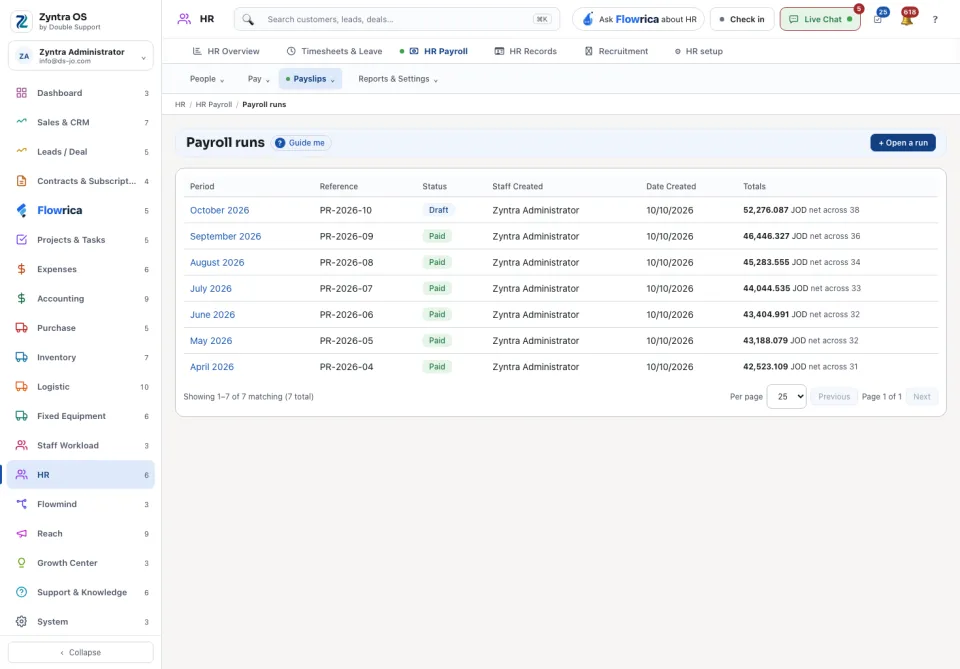
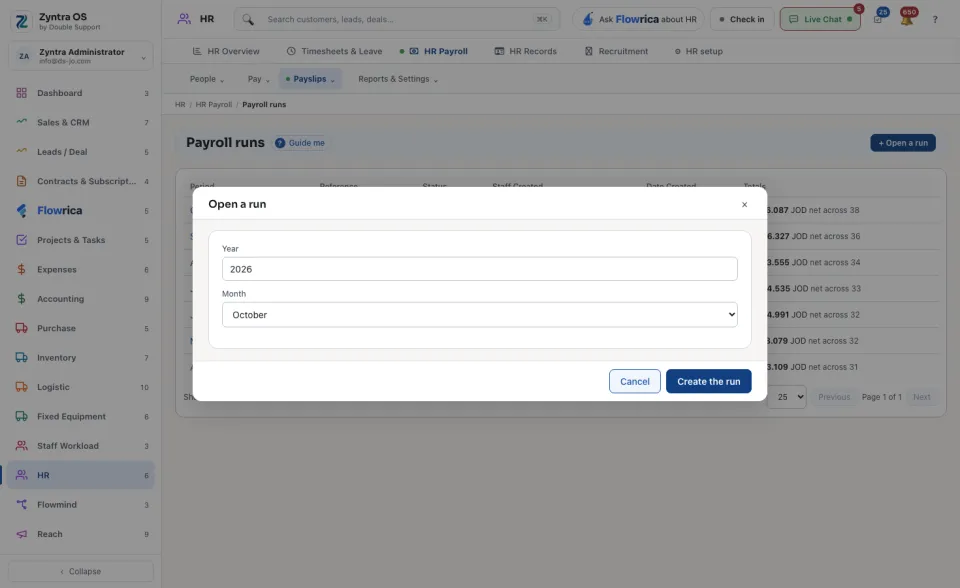
On Payroll runs press + Open a run. Choose the Year and Month and press Create the run. The run is a Draft.
2
Open the run and press Compute payslips. One payslip is made for each person on payroll.
3
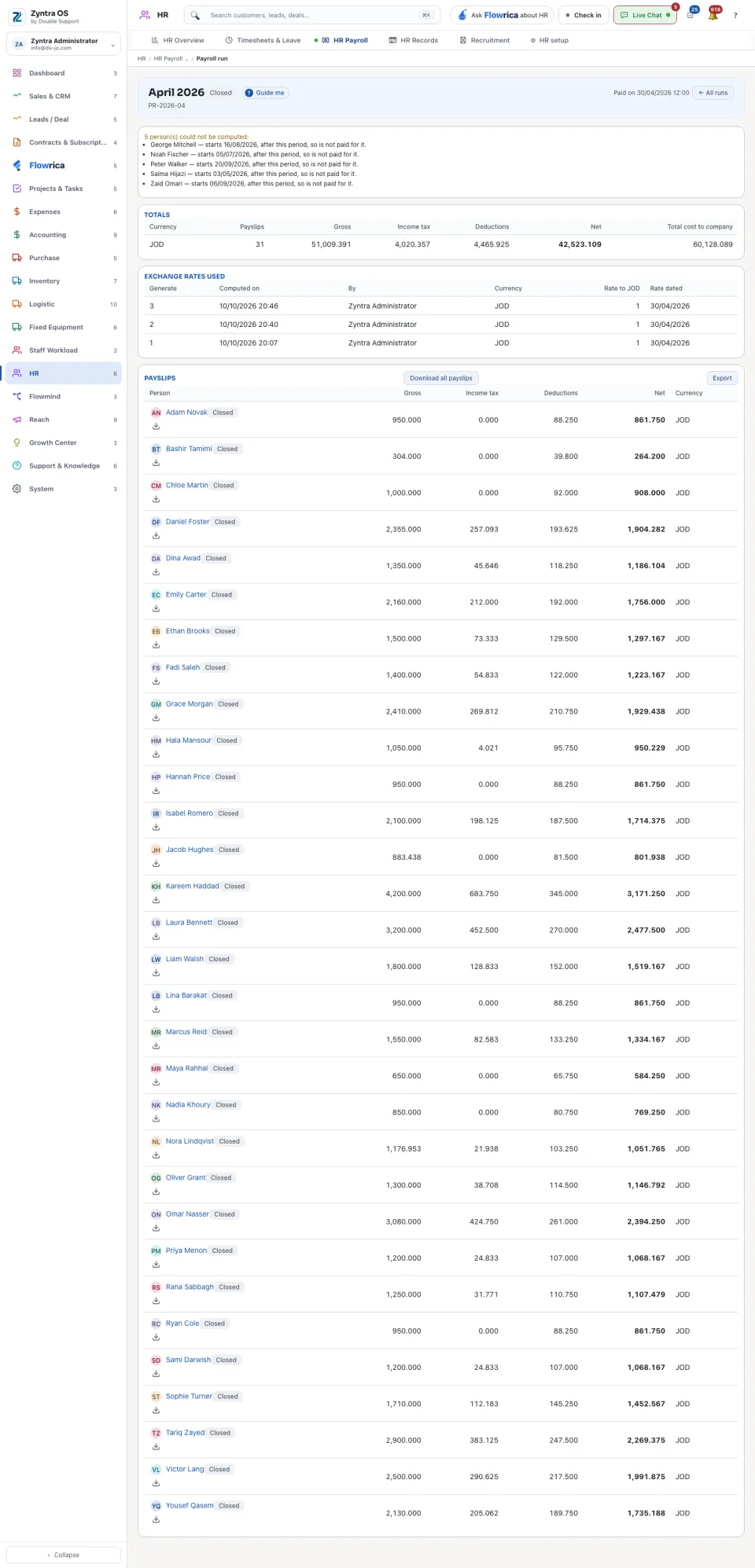
Check the run. Totals shows, for each currency, the payslips, gross, income tax, deductions, net and the total cost to the company. Under it the screen warns about what looks wrong, for example a person with no live employment contract for the period. Press a person under Payslips to open their payslip.
4
Press Close the run, then Lock the payslips. Closed payslips cannot be changed afterwards.
5
When the money has gone out, press Record payment. Choose where it was Paid out of and the day it was Paid on, and press Record it as paid.
A run is Draft, Closed or Paid. On a run, Download all payslips gives every payslip at once and Export takes the list out. ← All runs goes back to the list, where each run shows its period, reference, status and net totals.
A payslip
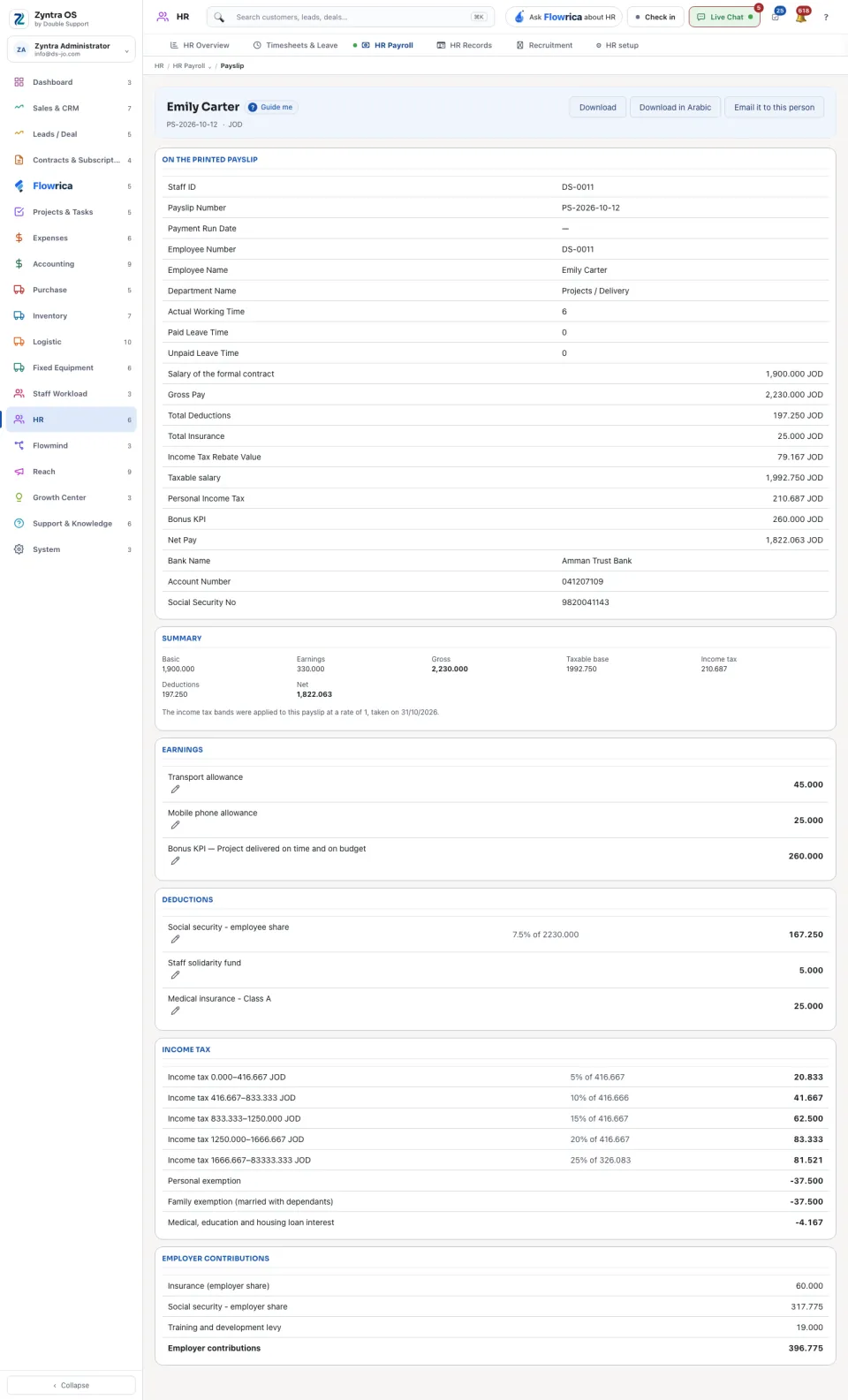
A payslip shows what is On the printed payslip, then a summary (basic, earnings, gross, taxable base, income tax, deductions, net) and each earning, deduction and tax band line by line. Download gives the file, Download in Arabic gives it in Arabic, and Email it to this person sends it to them.
All payslips of one person: HR › HR Payroll › People › Employees, then Payslips on their row. Choose Person to see someone else's, or everyone's.
Before: Put people on payroll · Next: Recruitment