

 Zyntra OS
 Zyntra Legal
 Zyntra Real Estate
 Zyntra Hotel
 Zyntra E-commerce
 Zyntra Appointments
 Zyntra Repair
 Zyntra Garage
 Zyntra Concierge
 Zyntra Contracting
 Zyntra Clinic
 Zyntra Call Center
 Zyntra OTA
Where
HR › Timesheets & Leave › Leave › LeaveWho
Everyone asks for their own leave; approvers decide.Ask for leave
1
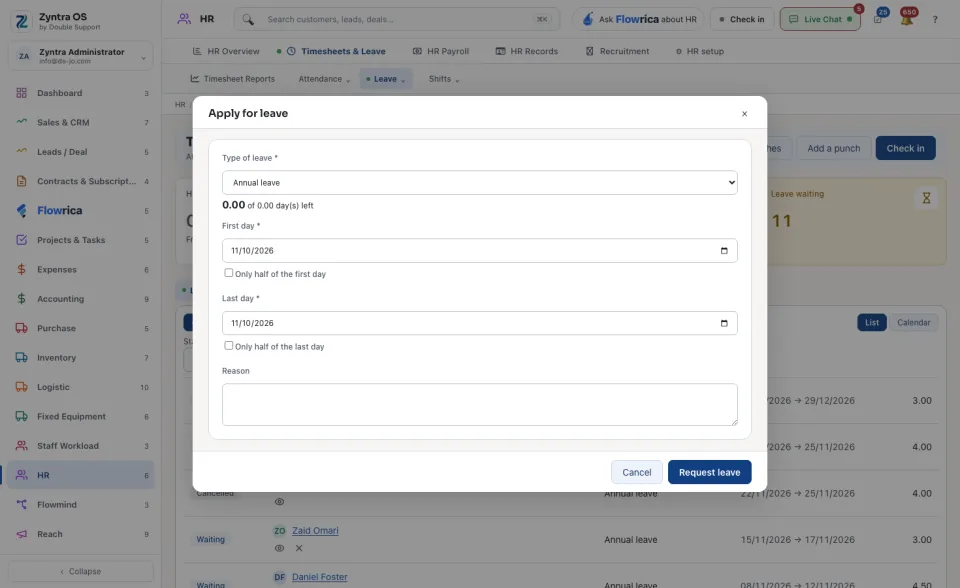
On the Leave tab press + Apply for leave. (On My Space, + Request Time Off opens the same form. Flowrica's Request leave asks you the same questions one at a time.)
2
Choose the Type of leave. The form shows how many days are left of the entitlement.
3
Give the First day and the Last day. Tick Only half of the first day or Only half of the last day if needed, and write a Reason.
4
Press Request leave. The request is Waiting until it is decided.
Decide
1
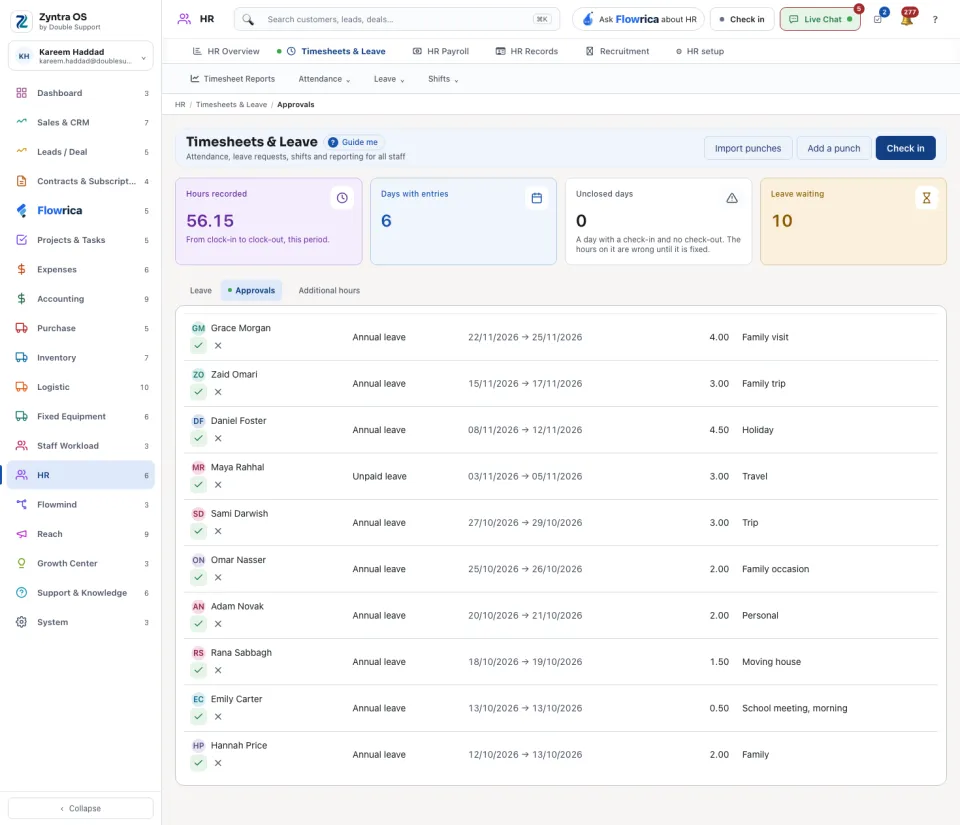
Open the Approvals tab. It lists what is waiting for a decision. On the Leave tab, Only the ones I approve narrows the list to your own.
2
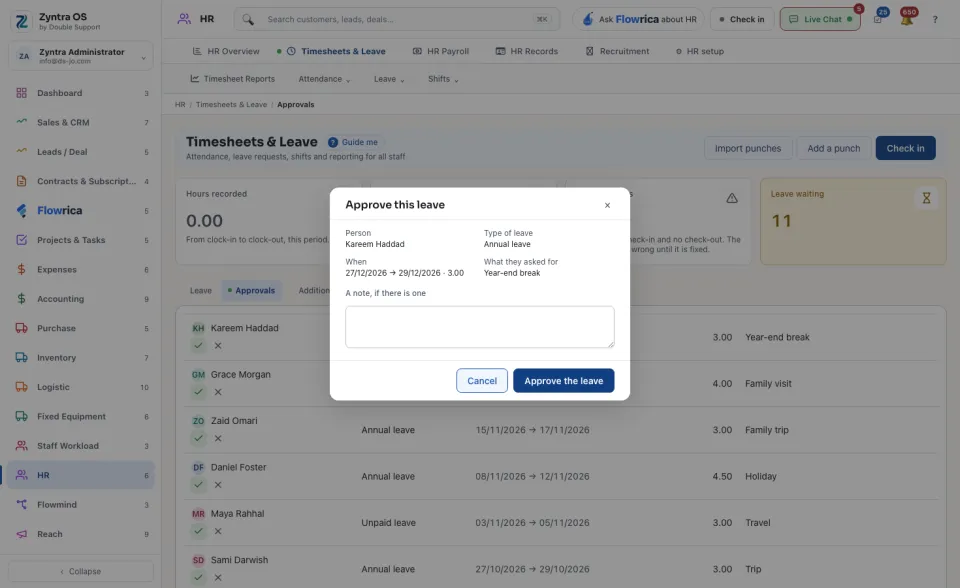
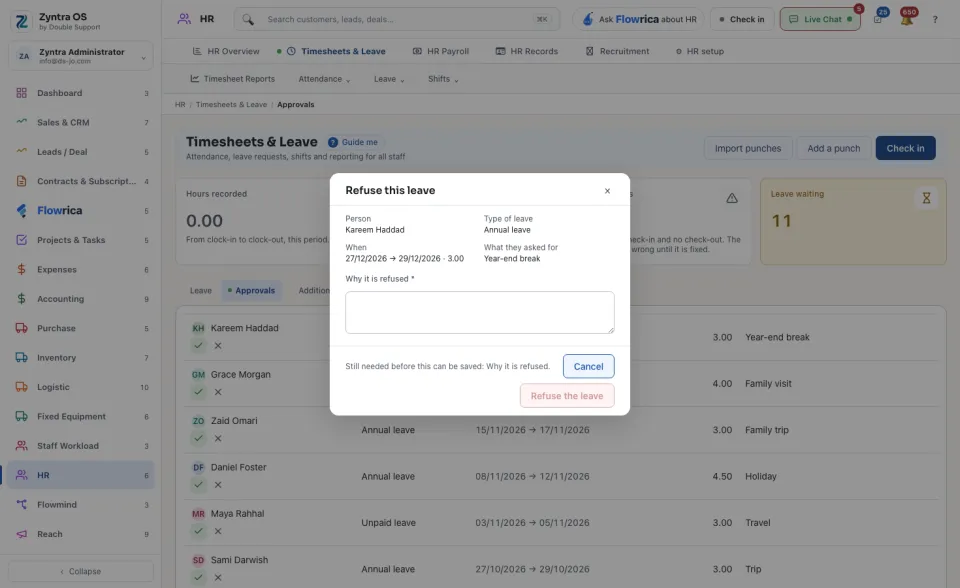
Press Approve, add a note if you like, and press Approve the leave. Or press Reject, say Why it is refused, and press Refuse the leave. The person reads the reason on their request.
The same requests reach an approver on My Space, in Flowrica's card of things waiting for approval.
Read the list
The Leave tab shows every request as a List or on a Calendar. A request is Waiting, Approved, Rejected or Cancelled. Narrow by Status, Type of leave and Org unit. Press a person's name to open the request. The figure Leave waiting at the top counts what is not decided yet.
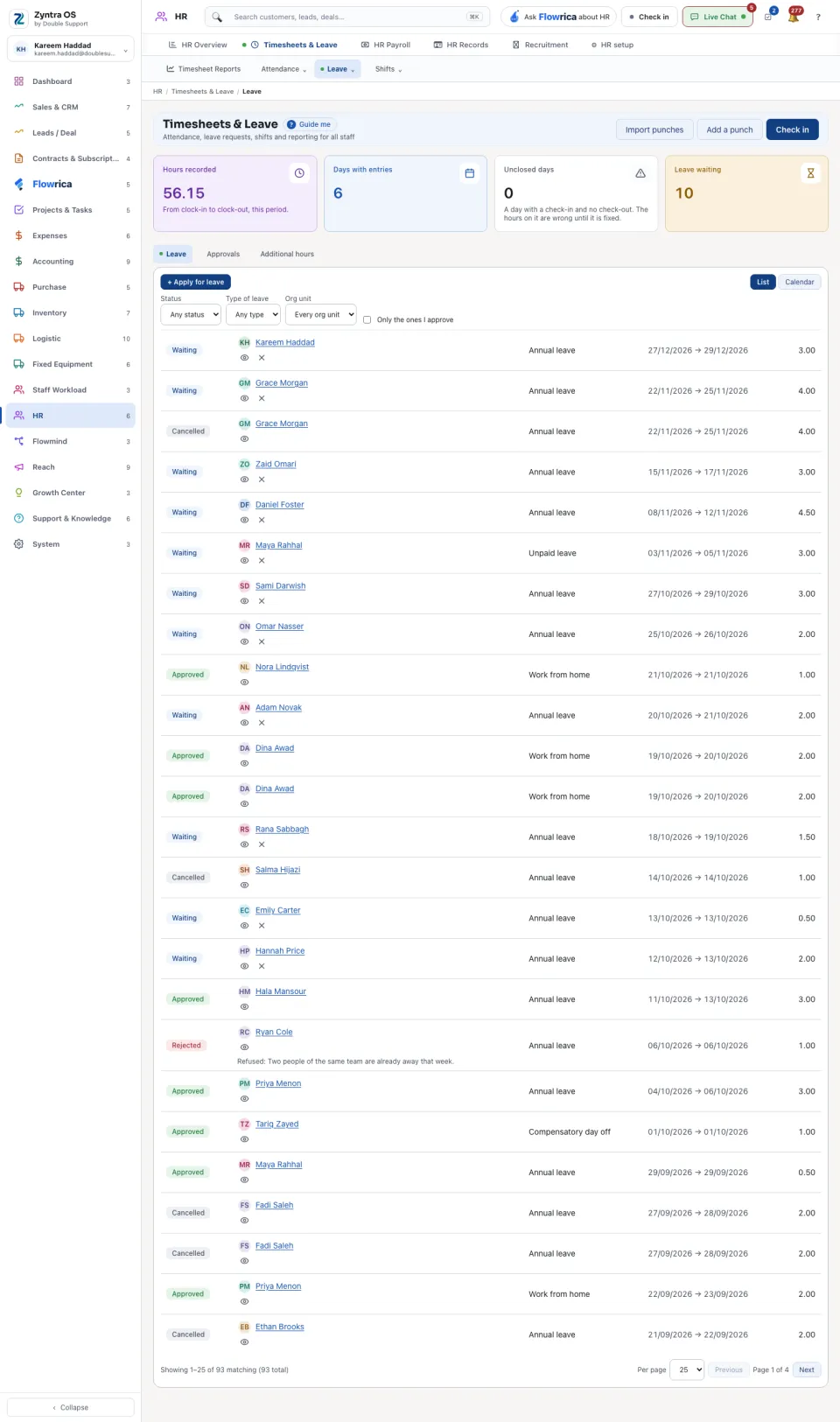
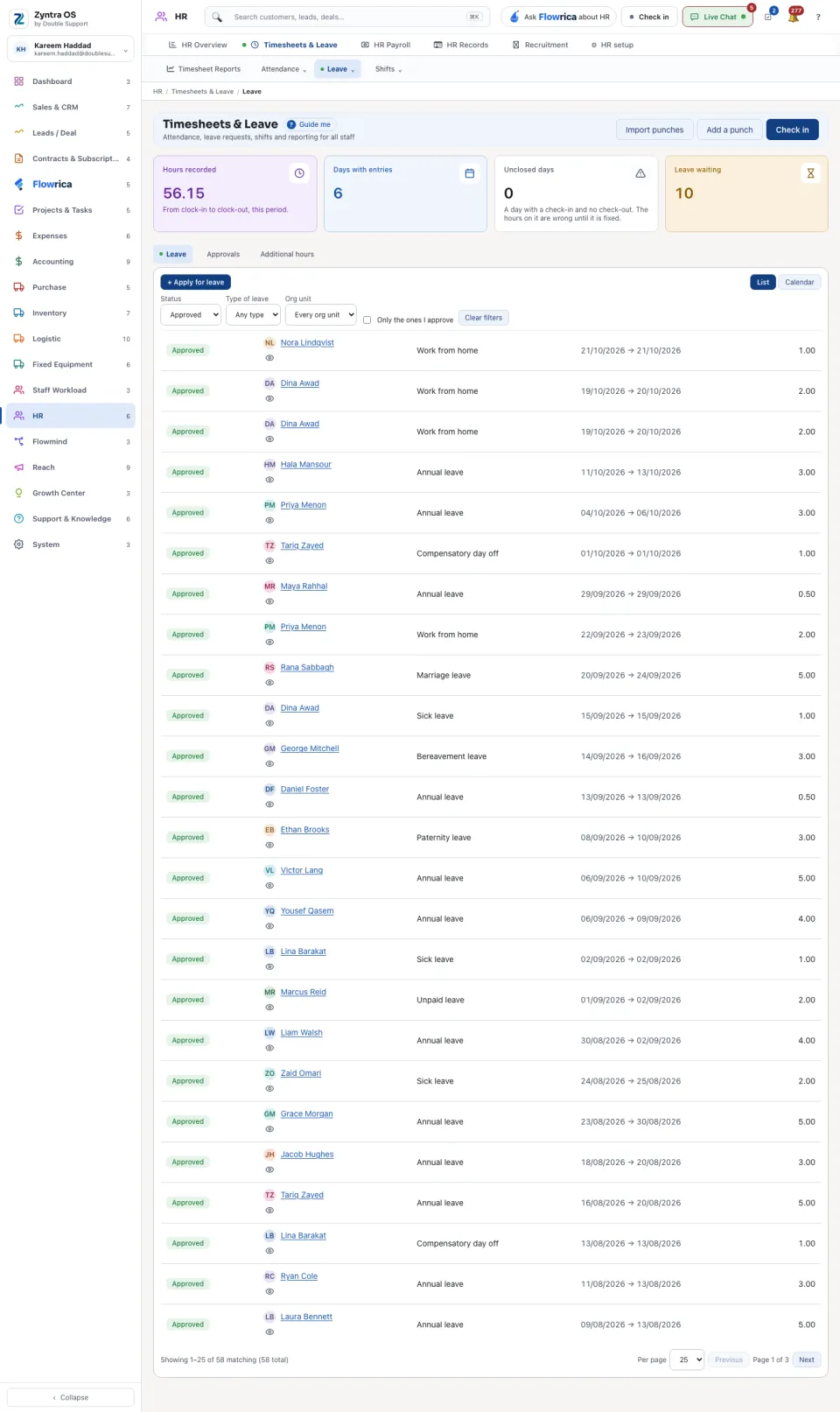
A request for more days than are left is refused when the leave comes out of an entitlement; the refusal shows the sums. Nobody decides their own request. A person in no org unit has nobody to approve, so their request is refused.
Additional hours
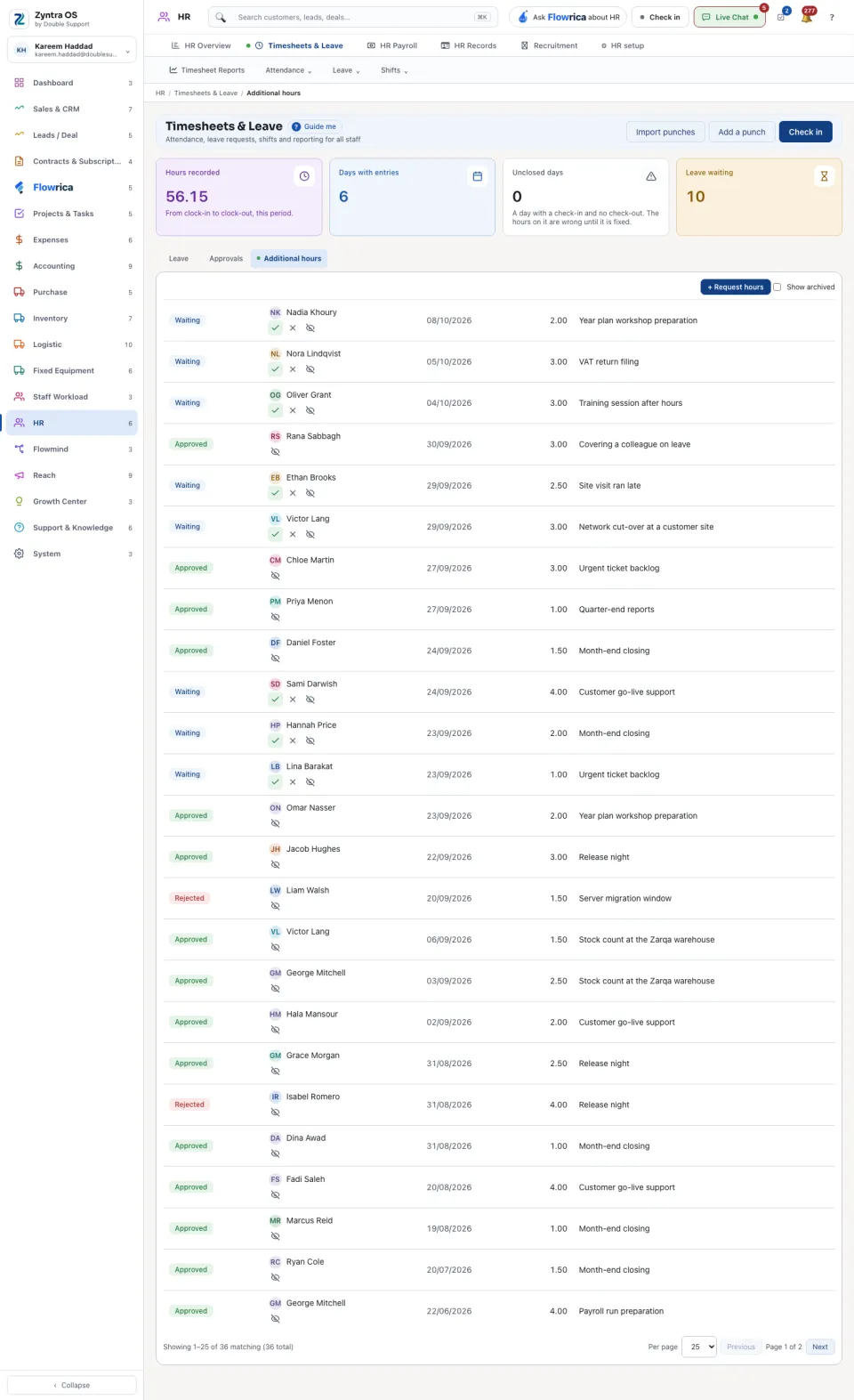
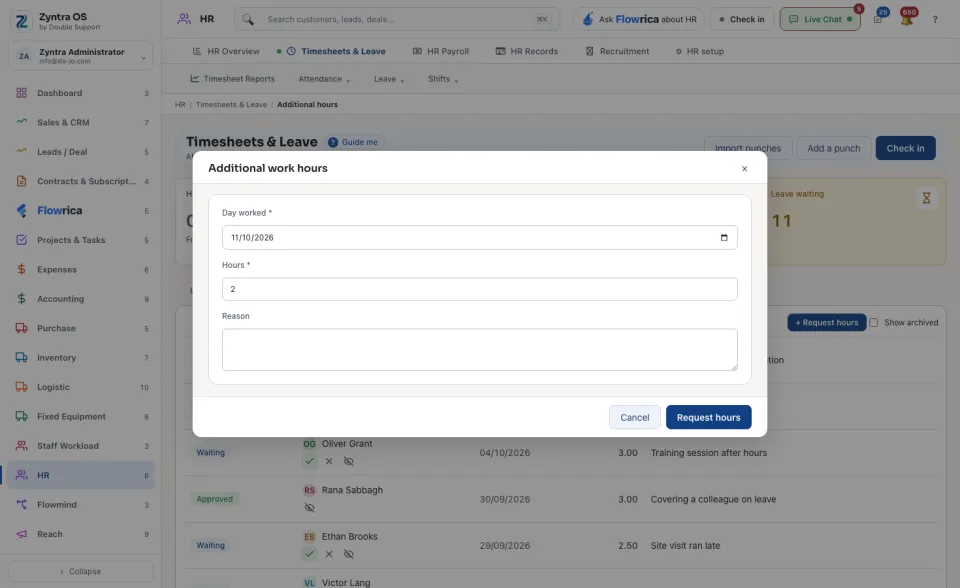
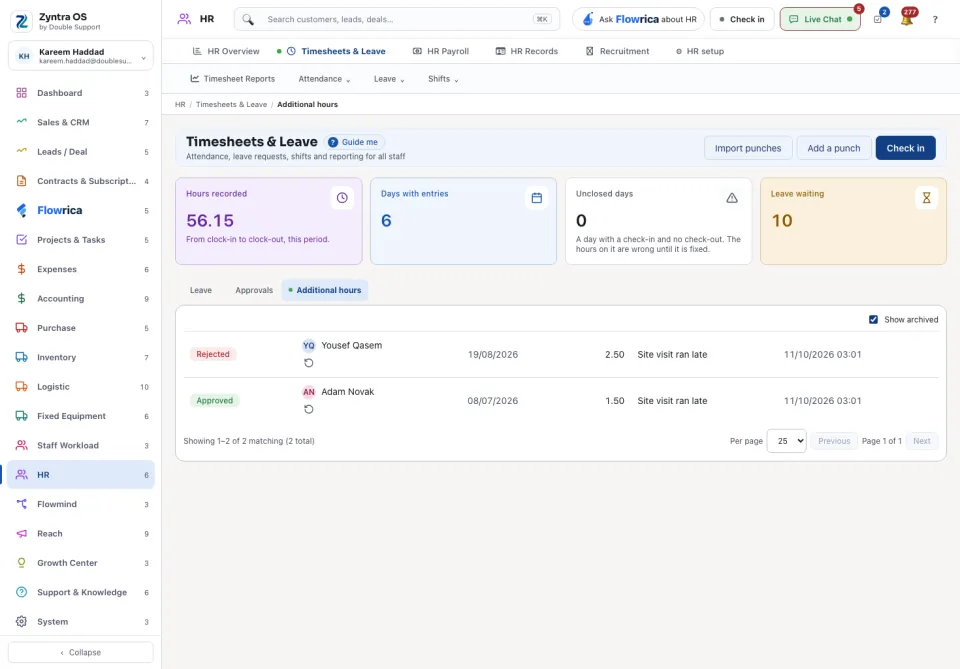
Hours worked beyond the shift are asked for and decided the same way, on the Additional hours tab. The person presses + Request hours, gives the Day worked, the Hours and a Reason, and presses Request hours. The approver presses Approve or Reject on the row. Show archived brings back archived rows.
Before: HR setup · Next: Check in and attendance