

 Zyntra OS
 Zyntra Legal
 Zyntra Real Estate
 Zyntra Hotel
 Zyntra E-commerce
 Zyntra Appointments
 Zyntra Repair
 Zyntra Garage
 Zyntra Concierge
 Zyntra Contracting
 Zyntra Clinic
 Zyntra Call Center
 Zyntra OTA
Where
System › Setup › National e-invoicingWho
People whose role may see e-invoicing.1
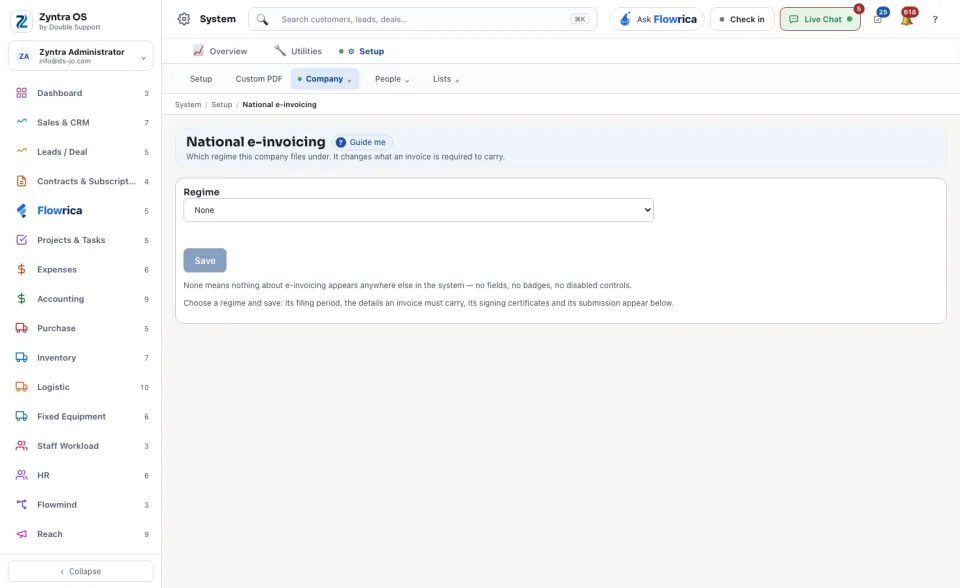
Under Regime, choose the national regime the company files under.
2
Press Save. The regime's filing period, the details an invoice must carry, its signing certificates and its submission then appear below on the same screen.
Leaving the regime at none means nothing about e-invoicing appears anywhere else in the system: no fields, no badges, no disabled controls.
The filing period set here is what The tax return uses to know how many months one return covers.